




Team performance
Review the timing of work, experience, and steps that slow down production cycles.
MODERN FACTORY / PRODUCTION MONITORING
Enable operators and shift supervisors to see production plans, actual production figures, and variances on the same Android screen, then link multiple station data to an overall report according to your desired scope
Free 100% when installed on your own server (Open-Core) · If used on our cloud, free for the first 10 stations
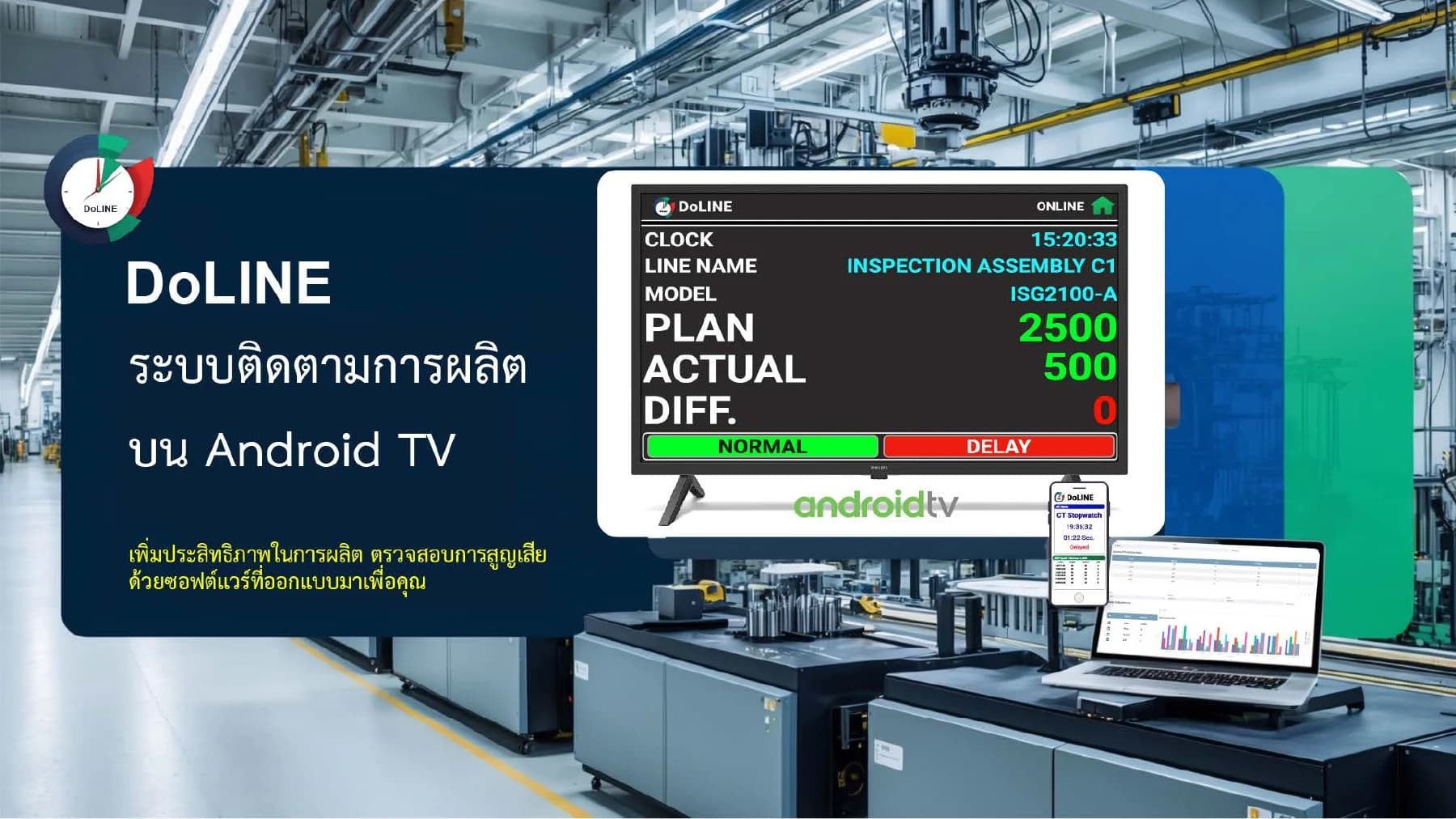
Plan / Actual Total / DifferenceSee the same set of numbers on the line
Cycle TimeFollow cycle time according to selected format
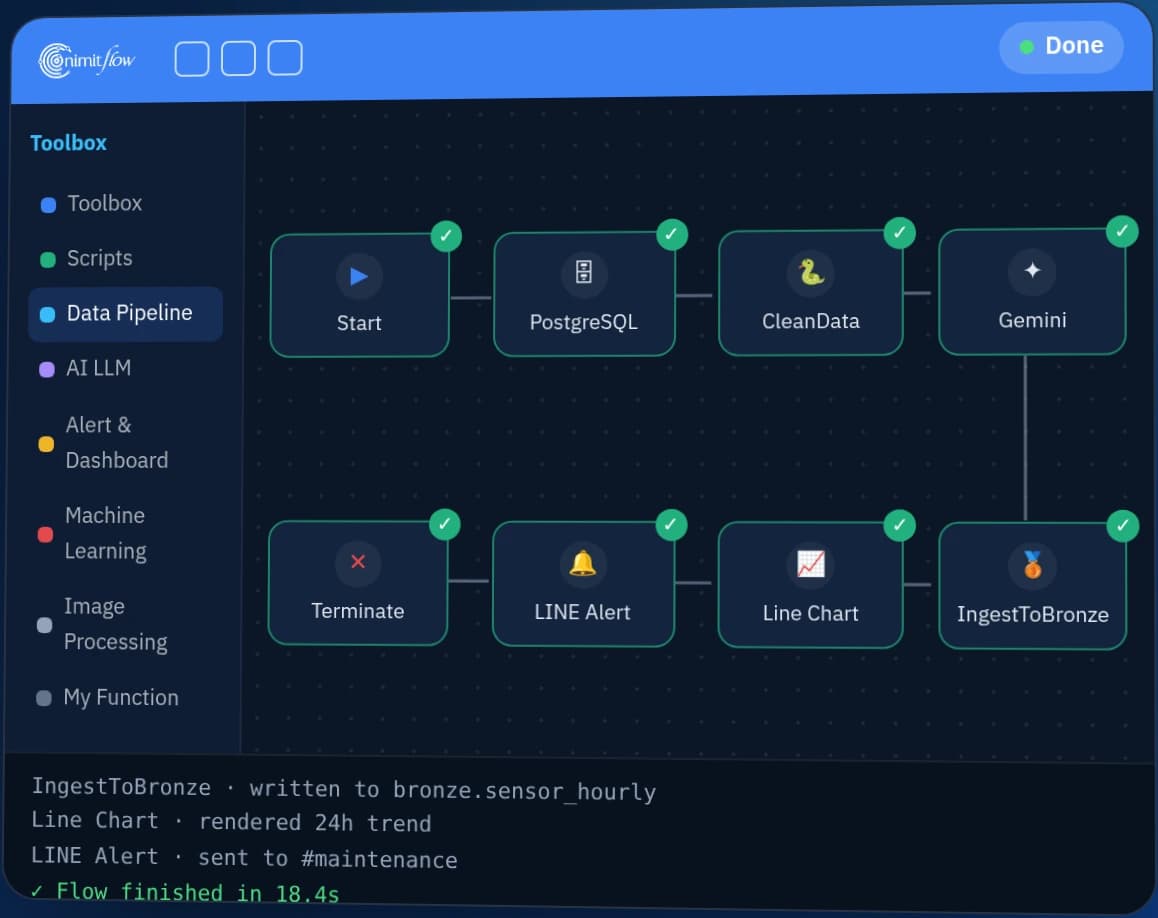
Overview of multiple stationsConnect reports through nimitFlow
START WITH THE PRODUCTION GAP
The board helps identify areas for further inspection, while the cause still requires on-site data and team evaluation.
Review the timing of work, experience, and steps that slow down production cycles.
Check periods when machines are stopped, broken, or not operating at full capacity.
Check materials of the wrong version, damaged, or not ready for production.
Review complex steps and those taking longer than planned.
MONITOR / MEASURE / EXTEND
The presentation groups applications into output tracking boards, Cycle Time displays, and add-ons for investigating problems
PRODUCTION BOARD
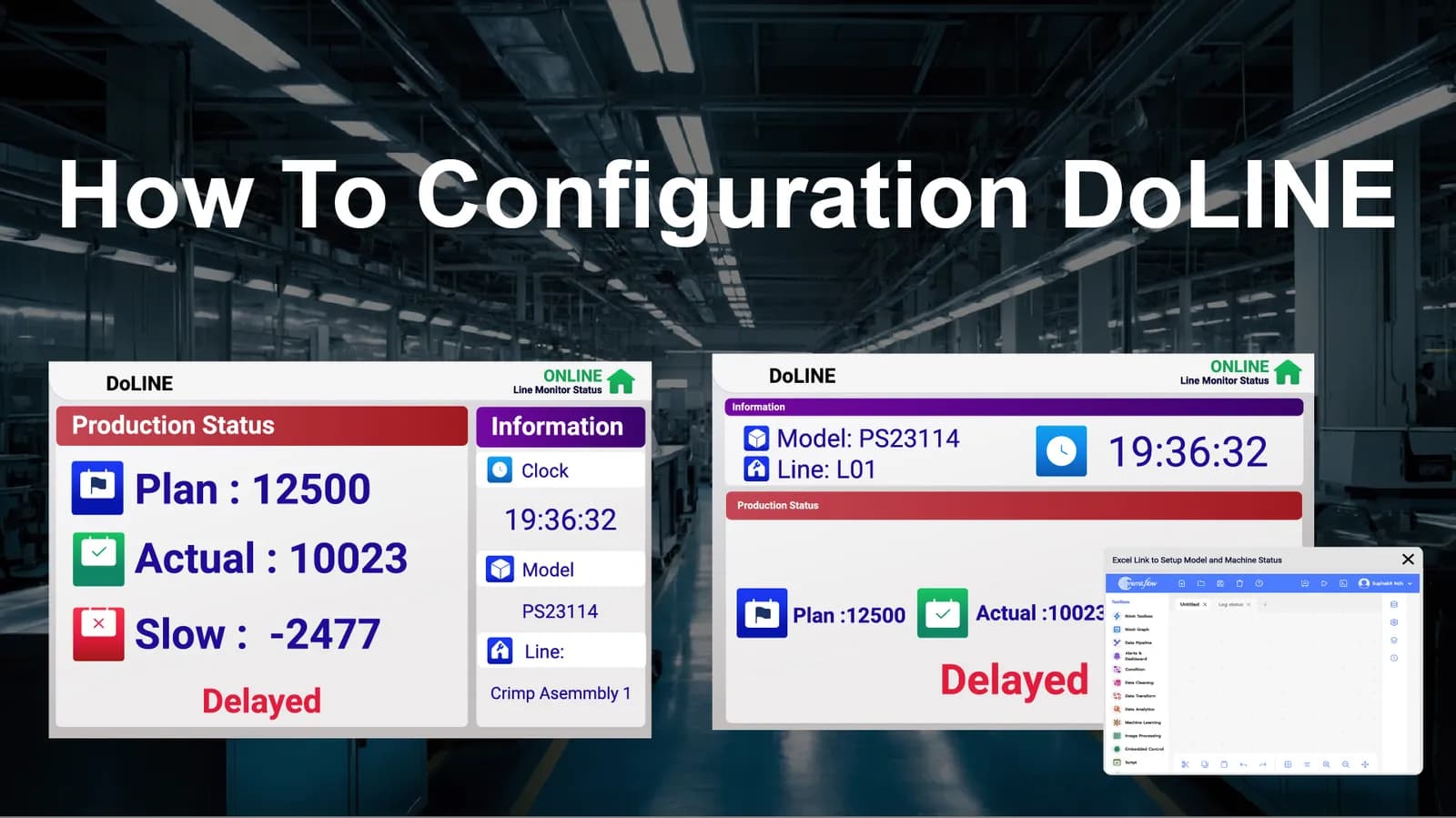
Displays line name, current production model, plan, actual production, difference, and normal, delayed, or stopped status for team to see progress during shift
CYCLE TIME
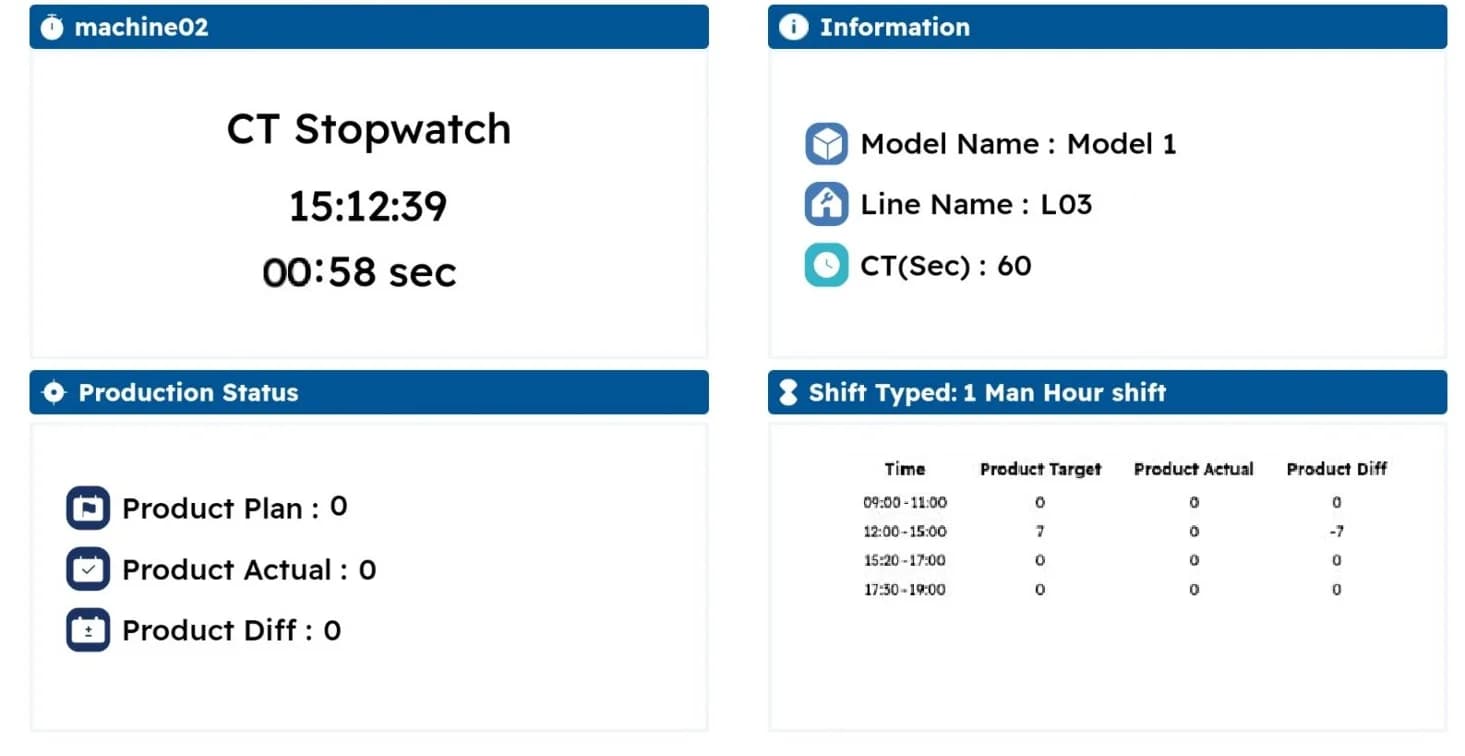
The CT Stopwatch display shows cycle time and output over time, with options to add reports and LINE or email alerts according to the selected scope
OPTIONAL / EXTENSION
Consider image recording and loss analysis add-ons when your team needs to investigate events alongside production figures
For Cycle Time displays, alerts, and image recording add-ons, confirm the functions, equipment, and scope in the proposal. This does not mean every function is included in the free package
ON THE SHOP FLOOR
Select template suitable for screen and job, important information is placed where the team can see together
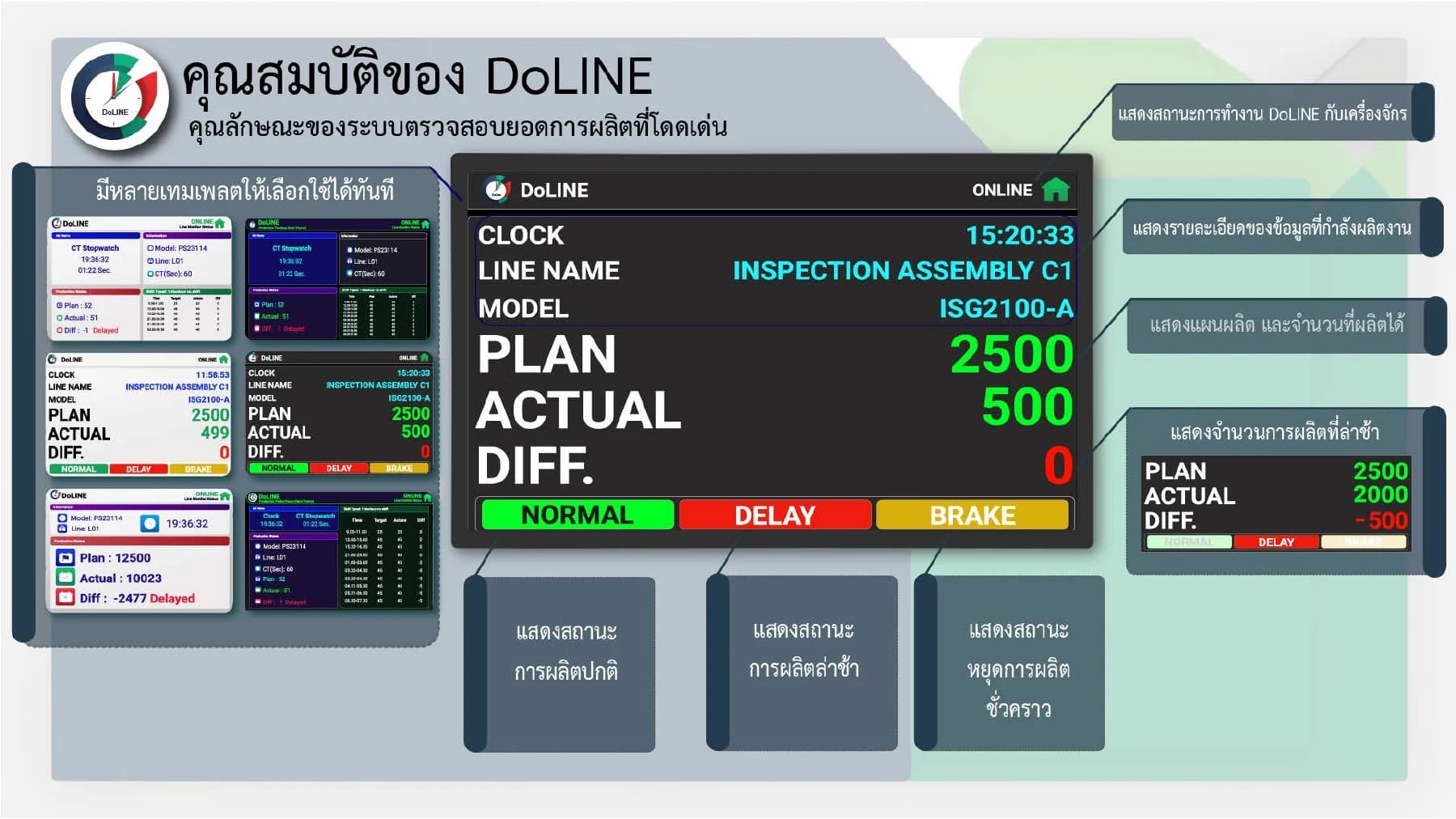
Line name, product model, time, and connection status are at the top of the board
Plan, Actual, and Diff. show planned output, actual output, and the difference
Normal / Delay / Brake indicate normal operation, delay, and a break, as described in the document
Light template, dark template, and Cycle Time format examples
HARDWARE THAT CONNECTS YOUR LINE
Signals from machines or Sensors (detection devices) enter DoLINE through 2 types of equipment shown on this page. The first type is InTrigger using 24V DC power for factories that do not need to design their own circuits. The second type is an open-circuit DIY circuit for engineers who want to connect themselves. After connecting the signals, set the Station in DoLINE to indicate which signal is the count of which line, and our engineers evaluate the signal reception point with the actual machine before installation because the signals of each machine model are different.
Start with counting method for each station, then select appropriate signal receiving equipment that matches the machinery and system in place
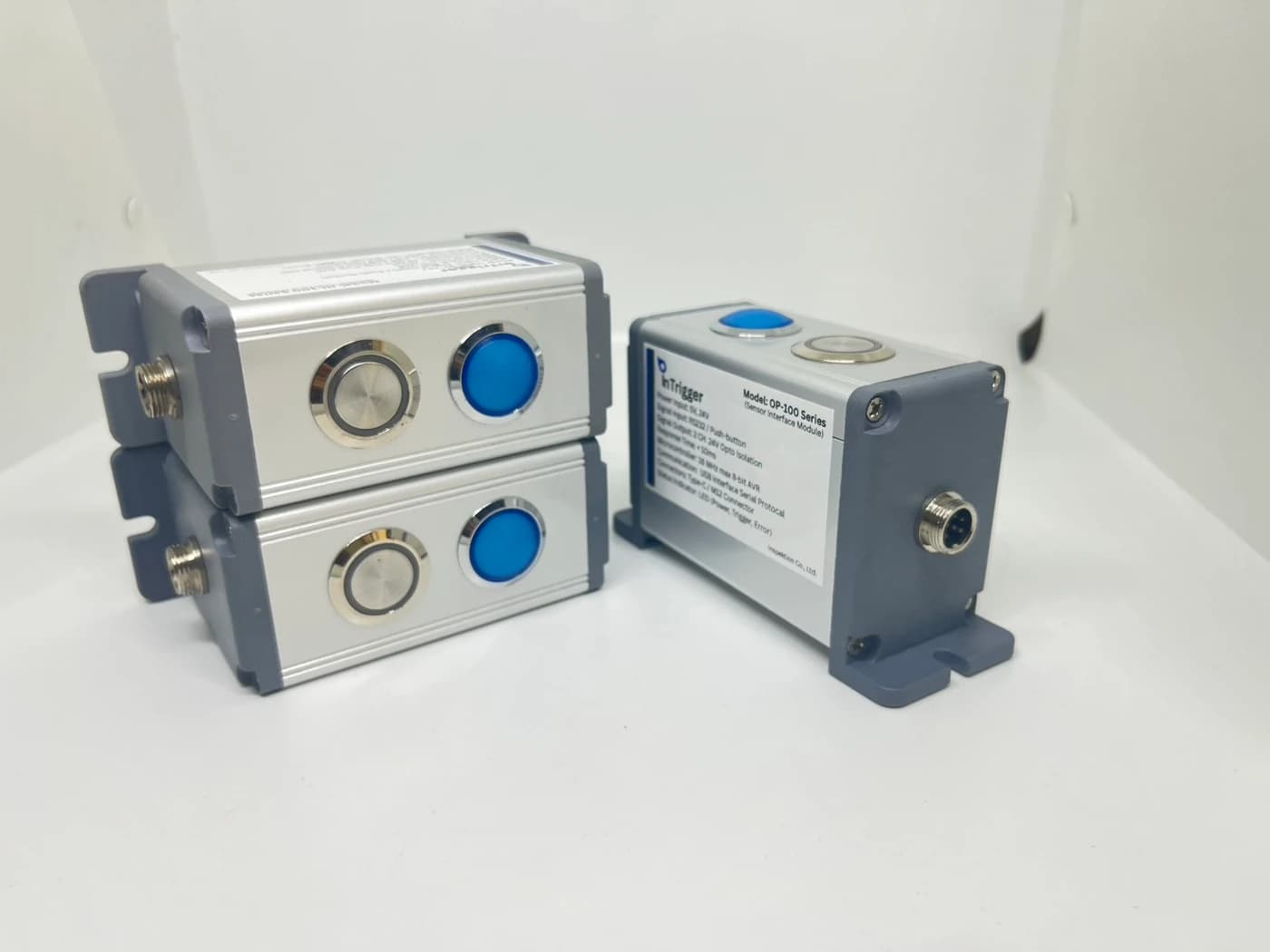
InTrigger set receives button presses or signals from Sensors / Machines and sends data to DoLINE according to workstations
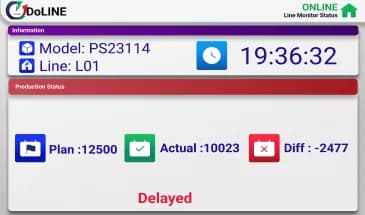
Configure the Station and display planned output, actual output, and the difference on the production-line screen
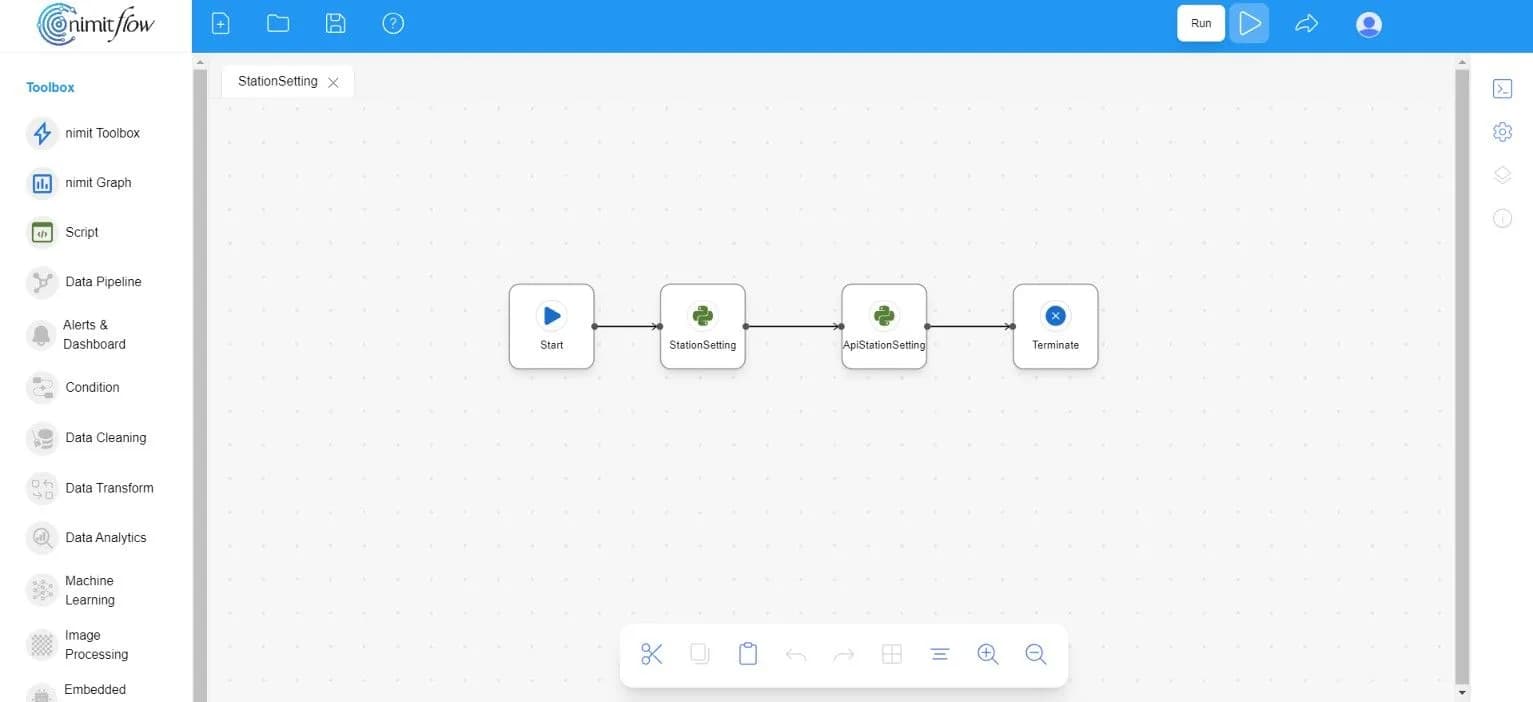
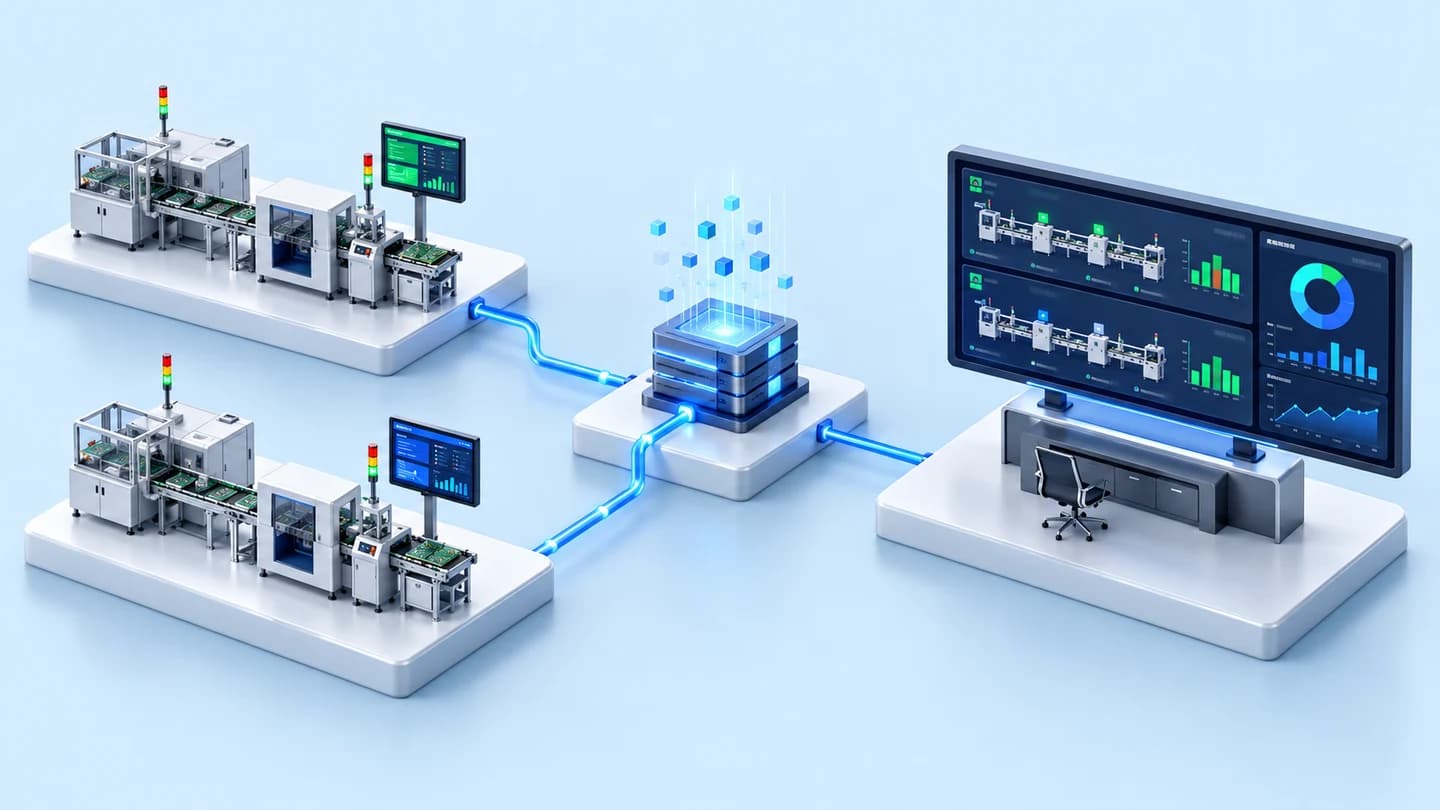
Select multiple station data connections for report creation and additional workflows
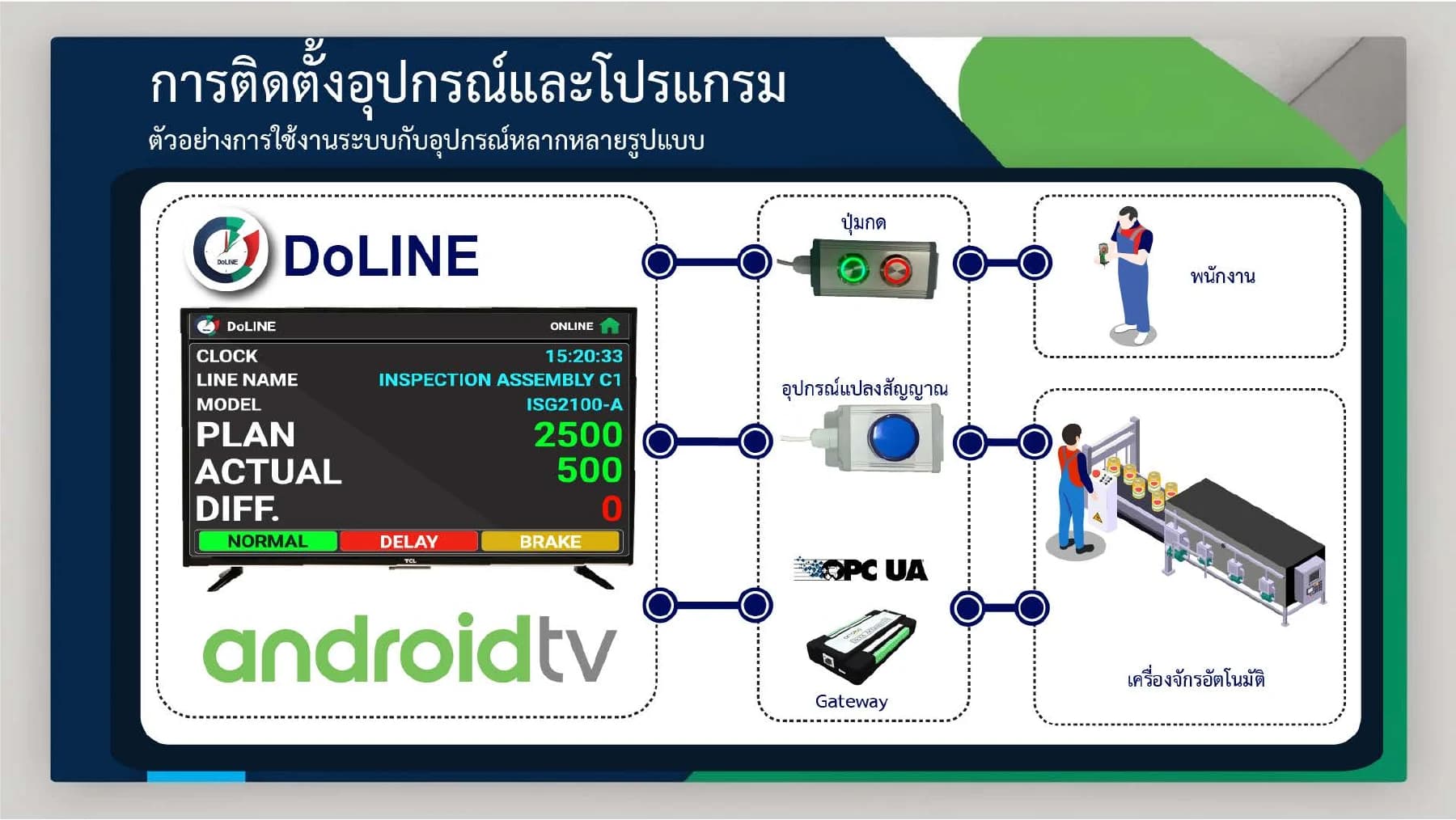
OPC UA connection requires a gateway and a supporting originating system, while nimitFlow and reporting work are additional connections according to the project, not equipment included in every package
| Equipment | InTrigger |
|---|---|
| Power supply | 24V DC |
| Destination system | DoLINE |
| Initial steps | Connect signals and set up Station |
| Type and number of input signal channels | — |
| Display device | Tablet or Android 6.0+ screen, install app from APK file (Android installation file) |
BUILT FOR ENGINEERS & MAKERS
Start with a circuit you can build upon
DIY Open Circuit is an open circuit solution for engineers who want to receive signals from the production floor directly into DoLINE. It allows you to test with real equipment in the Free Community package before expanding usage.
Request DIY circuit filesONE FACTORY / CONNECTED INFORMATION
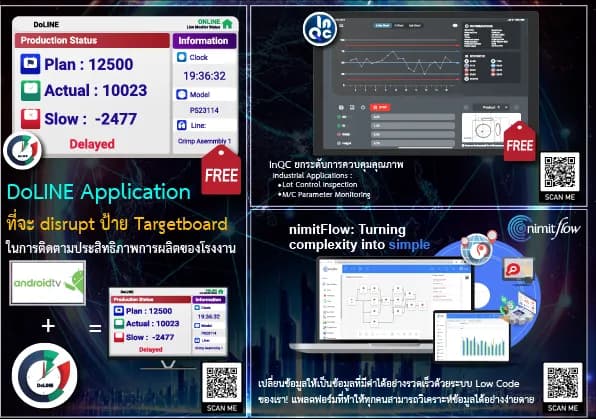
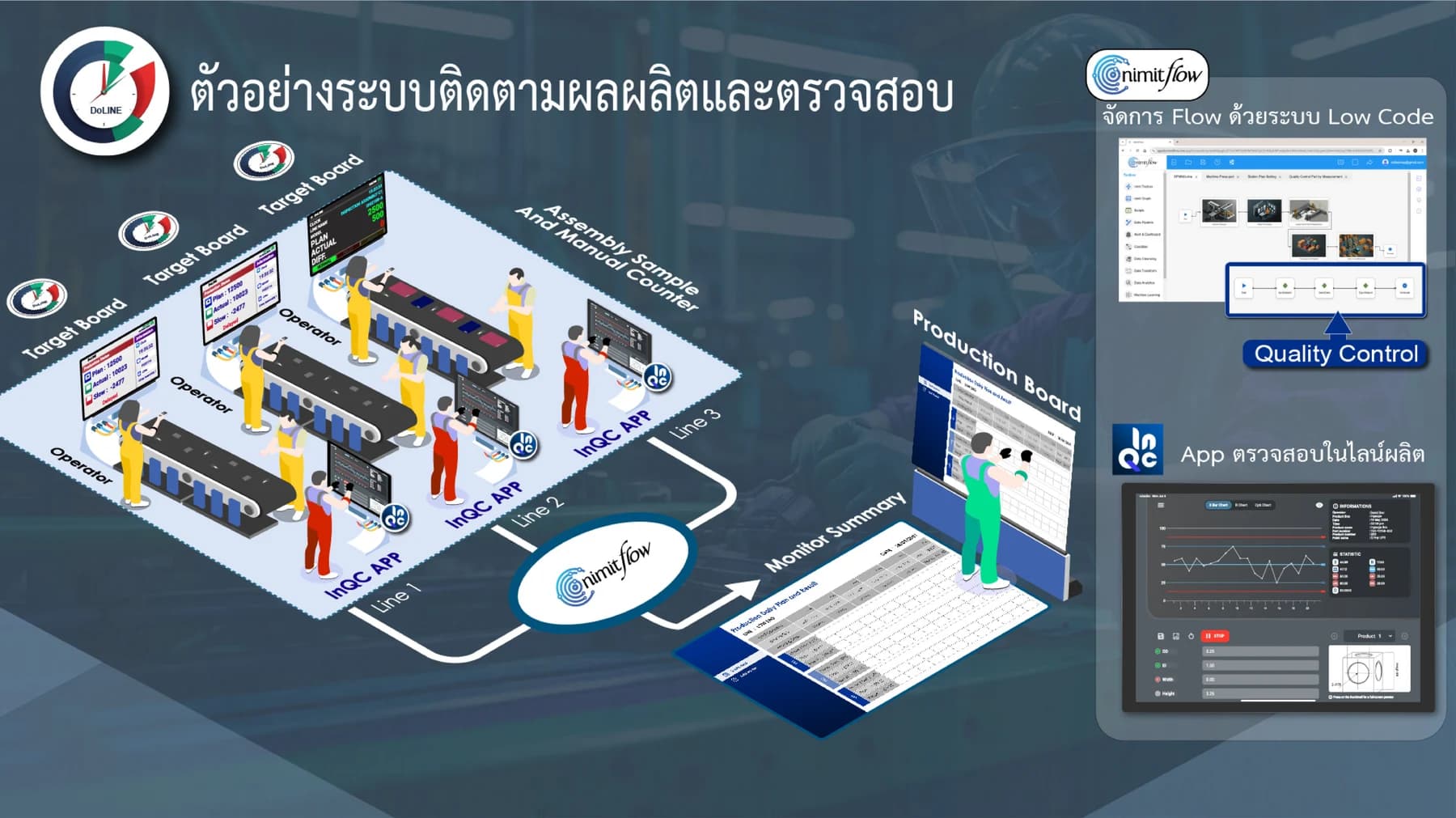
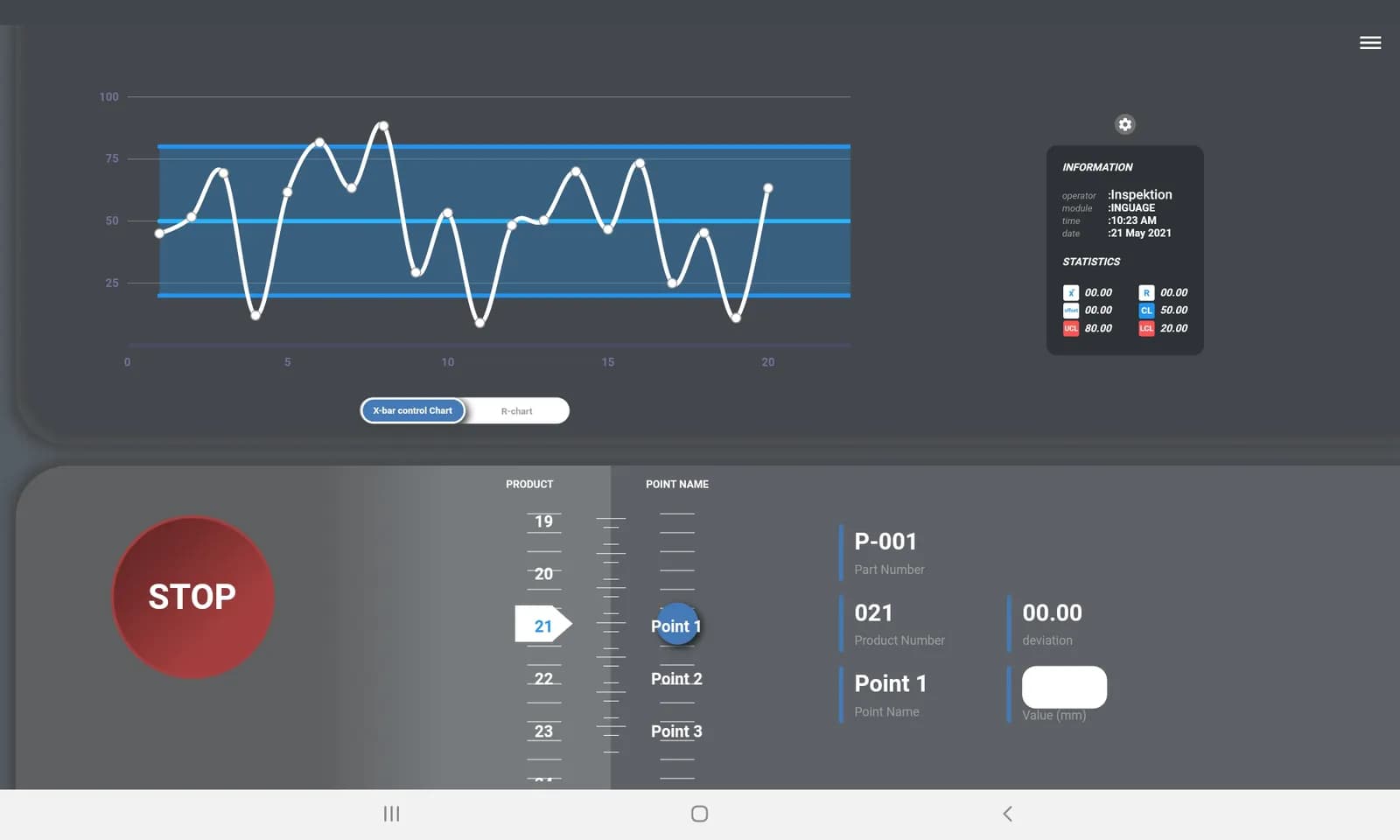
DoLINE tracks production volume, while InQC receives measurement values and quality work. When connected through nimitFlow, teams can create reports and workflows together within the scope of the project.
START SMALL. SCALE WITH YOUR FACTORY.
DoLINE is free for the first 10 Stations in the Free Community package. A Station is an Android screen hanging in front of the line with its own Station ID. When expanding, choose Cloud Scale-Up priced based on the number of Stations, or On-Premise Enterprise with a Perpetual License at 20,000 THB per Unit for on-premises deployment. The Cloud price per Station has not been announced on the web, we offer pricing based on the number of Stations you use.
Station is an Android screen at the station with its own Station ID, whereas Unit is an Enterprise rights unit, so it should not be automatically assumed that 1 Unit equals 1 Station.
Software pricing does not include the entire project installation budget, specify receiving devices, screens, servers, installation work, training, maintenance, and tax separately in the quotation
Start on our cloud, up to 10 Stations
Free
Software license for 10 Stations · Prepare screens and receiving equipment according to the job site
Download / Start FreeExpand based on the number of Stations used
Based on the number of Stations
Request pricing based on usage scope
Assess Cloud costsDeployed in organization's system
20,000 THB / Unit
Perpetual License · 20,000 THB/Unit
Consult on On-Premise installationInstall software on your own server
Free Open-Core Software
Specify functions, number of stations, and installation requirements before starting
Talk about self-installationOn mobile, swipe left or right to compare packages
| Features | Free Community | Cloud Scale-Up | On-Premise Enterprise | Self-host Open-Core |
|---|---|---|---|---|
| Cost Structure | Free Software License for 10 Stations | Request price based on number of Stations | Buyout at 20,000 THB / Unit | Free Open-Core software when self-installed |
| Number of stations | First 10 Stations | As per quotation | Number of Stations per Unit must be specified in quotation | Confirm station count scope before installation |
| Initial approach | Our cloud | Our cloud | On-premises system | Your own server |
| Suitable for | Start with no more than 10 stations | Expand station count on cloud | Need for Enterprise rights within organization | For organizations with a team and server for self-hosted installation |
| Equipment and Services | Confirm display and signal receiving circuit required | Separate equipment cost, installation, and service in offer | Separate software license from equipment and services | Define server administrator and scope of installation assistance |
Cloud pricing per station, number of stations per unit, and differences in Open-Core vs Enterprise functions still need to be confirmed in specific job quotes
DoLINE has not yet delivered any projects under the name DoLINE. The closest project was a production volume tracking system we developed specifically for 2 factories. Both systems display actual production volumes compared to production line plans, similar to what DoLINE does.
DoLINE is a production line tracking and OEE (Overall Equipment Effectiveness) system on an Android screen at the production line. It starts free with 10 Stations using the Open-Core approach, then expands with paid options to Cloud or On-Premises when more stations are needed. Signals from machines enter the system through InTrigger or DIY Open Circuit.
The Free Community package is free for the first 10 Stations. Each Station has its own Station ID, so data from each line does not mix. You can start receiving signals from the production floor with the DIY Open Circuit in this package.
There are 2 options: Cloud Scale-Up priced per station, and On-Premise Enterprise perpetual license priced at 20,000 THB per unit for on-premises deployment. Number of Stations per unit, inquire team.
This page displays 2 types of actual counter devices: DIY Open Circuit and InTrigger, which uses 24V DC power. If your machine sends a different signal, please provide the machine details for our engineer to evaluate first. The DIY circuit file does not have a direct download link; request it through the 'Request DIY Circuit File' button and send the job site details. The team will receive the context of the DoLINE DIY request.
DoLINE is suitable for lines that count pieces and require everyone on shift to see the real-time plan comparison on the production line screen. DoLINE is not suitable for recording measured values and SPC (Statistical Process Control), which uses InQC. It is also unsuitable for inspecting workpieces using images, which uses LearningCam, and hanging points without network signals because the board pulls time from the DoLINE server. DoLINE indicates which line is slower than the plan, while finding the cause remains the task of the supervisor.
We completed 2 similar projects using custom-built systems, without DoLINE. In B.E. 2567, we designed a button-based production counter for 7 stations at a general manufacturing factory. Each machine-side display showed the plan, actual output, and difference for each time interval. In B.E. 2563–2564, we developed a web app on an in-factory server for an automotive parts manufacturer, aggregating output from 9 lines and displaying actual output against hourly targets and the reasons for lost time
We learned that comparisons against targets are useful when every line uses consistent rules for shifts, breaks, and per-piece production times for each model. The main systems in the 2 projects ran on internal factory networks. For your factory, define the line names, models, and plans for every station before launch, setting models and production plans through the nimitFlow website. If the installation location has network constraints, tell us at the outset so we can assess them together
Download DoLINE for free and start with your first line, or send machine details to our engineers for signal reception point assessment before installation.