ENGINEERING IDEAS INTO REALITY

MODERN FACTORY / CONNECTED PRODUCTION

See the entire production lineConnect data for team collaboration

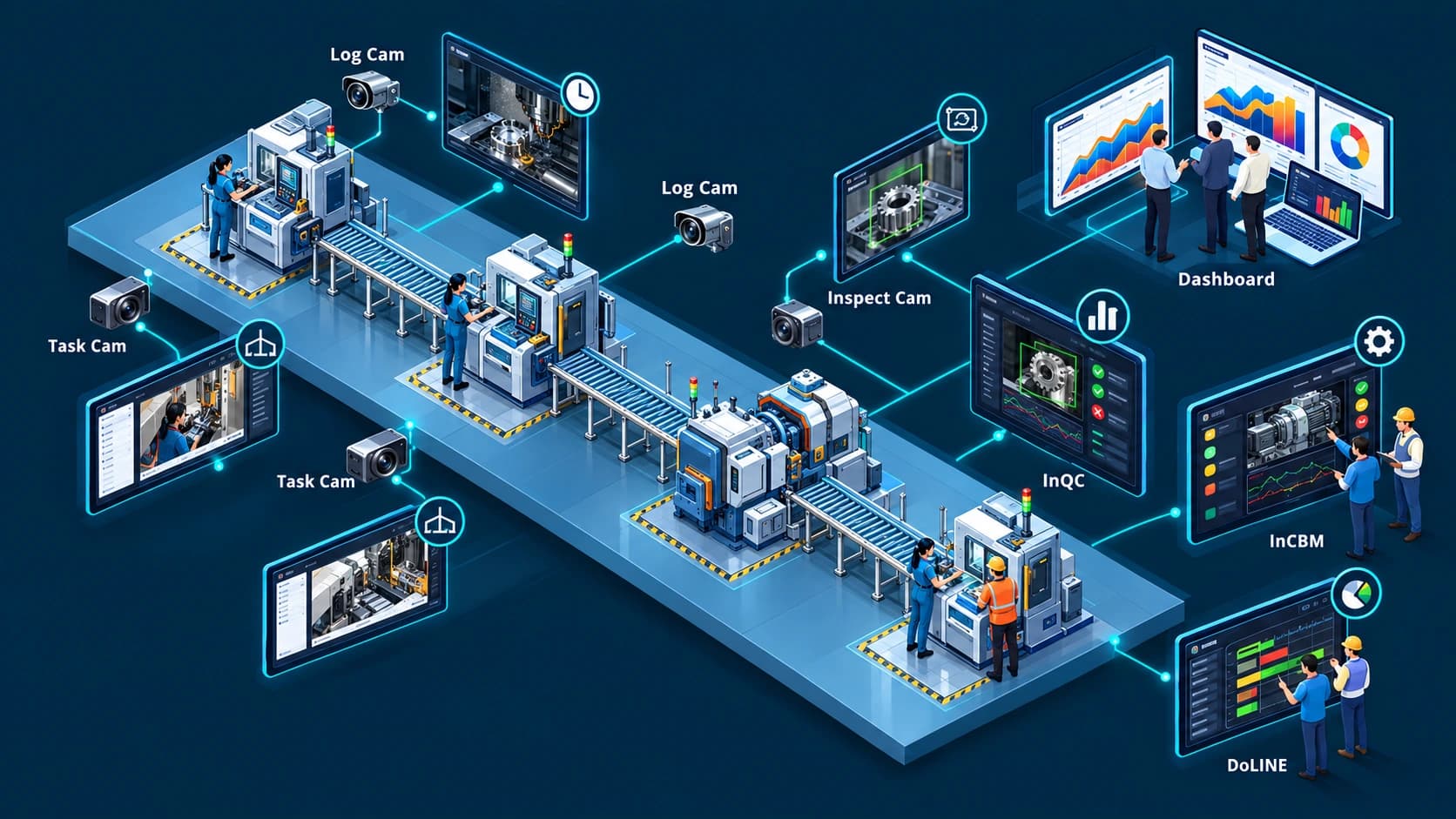
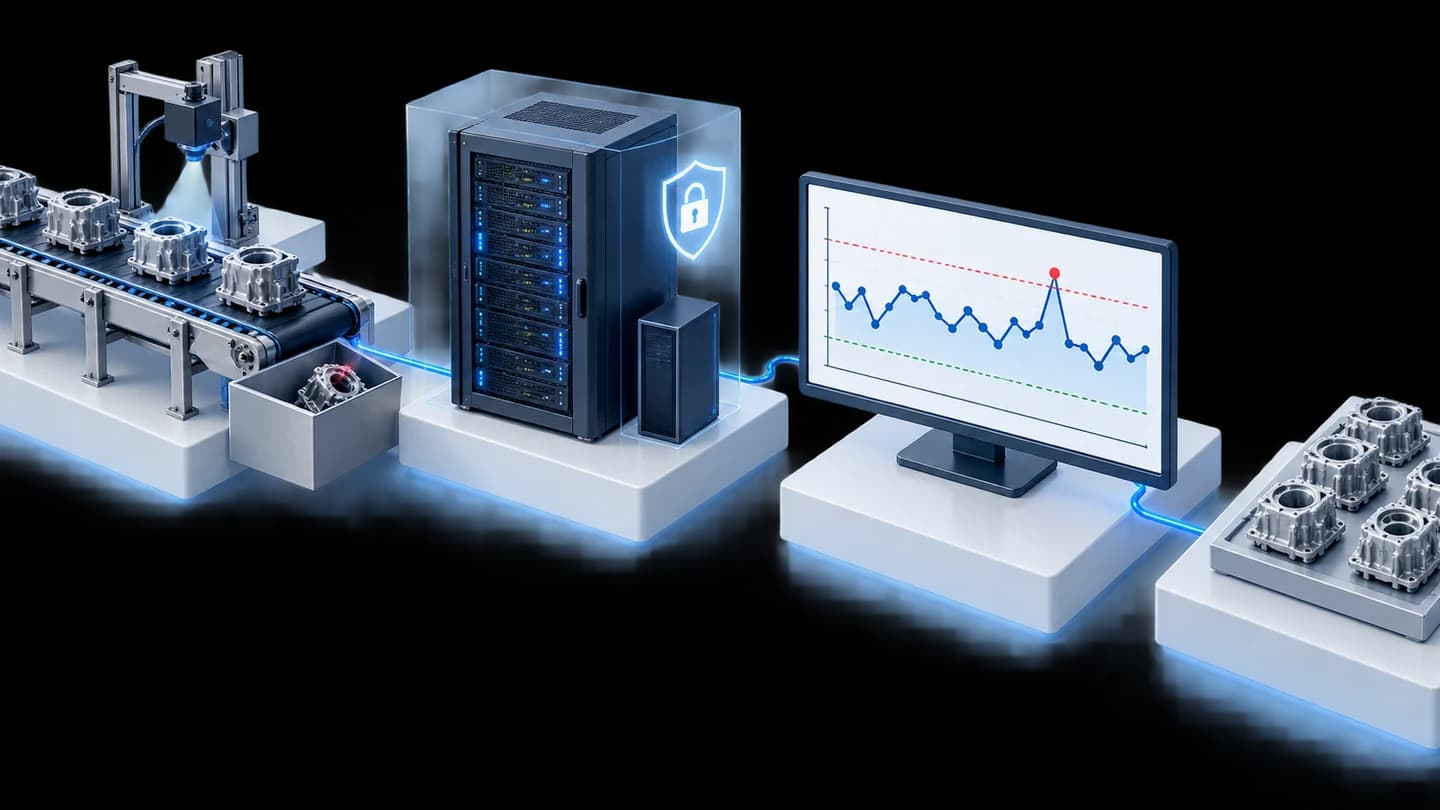
Modern Factory is a group of hardware and software for collecting data from production lines, including machine status, production volume, quality measurement values, and images from AI cameras, then displaying and alerting using the same set of numbers.

CONNECTED FACTORY ECOSYSTEMCamera · Machinery · Production Data
01 / Data from the production line

Camera · Sensor · Measuring Instrument

02 / Connect and Process

DoLINE · InQC · nimitFlow

03 / Use Shared Data

Dashboard · Trends · Alerts

What type of factory is suitable for Modern Factory, and where should it start?

Modern Factory is suitable for automotive parts, electronics, packaging, and System Integrators (SI) factories that need to see the status of the production line during shifts without waiting for shift reports. The starting point is DoLINE, a production line tracking software that receives signals from a DIY circuit or InTrigger using 24V DC power.

To implement SPC (Statistical Process Control), add InQC and InGauge. For visual inspections, add Task Cam or LearningCam. To monitor machine conditions, add InCBM.

Modern Factory is not suitable for factories that require systems to stop machines, adjust machines, or release lots autonomously. The system helps collect data and alert, while decisions remain under factory control plans. Before using AI cameras for real work, we test the camera and lighting conditions with your actual workpieces.

Start small, see results, then expand throughout the factory.

Try DoLINE free for 10 Stations to collect production line data before choosing Cloud Scale-Up or On-Premise deployment based on project size.

What questions should be answered before selecting a system for the factory?

Before selecting a system, answer the 4 questions below. The answers will indicate which product to start with and what data to prepare.

  • Where is the problem located in the line?

    We start from what happens in the real line, such as cycle time, where machines often stop, or parts that need repeated inspection. Then we choose signals and devices to use, not starting from an AI version.

  • How reliable are the existing measurement values?

    Data and measurement systems must be reliable before using AI. If gauges used to make decisions have not passed Measurement System Analysis (MSA), any system will learn from gauge errors. Therefore, we check the measurement system first, then use InGauge to send measurement instrument values directly to InQC without manual entry.

  • Which jobs require AI and which can use rules or SPC?

    We select the role of AI to fit the job. Counting pieces or checking machine status uses sensors and rules. Monitoring moving measurement values uses control charts. Visual inspections or work sequence verification use AI cameras, starting with AI recommendations and human decision-making.

  • What happens next when the system alerts?

    The alert system must have a responsible person who can be identified. We define the position of the recipient and what needs to be done in each case before the system is activated. If there is no recipient, the alert will not lead to correction.

Select what to develop

Monitor production and OEE

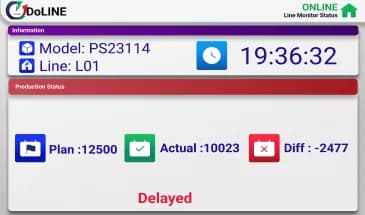
DoLINE is a system for tracking production lines and OEE (Overall Equipment Effectiveness). It displays plans, actuals, and differences between stations during shifts on tablets or Android screens. It receives signals from DIY circuits or InTrigger using 24V DC power for factories that do not need to design their own circuits.

Explore solutions — Monitor production and OEE

Quality control with SPC

InQC is an SPC program on an Android tablet that receives data from measuring instruments via InGauge. Control charts and process capability indices (Cp/Cpk) are calculated directly from the measuring instruments, reducing manual copying and supporting the IATF 16949 quality process.

Explore solutions — Quality control with SPC

Work sequence verification with AI

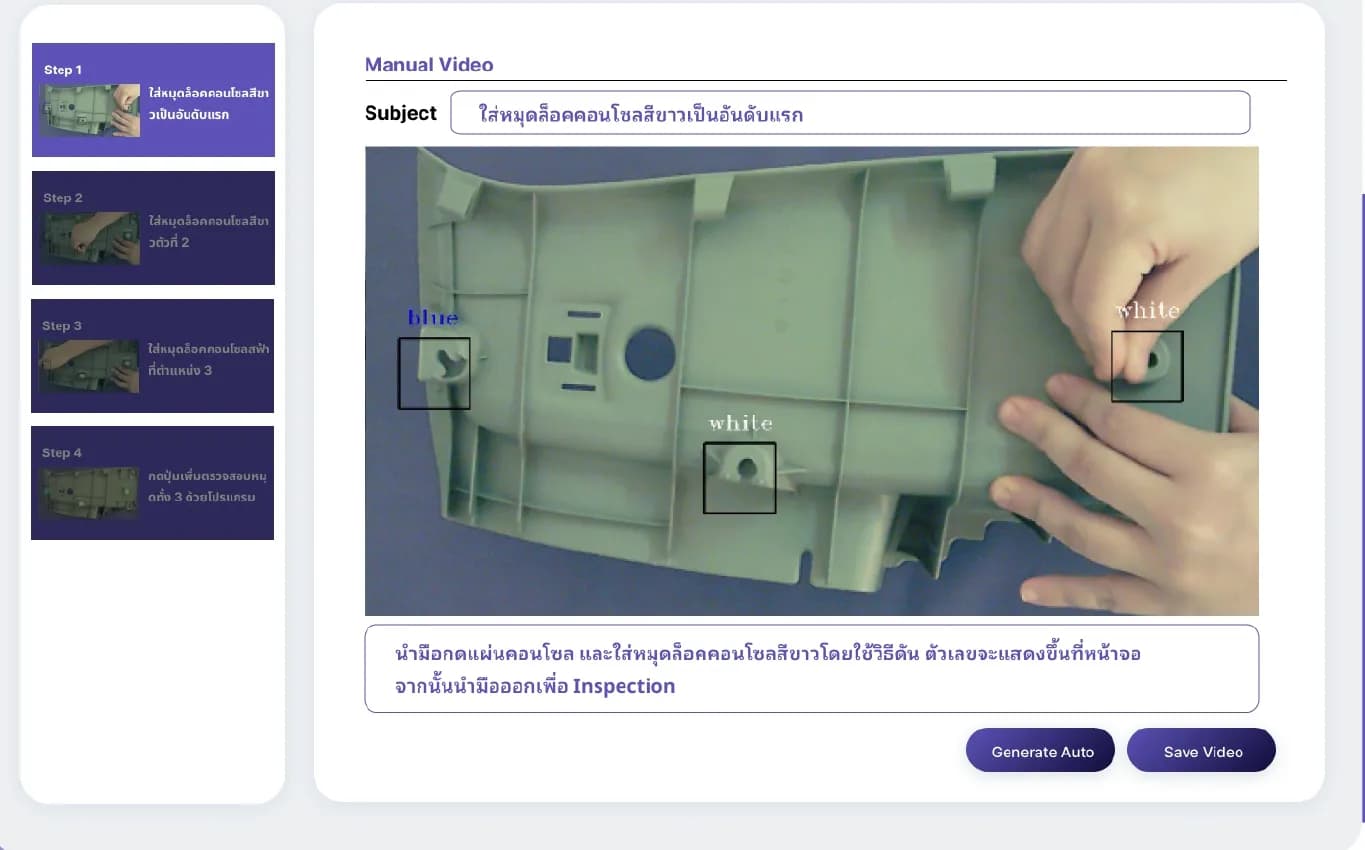
Task Cam is an AI camera at each workstation with 3 modes: Sequential for verifying work order, Completion for checking completeness without enforcing order, and Skeleton for observing posture from body outline to adjust station work and ergonomics. It is not used to evaluate or punish individuals and employees must be informed before use. LearningCam is a camera that teaches tasks for counting workpieces and inspecting workpieces by image.

Explore solutions — Work sequence verification with AI

Connect data from the shop floor

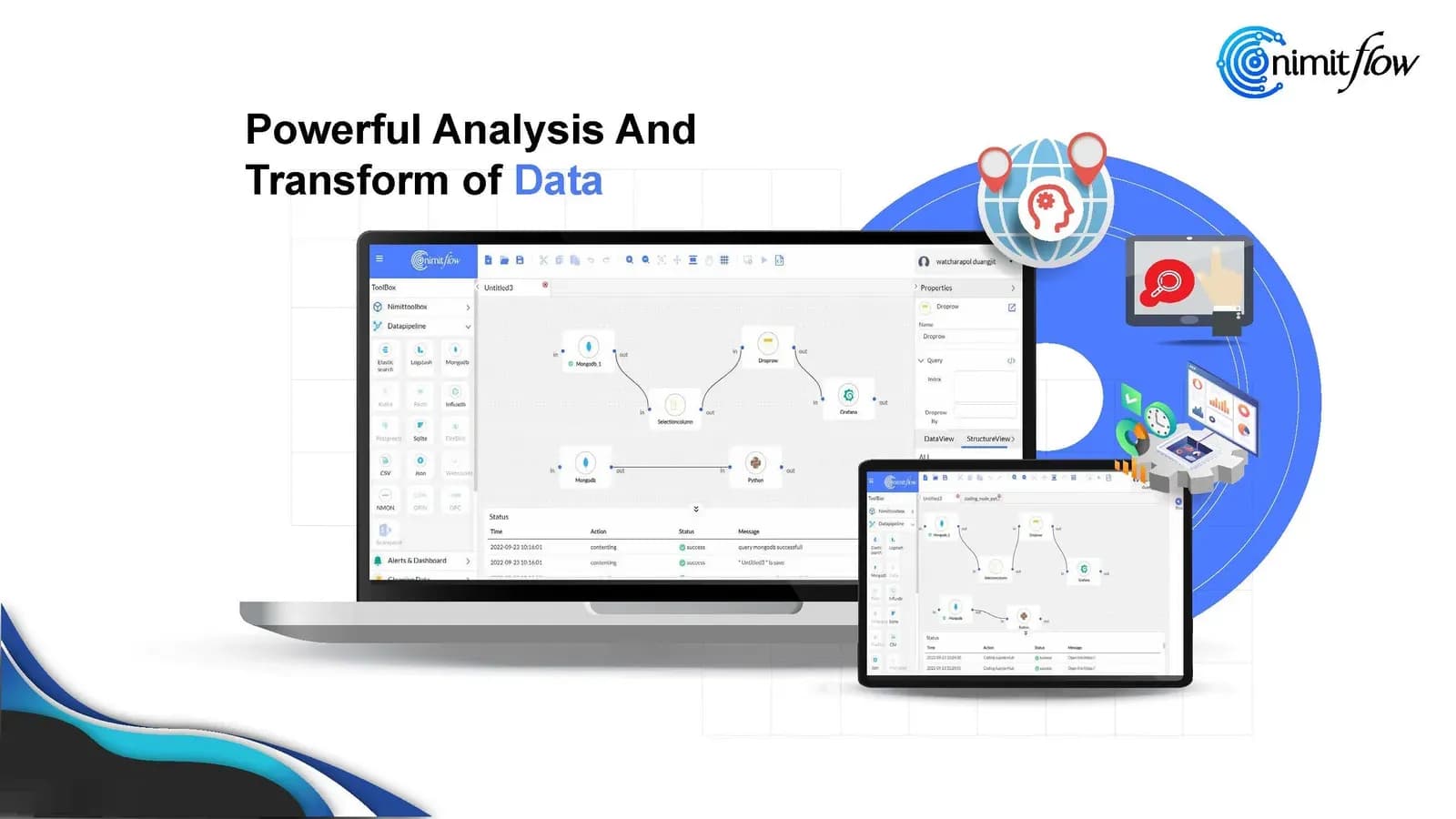
nimitFlow is a Low-Code platform (drag-and-drop creation) that connects data from the shop floor to existing work processes and organizational systems. InSensor collects data from sensors and processes it on-site before sending it to the central system, with the X1 Board as an internal component.

Explore solutions — Connect data from the shop floor

From on-site data to decision-making

  1. Receive data

    Machine signals enter through InTrigger or InSensor, measurement instrument values enter through InGauge, and AI cameras process images internally and send results from the actual workstations.

  2. Processing

    DoLINE, InQC, and nimitFlow convert values into statuses, trends, and alerts according to job types.

  3. Support decisions

    Shift leaders check abnormal incidents according to agreed procedures, and managers view the overall picture from the same set of numbers

What we have learned from real work

Each point below is our approach derived from real work in factories, indicating what we have done, learned, and what it means for your factory

Check the total from the system against the original data before making decisions

Our experienceWe developed a shot counting system for plastic injection molds and alerted maintenance cycles for automotive parts manufacturers in Thailand in B.E. 2564 and installed at the production base in Cambodia in 2565. The system combines the shot count from 2 brands of injection machines onto one mold screen.

What we learnedDuring project closeout testing, we compared the shot counts read by the system with report files from machines of the 2 brands. Screen values can support decisions once they have been checked against the source data

What does it mean to you?Before using the numbers from the system to plan production or maintenance, we include a testing phase that compares the totals with the original machine data in the initial schedule.

Read the shot counting mold system case study (Thailand-Cambodia)

Start with the first line, adjust until completion, then expand in waves

Our experienceWe developed a production-monitoring web app on an in-factory server for an automotive parts manufacturer, covering 9 production lines in B.E. 2563–2564. In 2565, the customer commissioned expansion of the same system to another 11 lines

What we learnedAfter the client tested the system in actual use, we adjusted calculations and screens according to requested changes. The first system therefore had to allow time for adjustment rounds before expanding to other lines.

What does it mean to you?Your project starts with a few lines or stations, agreeing on metrics and adjustment rounds to complete the first set, then expands to other lines

Read the web app case study for tracking production across 9 lines

Test AI camera with all types of real workpieces before use

Our experienceWe installed LearningCam model Inspection Cam above a conveyor for a plastic-cap manufacturer to detect excess flash and incompletely molded caps. We ran several rounds of testing from January to March B.E. 2569. Model adjustment is still in progress before confirmation of full-system delivery

What we learnedThe test with white lids met the criteria set by the team, but the same model did not meet the criteria when used with blue lids. Therefore, a model trained on one type of workpiece must be retested with another type of workpiece.

What does it mean to you?Before starting, we request good and defective workpieces of every color or every model to be inspected and test alongside the current inspection method before allowing the camera to classify actual workpieces.

Read the case study on inspecting plastic lids using LearningCam (in progress)

Select from the work you want to do

What type of work do you want to improve?

Select work to view related products and services, or search directly by known product name

Related products and platforms

Hardware
Task Cam

Task Cam

Edge AI camera that verifies assembly work sequences, measures Cycle Time, and creates Work Instruction manuals from videos of actual work

THB 46,500 / unit

Standard / Pro · Equipment and installation quotation offered separately

Suitable for: Production department, IE engineers (industrial engineering) and training teams that manage assembly stations using human workers

Details
Hardware
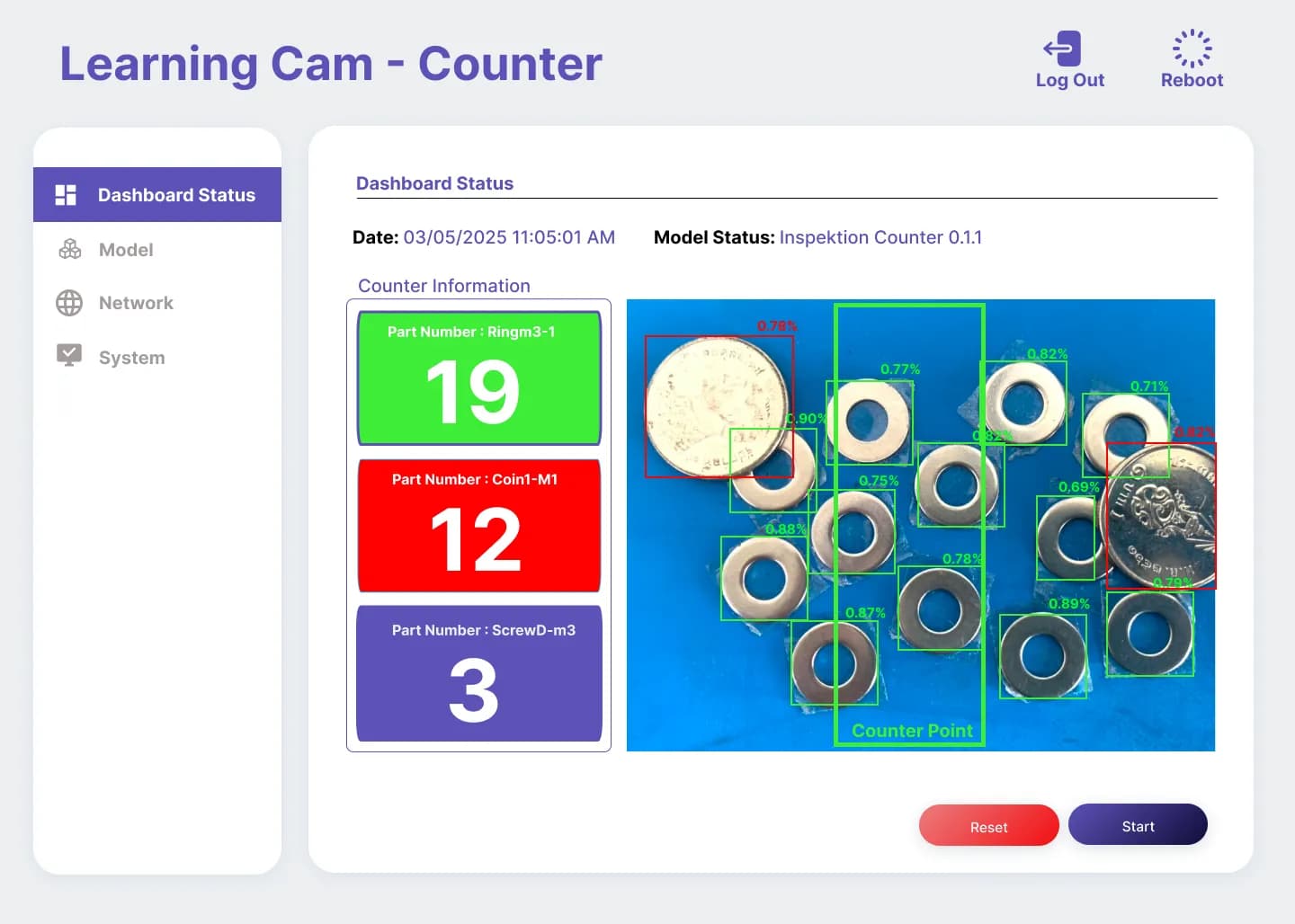
LearningCam Counter object counting screen example

LearningCam Counter screen example from original data — Used to explain object counting workflow

LearningCam

Edge AI camera processes data internally and has an integrated web app, used for counting or inspecting workpieces according to selected work modes

THB 46,500 / unit

Standard / Pro · Equipment and installation quotation offered separately

Suitable for: Manufacturing engineers and quality teams still counting or inspecting parts by eye on the line

Details
Software
InQC

InQC

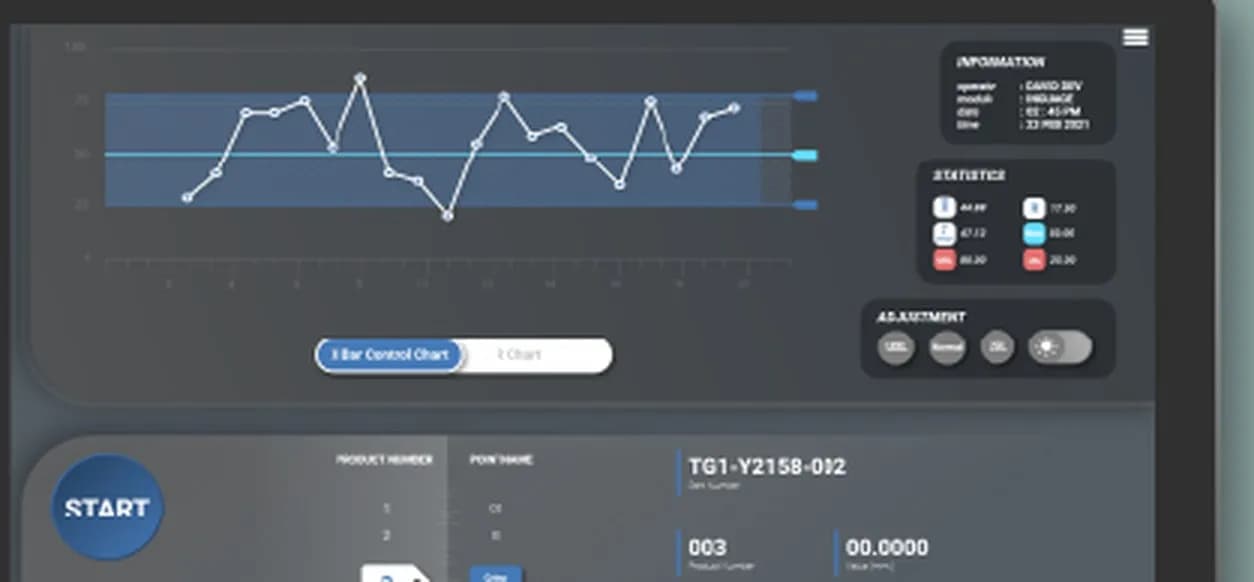
SPC program (statistical process control) on an Android tablet displays X-bar/R charts and Cpk values while measuring at the line

Suitable for: Quality control (QA/QC) teams that measure parts repeatedly per shift and must send SPC or Cpk (process capability index) data to customers

Details
SaaS
nimitFlow

nimitFlow

Low-Code platform for drag-and-drop creation of automated workflows and Data Pipelines, starting at THB 8,000/month

Suitable for: IT teams and engineers who need to connect data from multiple systems and add Python code to suit their tasks

Details
Software
DoLINE

DoLINE

Production line tracking and OEE (Overall Equipment Effectiveness) system free for first 10 stations, expandable to Cloud or On-Premise

Suitable for: Line managers and production departments that want everyone in the line to see the production plan compared to actual figures during shifts.

Details
Hardware
InGauge

InGauge

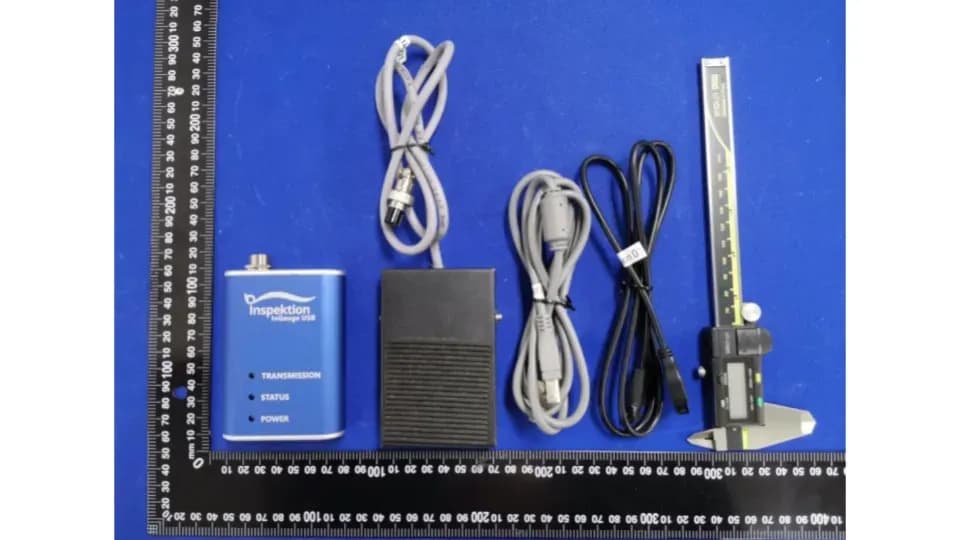
Signal converter for Digimatic/SPC measuring instrument port to USB, sending measurement data directly to computer, tablet, or InQC

Suitable for: Quality control teams that still record measurements from digital measuring instruments on paper and then key them into computers again.

Details
Software
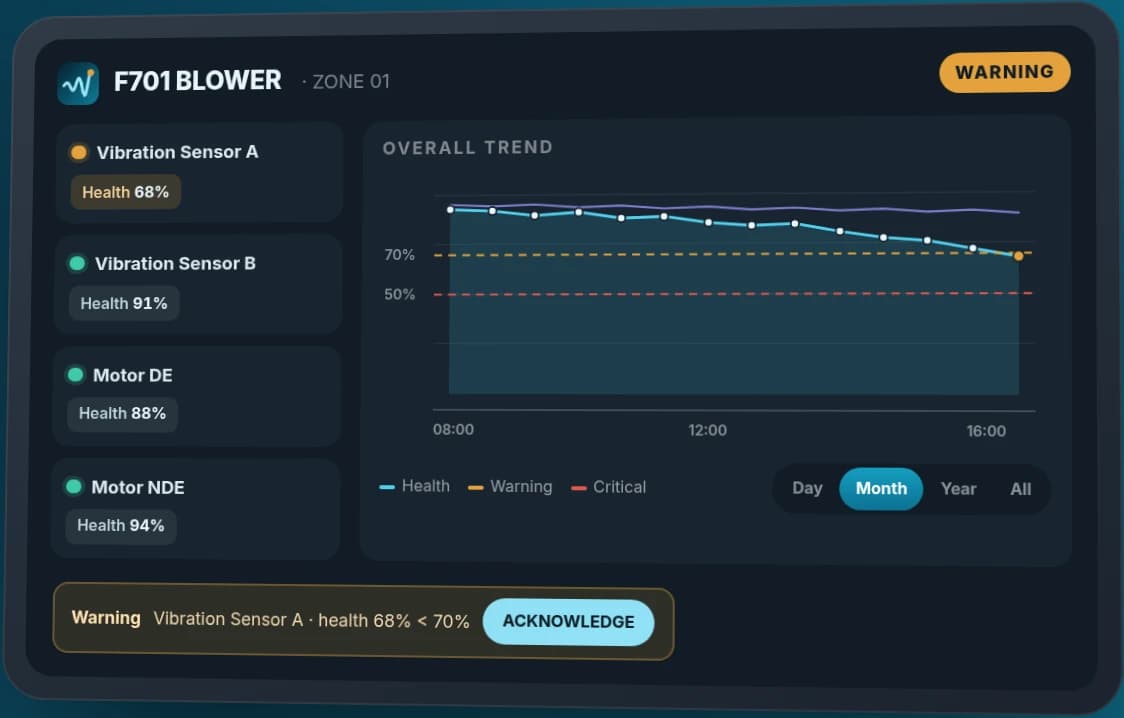
Example of sensor health value display, trend graph, and InCBM alert

Summary image from the InCBM website · Example numbers

InCBM

Machine health monitoring app from vibration sensors, view individual health values, trend graphs, and notifications through Android

  • Individual sensor health values with historical graph
  • Set Warning / Critical thresholds and acknowledge alerts
  • Map plant, area, machine, and connect data via Nimitflow

Suitable for: Maintenance teams and machinery engineers who already collect sensor signals from machines and want to plan inspections before a machine stops

Details
Hardware
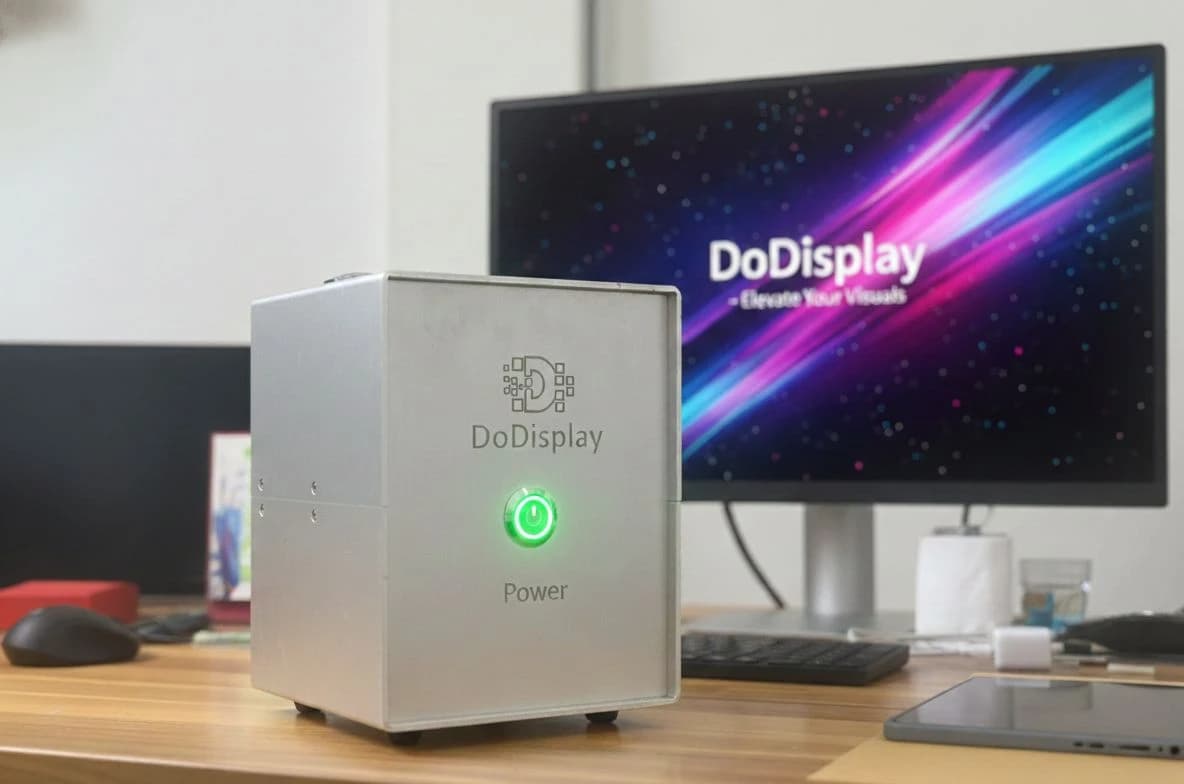
DoDisplay device connecting to screen

Product documentation image for DoDisplay

DoDisplay

Screen display controller that connects to a LAN network and works with the Nimitflow platform

  • Standard VGA port · HDMI as an option
  • LAN (RJ45) · 24V DC power supply
  • Aluminum case 140 × 180 × 260 mm
Inquire about accessories
Hardware
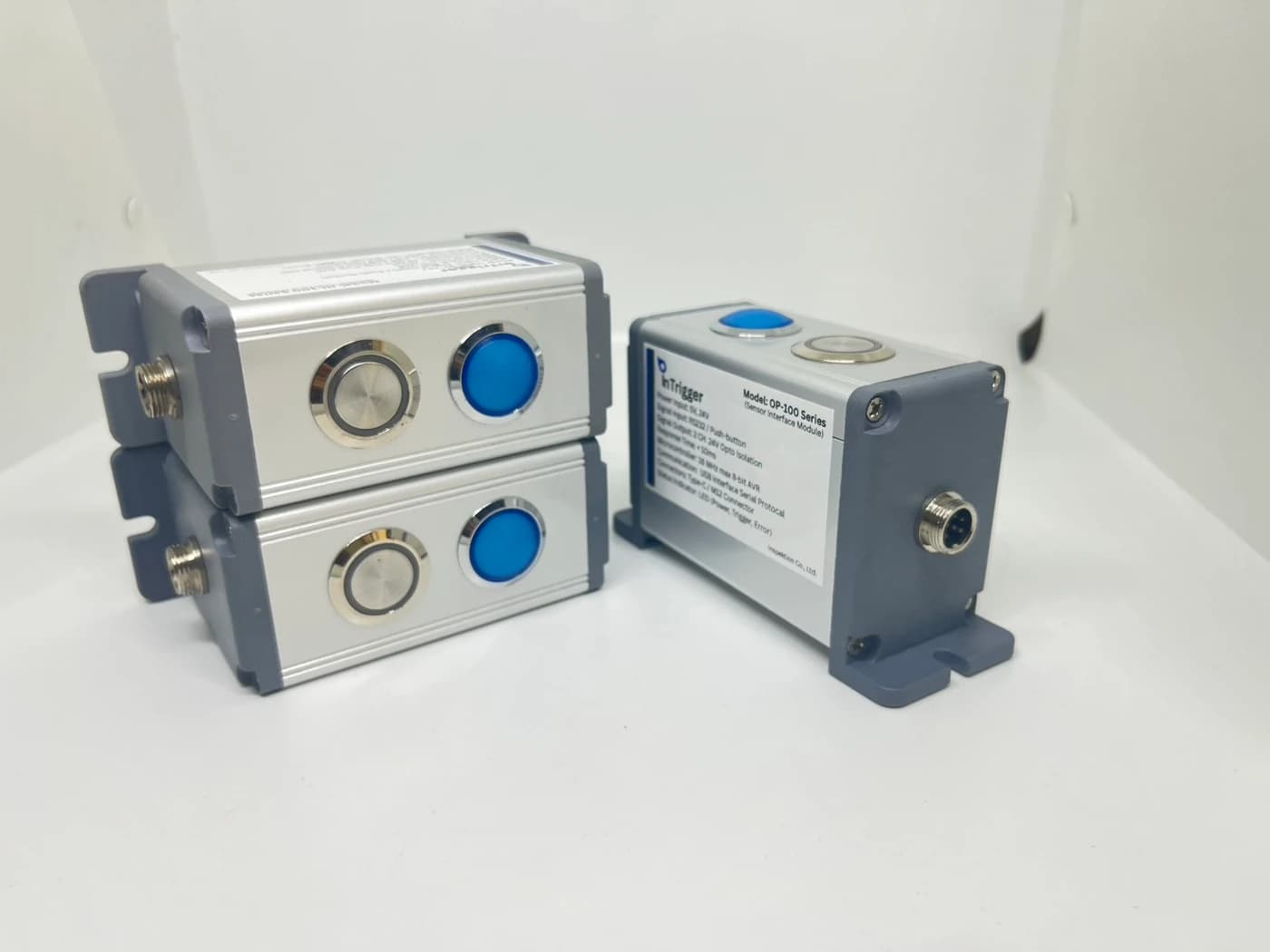
InTrigger kit with push button and connection ports

InTrigger image from product data set

InTrigger

Connects signals between buttons, sensors, and software, choose the model to receive or send signals suitable for the workstation

  • IN-100: Accept button presses / PNP 24V and send HID USB
  • OP-100: 2-channel Opto Isolation 24V signal transmission
  • Has power and trigger status indicator lights
Inquire about accessories
HardwareAdaptable
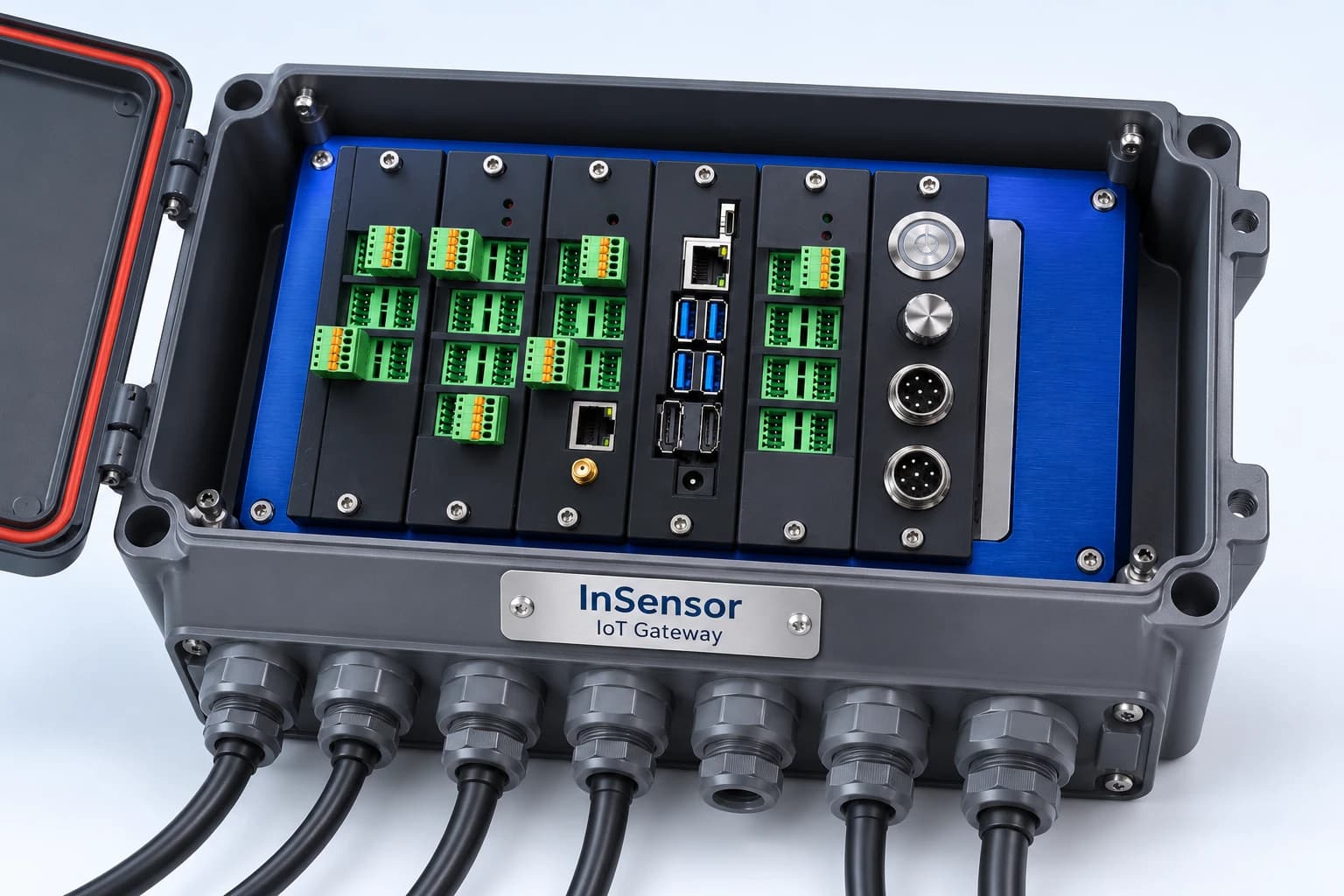
InSensor IoT Gateway mockup set in an industrial case

InSensor mockup set based on reference equipment image · Actual configuration depends on the selected set

InSensor

IoT Gateway set for receiving sensor and machine data, featuring X1 Board as controller, processing at edge then sending data via MQTT to central system

  • Configure board to receive analog, RS-485/Modbus, and digital I/O signals according to job requirements
  • Transmit data via Ethernet or external 4G router
  • Select board sets with cases and installation services at the point of use

Designed to collect signals from sensors and vibrations from machines, and use the X1 Board for AI processing and FFT (frequency domain signal separation) according to the job requirements. There are no cases of delivery in the factory yet.

Suitable for: Researchers, system developers, and system contractors who need to collect field sensor data

Details

Prepare data for discussion with engineers

  • Lines or stations you want to see first and existing signals, such as machine status lights or counters
  • Good and defective workpieces of every color or every model to be inspected, along with the criteria your customers use to make decisions for testing the AI camera's work
  • Current measurement tool models and sample inspection reports for SPC work
  • Metrics used by the team, legacy systems to connect, and positions of the person receiving alerts when the system triggers
  • Initial numbers for performance measurement, such as downtime per shift or number of pieces needing reinspection
Talk to our engineering team