




InGauge
InGauge is a signal converter for transferring measurement values from Digimatic/SPC digital ports (data transmission ports of measuring instruments) to computers or tablets via USB in HID mode. The device works like a keyboard, so no drivers need to be installed, and there's no need to write down values on paper and retype them.
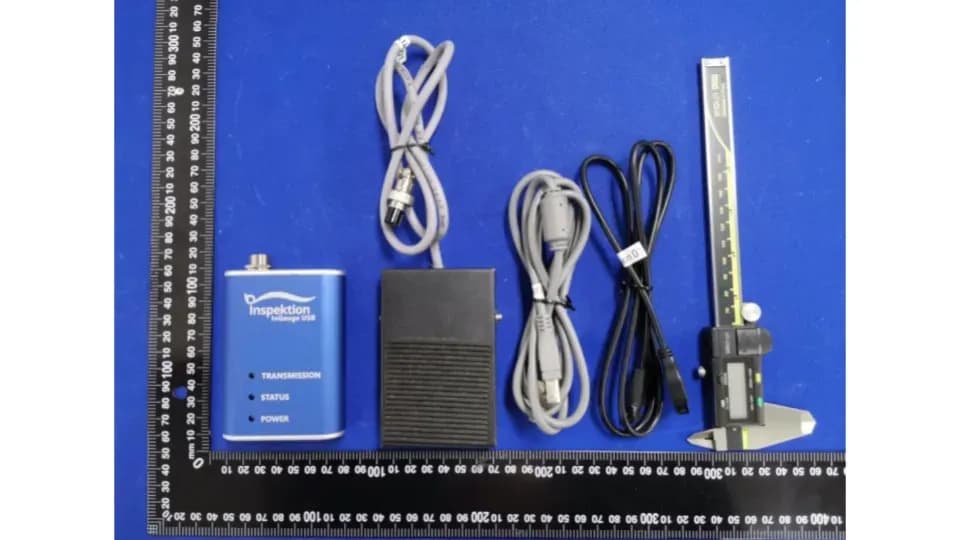
Explore Usage and Details
THB 6,500 outright purchase / THB 800 rental per month
- Converts values from Digimatic port to USB keyboard typing (HID - similar device to a keyboard)
- No driver installation required, works with Windows, Linux, Mac, and Android
- Foot Switch (pedal switch for sending values) sends values within 200 milliseconds or use the PUSH SWITCH button on the device
See Additional Features
- Powered by USB port, no separate adapter needed
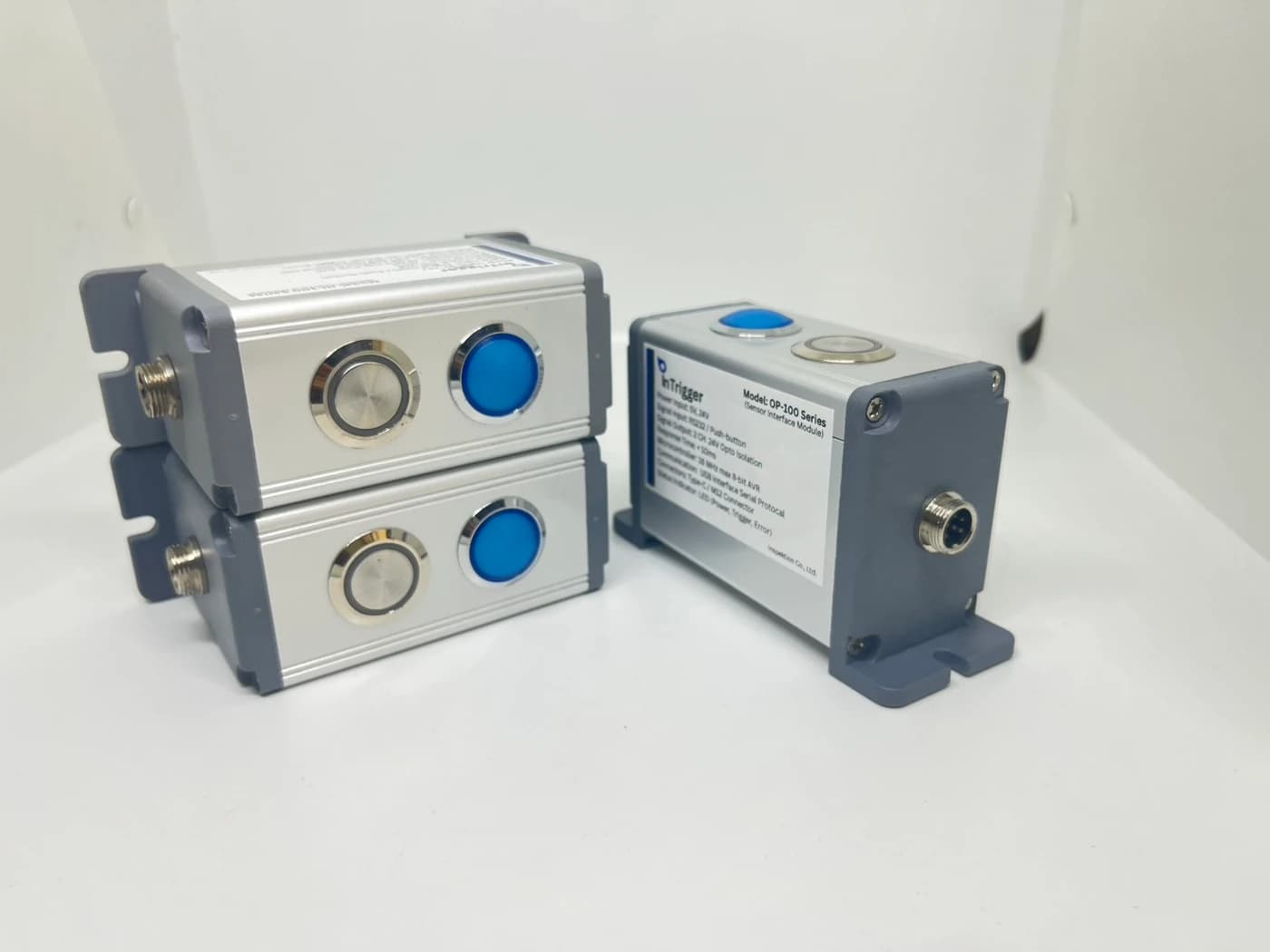
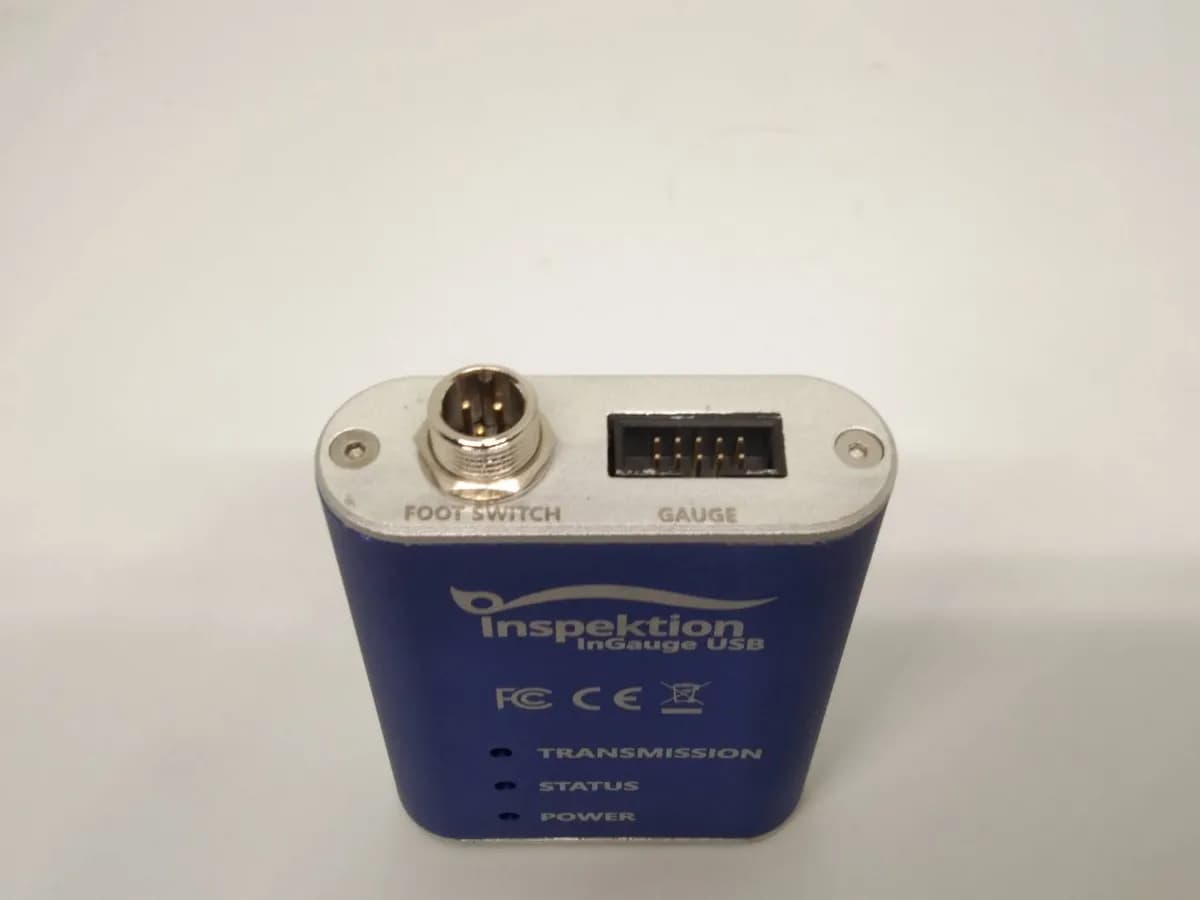
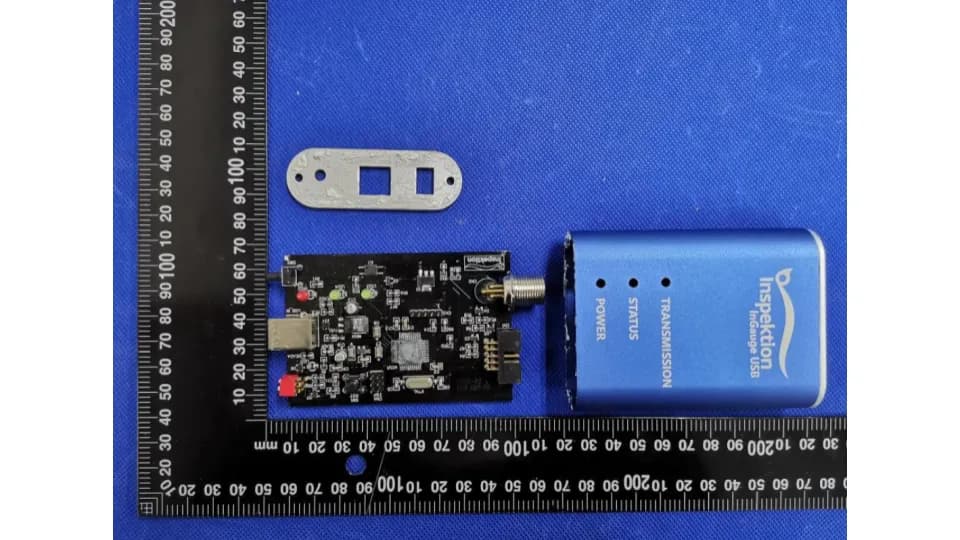
- Aluminum case, 3 LED status lights, passed CE and FCC tests
- Send values to InQC app for control charting and Cp/Cpk calculation (process capability index)
Is it suitable for your work?
Who is it suitable for?
Quality control teams that still record measurements from digital measuring instruments on paper and then key them into computers again.
Prepare information before talking
Brand, model, and port connection images of measuring instruments for compatibility testing.
Summary
- InGauge is a signal converter, not a camera. It reads values from the Digimatic/SPC port of digital measuring instruments and sends them to a computer or tablet via a USB cable, similar to typing from a keyboard.
- InGauge works with existing factory measuring instruments such as Vernier calipers, micrometers, height gauges, and bore gauges with Digimatic ports.
- InGauge sends values to any program that accepts keyboard input, such as Excel spreadsheets, system forms, or InQC app, within 200 milliseconds after pressing the Foot Switch.
- The price for InGauge USB is 6,500 THB per unit, or rent at 800 THB per month, with a 1-year warranty.
- We delivered 10 InGauge USB sets with a QC reporting web app to an automotive-industry factory in B.E. 2564. An ongoing rental to a QC department at a factory in Thailand is now in its 4th round
What is InGauge and what problem does it solve?
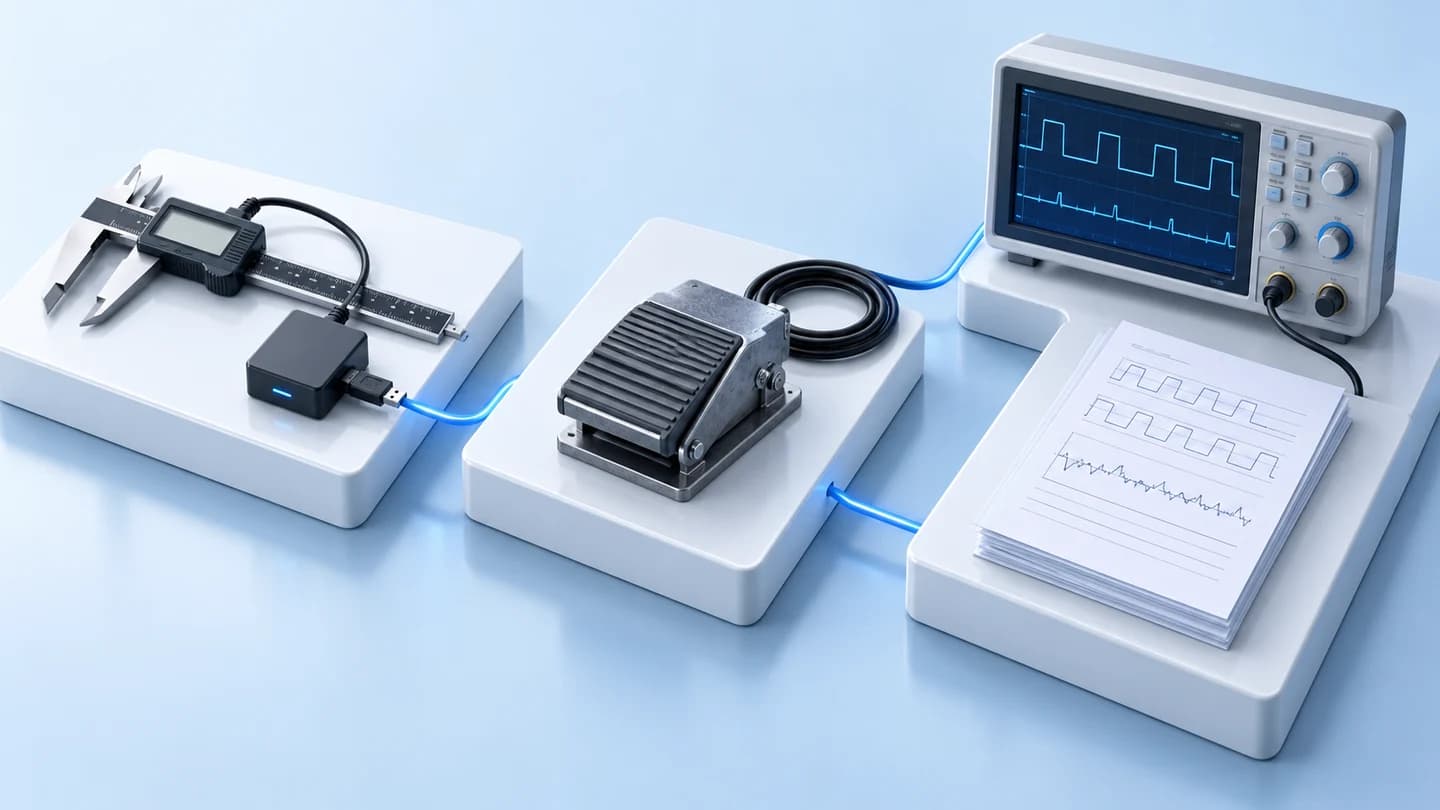
InGauge is a signal converter that connects digital measuring instruments' Digimatic/SPC ports, such as Vernier calipers, micrometers, and gauges, to computers or tablets via a USB cable. After measurement, employees press the Foot Switch once, and the measured value enters the open program. The QC team no longer needs to write down the values on paper and retype them.
Dimensional measurement work in several factories still uses the method of reading values from the measuring instrument's display, writing them down on paper, and then keying them into a computer later. This process is slow and values may be incorrect every time someone reads, writes, or keys them in.
InGauge receives measurement values directly from the measuring instrument via the signal line, then types the value into the field where the cursor is located in the program. The recorded value matches the reading from the measuring instrument and is ready for quality control charting. Operators can press the Foot Switch without letting go of the workpiece.
InGauge users
- QC teams and measurement operators on the production line who need to record large amounts of measurement data during each shift
- Quality managers who require real measurement data to create SPC (Statistical Process Control) and Cpk (Process Capability Index) values
- Factories that already have digital port Digimatic measuring instruments and do not want to change their measuring instruments
How does InGauge work?
InGauge receives measurement values from the measuring instrument via the GAUGE port, then sends them out via the USB cable to the computer or tablet. You can choose between 2 modes using the MODE switch on the device. There are 5 steps in operation, from connecting the cable to the measurement value entering the program.
| Mode | How it works | Suitable for |
|---|---|---|
| Mode 1 · Serial | Computer sees as virtual COM port (virtual serial port) | Software that reads data from the virtual COM port |
| Mode 2 · HID | Works like a USB keyboard, measurement values are typed into the field where the cursor is located | Excel, system forms, and the InQC app |
Sending values via Foot Switch or PUSH SWITCH operates in HID mode
- 1
Connect cables
Connect Digimatic from the measuring instrument to the GAUGE port, connect Foot Switch to the FOOT SWITCH port, then plug the USB cable into the computer
- 2
Wait for power ready
POWER light turns red, wait until the STATUS light flashes green, indicating it is ready to use
- 3
Open destination program
Set keyboard language to English and place cursor in the receiving field
- 4
Select HID mode
Set MODE switch to Mode 2
- 5
Measure and send value
Press Foot Switch or PUSH SWITCH button, measured value will appear in the field, TRANSMISSION light turns on during sending
What programs can InGauge send measured values to?
When used with InGauge, measured values can be sent to any program that accepts keyboard input, such as Excel, Notepad, factory system forms, and InQC app in HID mode. For Serial mode, it works with software that reads data from the COM port. You can use InGauge with existing programs first, then extend it to a quality control system.
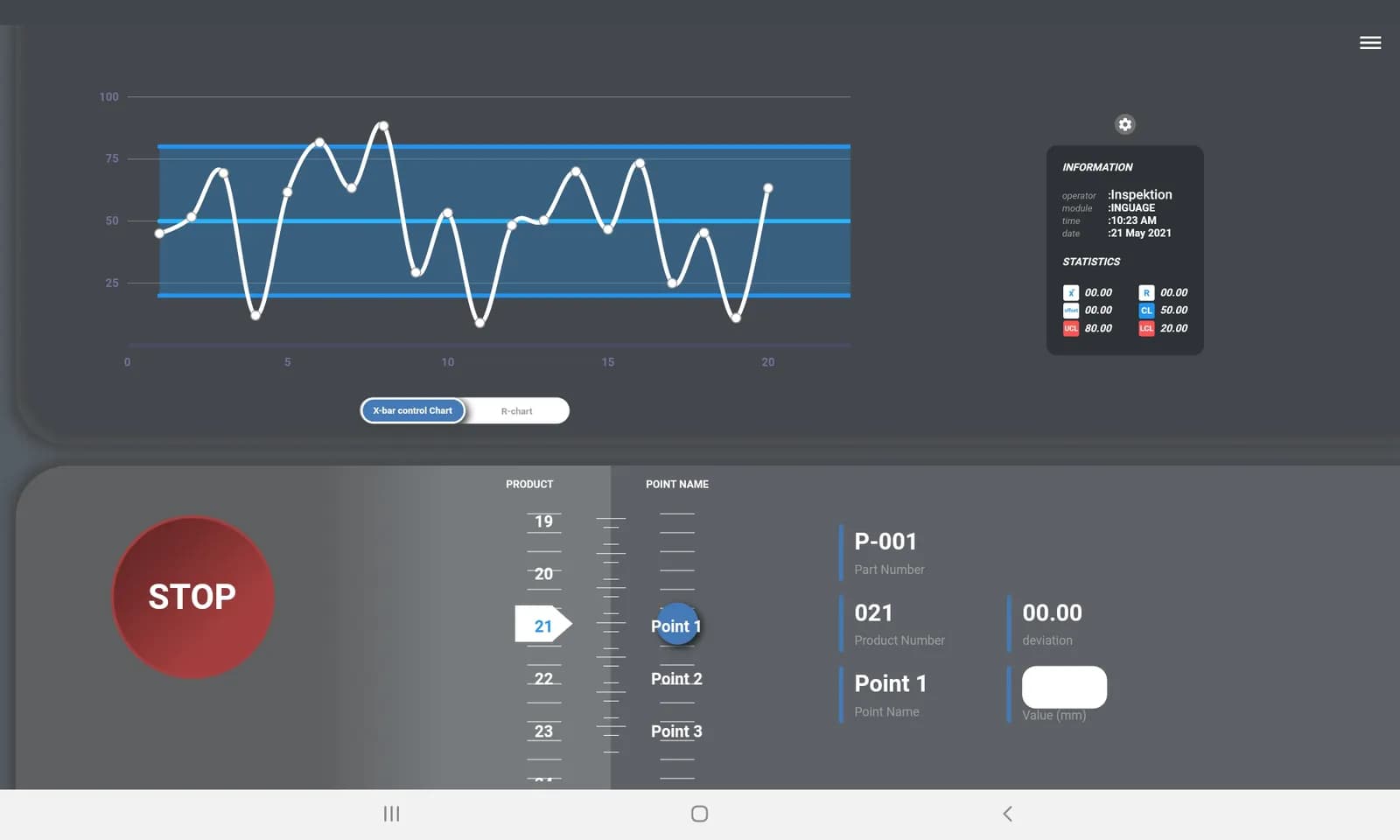
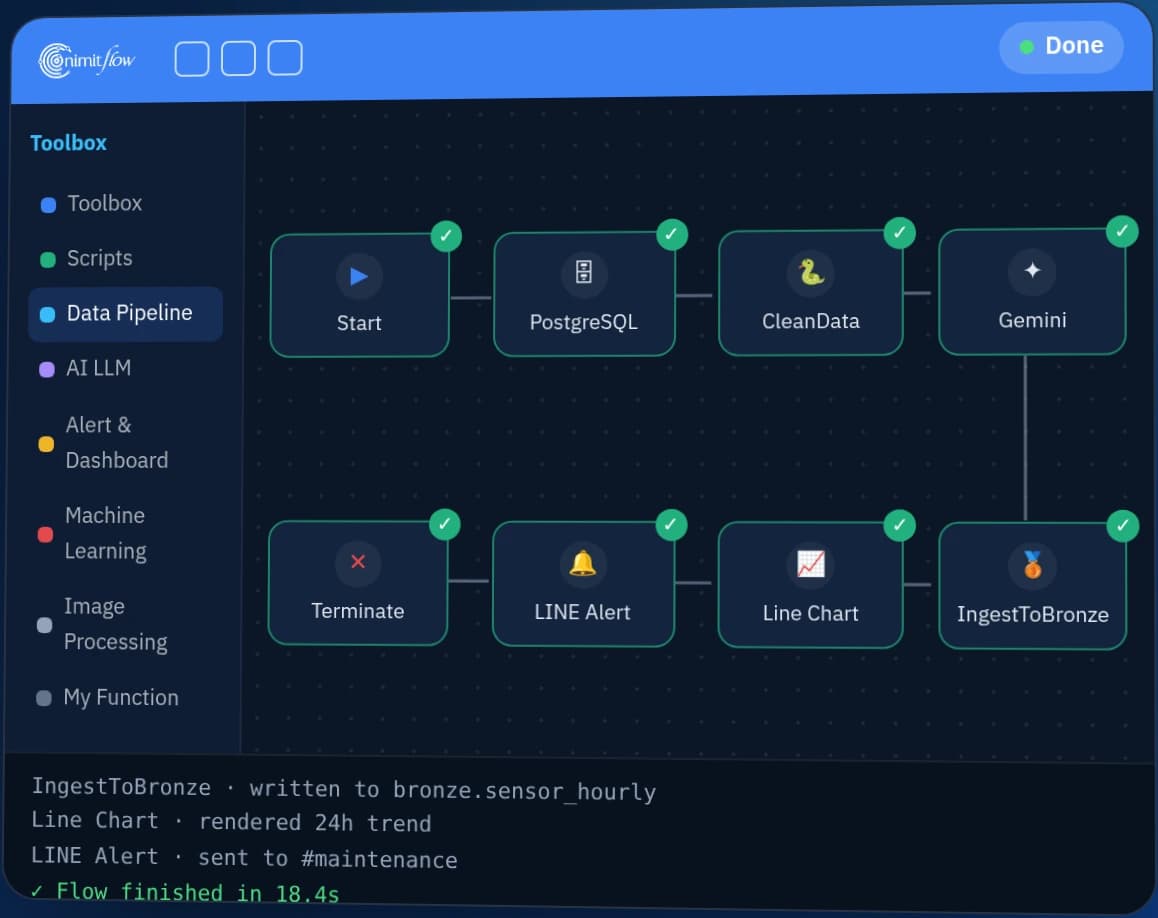
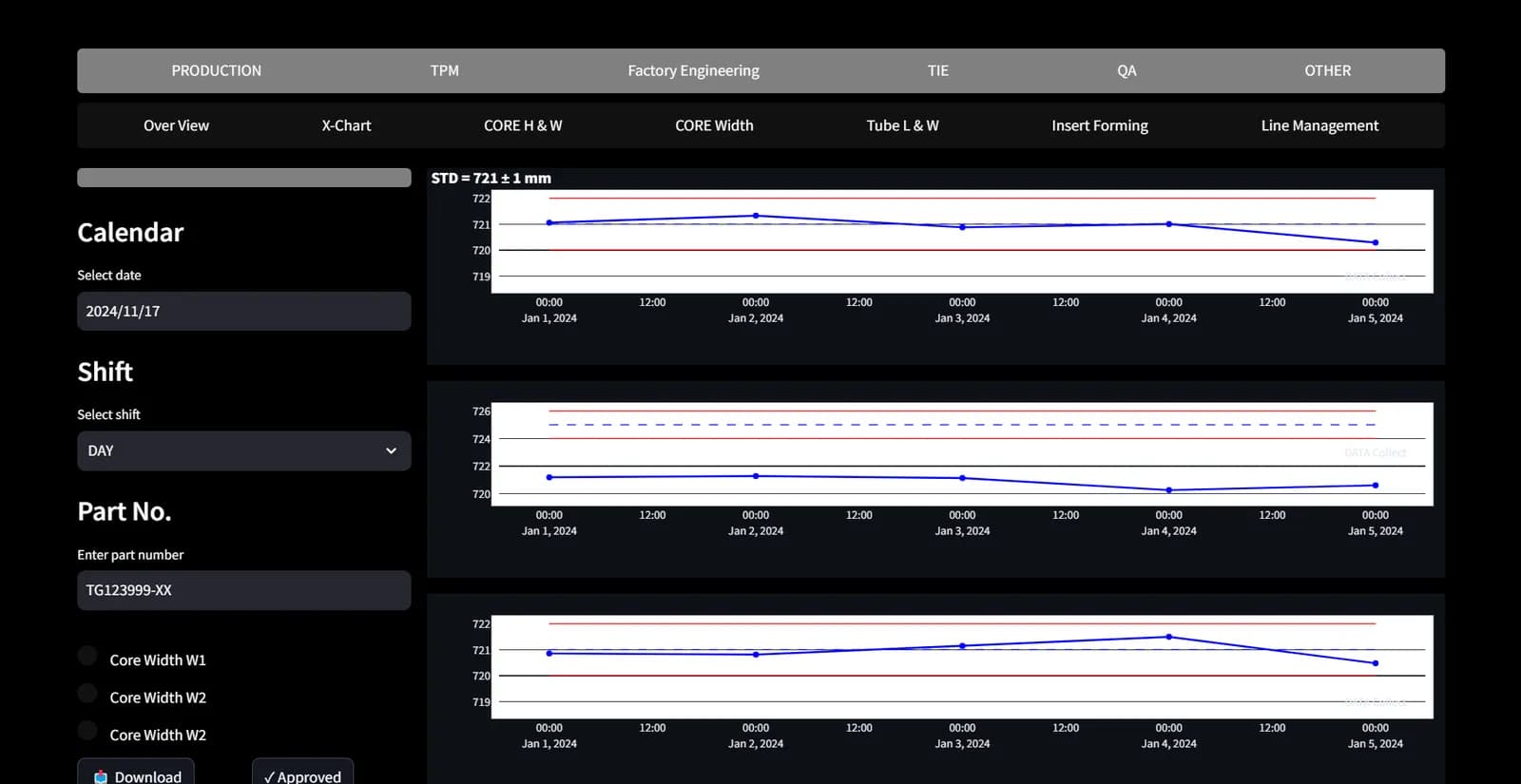
When used together with InQC, the values sent by InGauge will enter the application's input field without requiring additional drivers. InQC creates X̄ and R (mean and range) control charts during measurement and calculates Cp/Cpk when the sample size is complete (Cp/Cpk chart is available in the Pro package and above). The data is then forwarded to nimitFlow for integration with other plant data.
If you want to send measured values to another system in your factory, we offer a service to connect measured values to other systems. The scope of work depends on the destination system. Provide us with the name of the system and a sample form for evaluation before proceeding.
Which jobs are suitable for InGauge and which are not?
InGauge is suitable for jobs that measure with digital measuring instruments that have Digimatic SPC output ports and require measured values to be entered into computers without manual keying. InGauge is not suitable for measuring instruments that do not have data output ports because InGauge does not have a camera and cannot read dials.
| Job | Is it suitable for InGauge? | Reasons or things to do |
|---|---|---|
| Measure with vernier calipers, micrometers, or digital gauges with Digimatic ports | Suitable | Connect Type F cable to IDC10 port of InGauge |
| Send readings to Excel, system forms, or the InQC app | Suitable | HID mode types value into the cell where cursor is located |
| Software that reads data from COM port | Compatible | Use Mode 1 (Serial) Limitation is sending values via Foot Switch and PUSH SWITCH works in HID mode (Mode 2) |
| Measuring instrument with port but without connecting cable | Works when connected with cable | Order additional Digimatic Type F cables, send us the model for inspection first |
| Analog gauge measuring instrument or without data transmission port | Not suitable | InGauge does not have a camera, reads values from the port only, uses manual entry in InQC instead |
| Wireless connection or RS-485 required | Not suitable for current model | The sold version connects via USB cable only. |
| The working environment specifies water and dust protection level (IP) or temperature range. | Consult us first | Product documentation does not specify IP level and operating temperature range. |
Measuring instruments that can be connected
- Digital Vernier Caliper and Digital Micrometer
- Digital Height Gauge, Bore Gauge, Depth Gauge and Thickness Gauge
- Digital Holtest and Digimatic Indicator
In project development version 2.1, we tested InGauge with 2 brands of digital measuring instruments, Mitutoyo and Teclock. Additional accessories that can be ordered include Digimatic Type F cable, 1 meter or 2 meters long, XLR 3 Pin connector (12 mm), and OTG adapter (Micro USB to USB-A) for connecting to Android tablets or smartphones.
What kind of projects have we used InGauge in and what did we learn?
We developed a web app for quality report for an automotive factory in B.E. 2563-2564 and delivered 10 sets of InGauge USB along with 10 tablets in January 2564. QC staff could send measured values from digital verniers directly into the report. The system drew X̄-R control charts and calculated Cpk. This system worked within the factory's LAN without internet.
Since September B.E. 2568, we have rented InGauge USB to the QC department of a manufacturing plant in Thailand for 3-month periods to transfer measurements of injection-molded parts to a computer. Some thickness gauge models lacked cables, so we also rented waterproof SPC cables or the instrument manufacturer’s USB adapters that connect directly to the computer without InGauge. The 4th rental period is in progress. A separate engineering and maintenance company in Thailand purchased 3 InGauge USB sets outright, delivered in August 2568.
The version 2.1 device comes from the ITAP project (Technology and Innovation Development Support Program) of the National Science and Technology Development Agency (NSTDA) in B.E. 2563-2564. We designed the new circuitry together with the project experts. Version 2.1 has passed CE and FCC tests. The assembly and testing time for each unit was reduced from 75-90 minutes to 15-25 minutes.
Before the ITAP project, we developed an internal prototype to send gauge values to computers via 2 methods: a Wi-Fi reader and a USB board that the computer sees as a keyboard (USB HID).
Read cases using InGauge
- Sending digital caliper readings to QC reports with 10 InGauge sets (automotive industry, B.E. 2563–2564)
- Periodic InGauge USB rental for an injection-molded-parts QC department (in progress)
- Development of InGauge USB version 2.1 that passed CE/FCC testing (ITAP project, B.E. 2563–2564)
- Internal prototype for sending gauge values to computers before version 2.1
What we learned
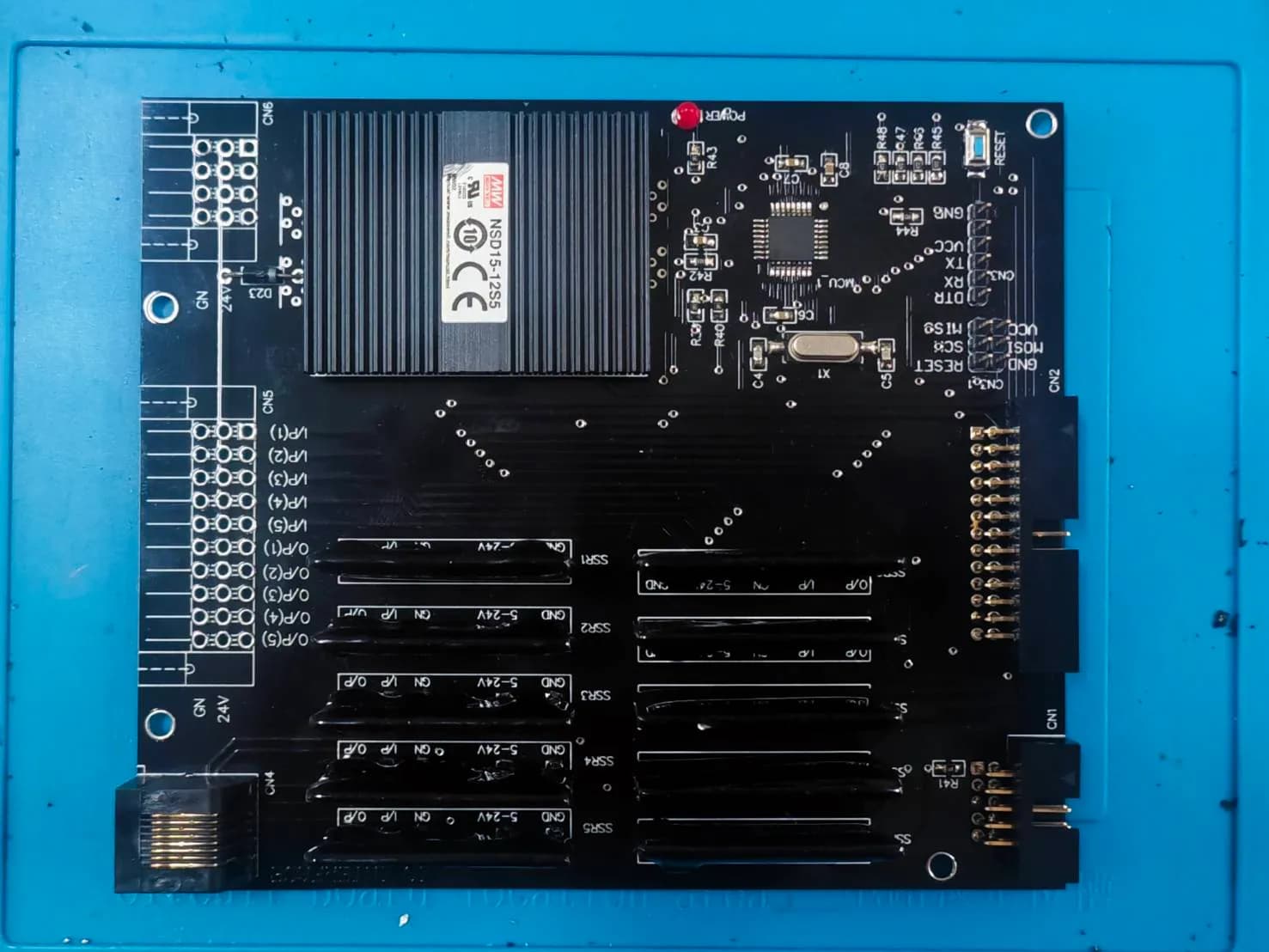
Equipment connected to measuring instruments in production lines must send data every time. If data is not sent sometimes, workers will revert to manual recording. The first version of InGauge required soldering and wiring each unit individually, and some units were unstable. Version 2.1 uses pre-assembled circuit boards from manufacturers, adds circuits to protect against static electricity, reverse current, and short circuits, and includes steps to inspect the circuit before assembly.
In the same QC department, there are often several types and versions of measuring instruments. Some versions still lack data cables. Surveying all instruments before starting work can determine which ones need additional cables or accessories. For tasks that require subsequent reporting, it is best to start with commonly used forms and clear measurement points.
What does it mean to you?
Before requesting a quotation, we need the brand, model, and port images of all measuring instruments to be used. This will help us determine which ones can connect directly to InGauge and which ones require additional cables. You can start by renting InGauge for testing in your actual production line, then purchase it once you know the number of measurement points needed. If you require control charts and Cpk values, start with a single measurement point using InGauge paired with InQC, then expand to other points.
Models and what's included in the box
What's inside the box
-- Inquire for details of the desired model and set from the team
Warranty
12-month warranty
There is a care plan available after warranty expires. Please contact the team for details.
Technical specifications
| Size | Ask about the confirmed values for your model and intended use |
|---|---|
| Weight | 400 g |
| Operating temperature | Ask about the confirmed values for your model and intended use |
| Water and dust protection level (IP) | Ask about the confirmed values for your model and intended use |
| Power supply | 5V from USB port, current less than 50mA, no adapter required |
| Connection | Accepts Digimatic (IDC10) signal 1 port · Sends USB Type-B signal 1 port · Foot Switch (XLR 3 Pin) 1 port |
| Version | InGauge USB V2.1 |
| Product Code (Product No.) | 201112-DE-IG |
| Operating Principle | Converts Digimatic/SPC signal to USB (HID or Serial) |
| Controller | 8-bit microcontroller, 16 MHz speed |
| Signal Sending Switch | Foot Switch (XLR 3 Pin) and PUSH SWITCH on the device |
| Operating Mode | Mode 1: Serial Port · Mode 2: HID |
| Signal Sending Time | Within 200 ms after pressing the Foot Switch |
| Protection | Protects against static electricity and overvoltage |
| Status indicator | POWER (red) · STATUS (green) · TRANSMISSION (green) |
| Material of the unit | Aluminum case |
Dimensions of the unit, IP level, and operating temperature range are not specified in the product documentation. Please contact the team for more information.
Standards/Certifications
- CEB.E. 2563EN 55032 and EN 55035 tested by Waltek Testing Group on sample version V2.1
- FCCB.E. 2563FCC Part 15 Subpart B tested by Waltek Testing Group on sample version V2.1
Architecture and Connectivity
Connectable system
- Excel, Notepad and typing accepting programs
- InQC — SPC app on Android
- nimitFlow (connected through InQC)
- Software reading from COM port (Mode 1)
System Requirements
- Computer or tablet with a USB port and capable of using a USB keyboard
- Windows, Linux, Mac or Android (i386, 64-bit, armhf, arm64)
- Android connects via OTG adapter (On-The-Go — allows mobile phones or tablets to connect USB devices)
- HID mode does not require drivers, set keyboard language to English before receiving data
- Serial mode works with software reading from COM port
Usage packages
Choose outright purchase or monthly rental based on usage pattern
Outright Purchase
THB 6,500 / unit
- InGauge USB V2.1
- 1-year warranty
- Includes post-warranty maintenance plan
Rent
THB 800 / month
- Suitable for trial use or short-term projects
- Consult with our team regarding the number of devices and rental period
Price does not include VAT
Industries Used
- Automotive Parts
- Injection Molded Workpieces
Actual Machine Images
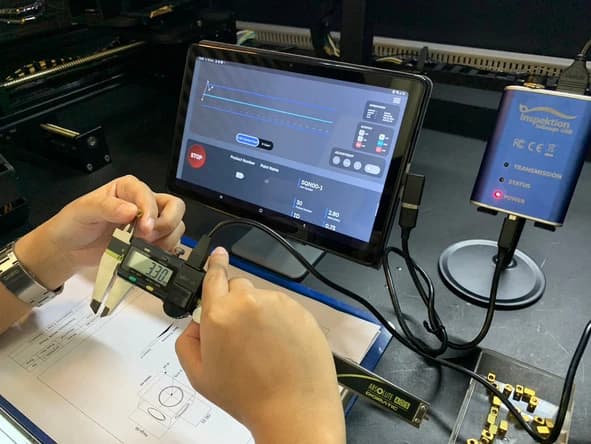
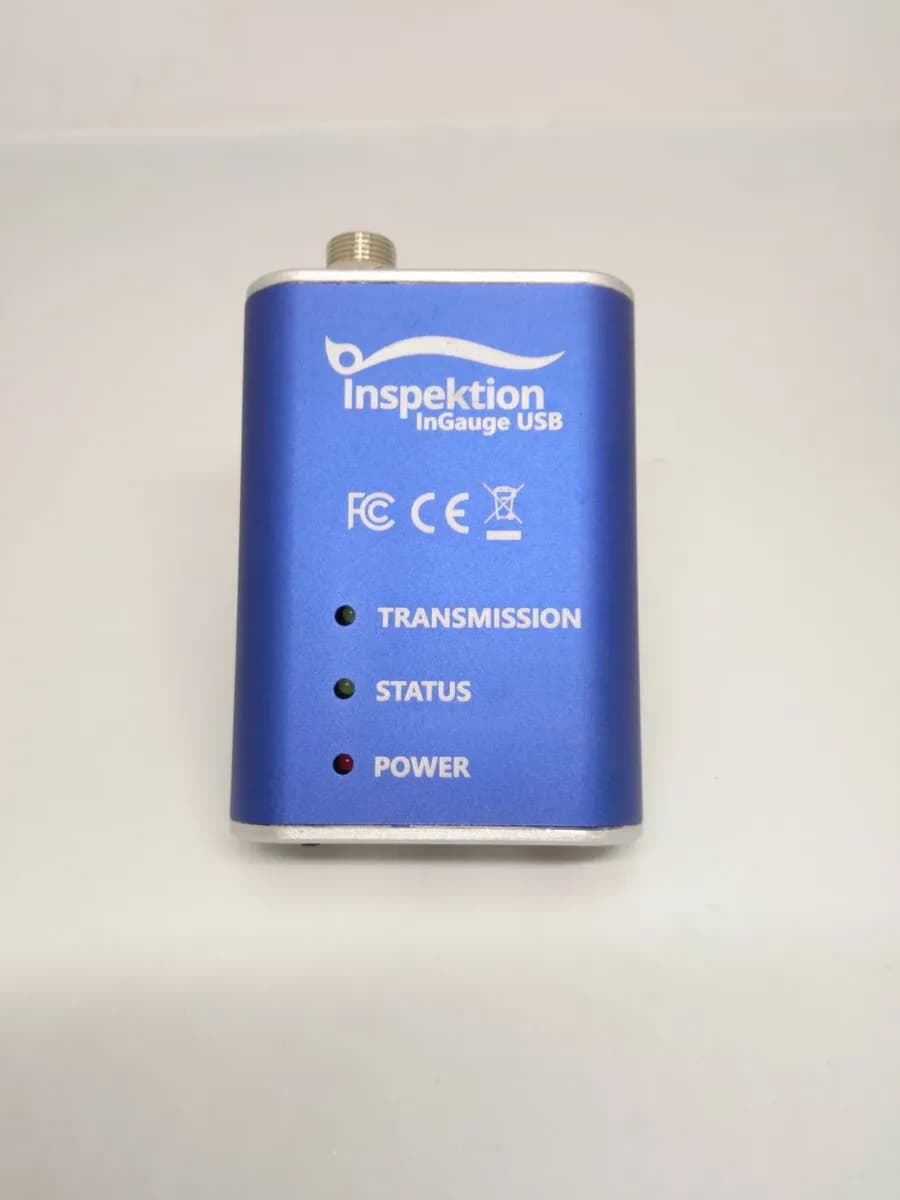
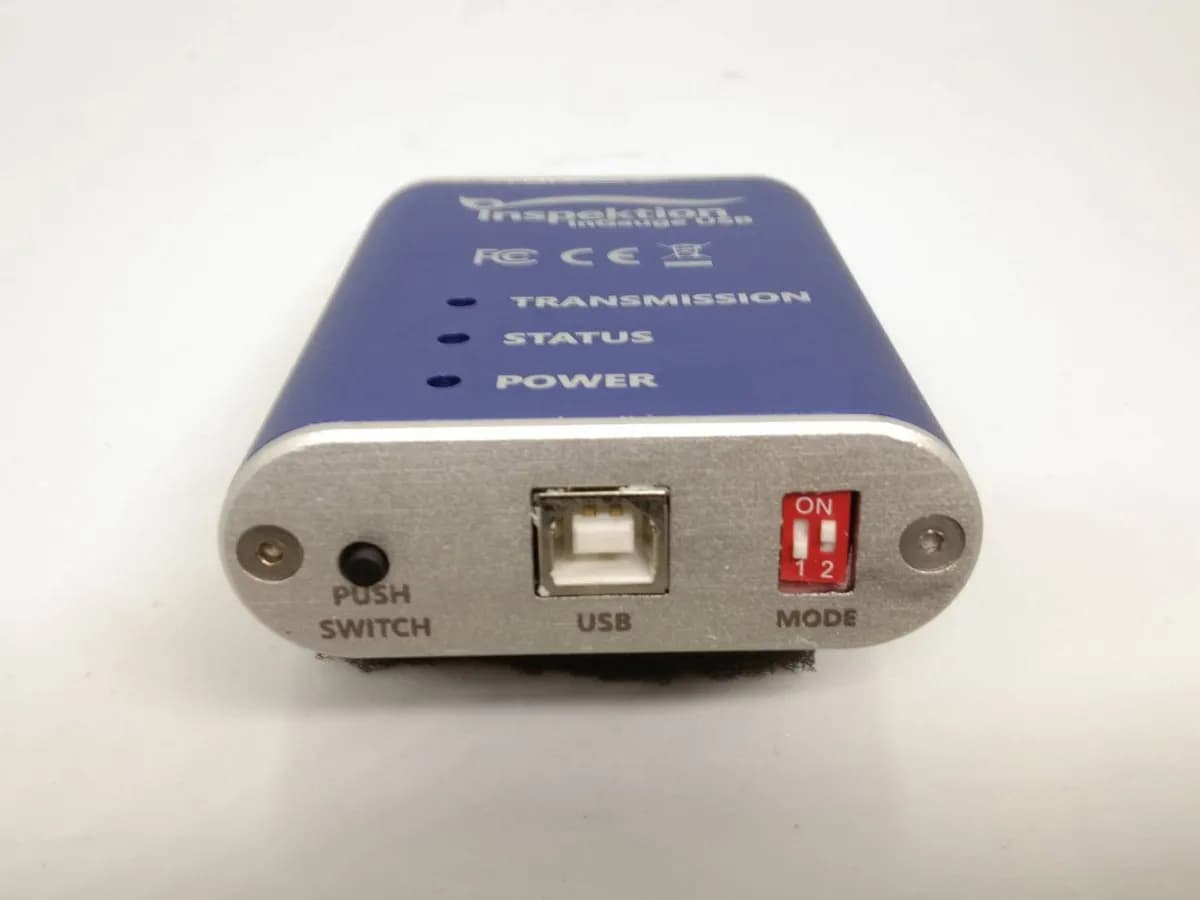
How to order or rent
Send us information about your measuring instruments for compatibility testing first, then request a quotation for outright purchase or rental based on the number of devices you need. You can also request an InGauge brochure from us.
What to prepare
- Brand, model, and port image of the measuring instrument to be connected
- Device used to receive data, such as a Windows computer or an Android tablet
- Program or file where you want the measured value to be entered
- Number of measurement points or stations requiring InGauge, and whether you want to purchase or rent
Frequently Asked Questions
Which measuring instruments can InGauge be used with?
InGauge works with digital measuring instruments that have Digimatic SPC output, including calipers, micrometers, Height Gauge, Bore Gauge, Depth Gauge, Thickness Gauge, Holtest, and Digimatic Indicator. Connect a Type F cable to the IDC10 port. During development of version 2.1, we tested instruments from 2 brands: Mitutoyo and Teclock. If you are unsure, send us the instrument model for checking first
Do I need to install any software or drivers?
No need, in HID mode (Mode 2) InGauge works like a USB keyboard, plug and play on Windows, Linux, Mac or Android (via OTG). Serial mode (Mode 1) is used with software that reads data from the COM port.
Does the measured value go outside the factory?
InGauge does not send data outside the factory itself because it connects directly via USB cable to a computer or tablet. The destination of the measured value depends on the chosen end program, such as an Excel file on the machine or InQC which stores data in Cloud or on-premises (Custom package).
Do you need a separate power supply? What comes in the set?
No need for a separate power supply, InGauge uses 5V from the USB port directly, consuming less than 50mA. The set includes items and Digimatic cables depending on the measuring instrument model, confirm the list with us before purchasing.
Can I rent first and then buy?
Yes. Rental costs THB 800 per month; the number of units and rental period are agreed with us. The QC department of a manufacturing plant in Thailand currently rents in 3-month periods, with period 4 ongoing. An outright purchase costs THB 6,500 per unit, excluding VAT
Are there wireless models or RS-485 versions?
No, the current models sold connect only via USB cable, no Bluetooth or RS-485 included.
Watch how to install and use InGauge
Video from the Inspektion channel: User guide, mobile connection, and USB setup
Related products