




01 / MEASURE
Receive values into system
Connect digital measuring instruments, define measurement points and specs, or enter values through the screen and voice according to package
MODERN FACTORY / DIGITAL QUALITY CONTROL
Receive measurement data from instruments into an Android tablet, view SPC charts during measurement, and calculate Cp/Cpk when sample size is complete, helping the QC team see the process from the same data set
Watch usage video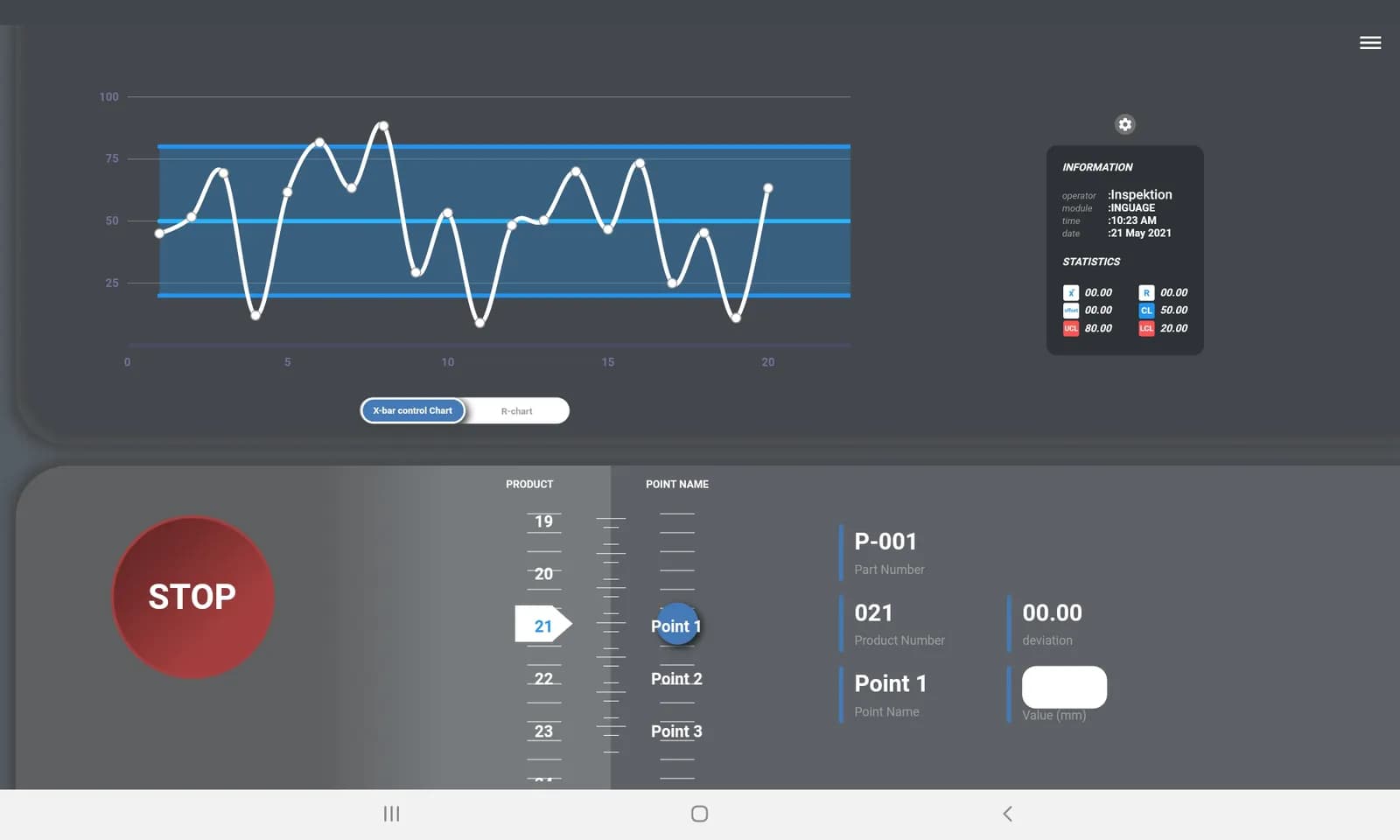
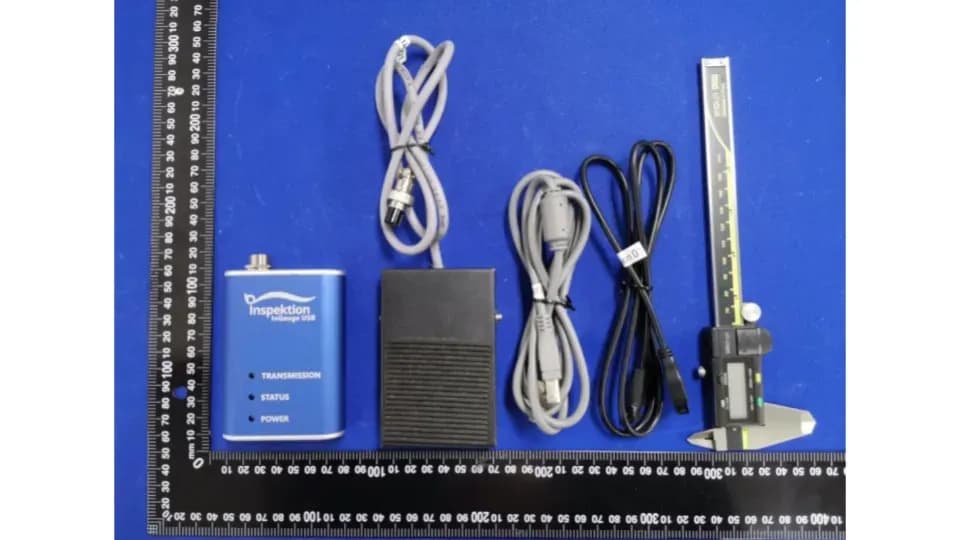
Receive values from measuring instrumentsUSB HID / Serial or via InGauge
SPC + Cp/CpkSee trends and process capability
Cloud / On-PremiseChoose installation mode according to package
MEASURE / ANALYZE / SHARE
Start from one measurement job, define measurement points and criteria clearly, then link data to reports that the team needs
01 / MEASURE
Connect digital measuring instruments, define measurement points and specs, or enter values through the screen and voice according to package
02 / ANALYZE
View X̄/R chart and statistical values of measurements, calculate Cp/Cpk when sample size is complete
03 / SHARE
Export CSV, view Good/NG summaries according to your package, or connect nimitFlow for additional reports and workflows
PRODUCT PRESENTATION / InQC V5
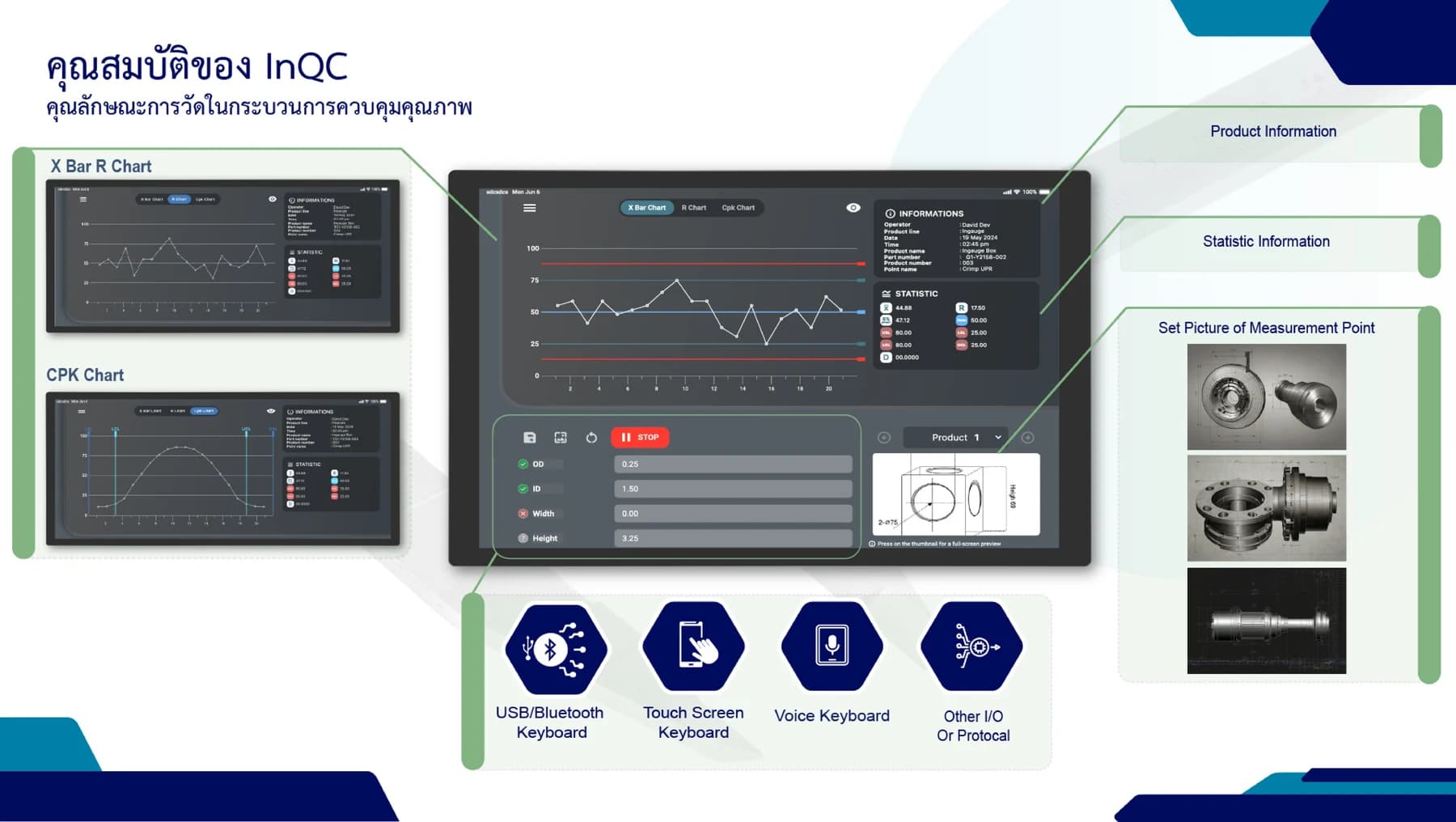
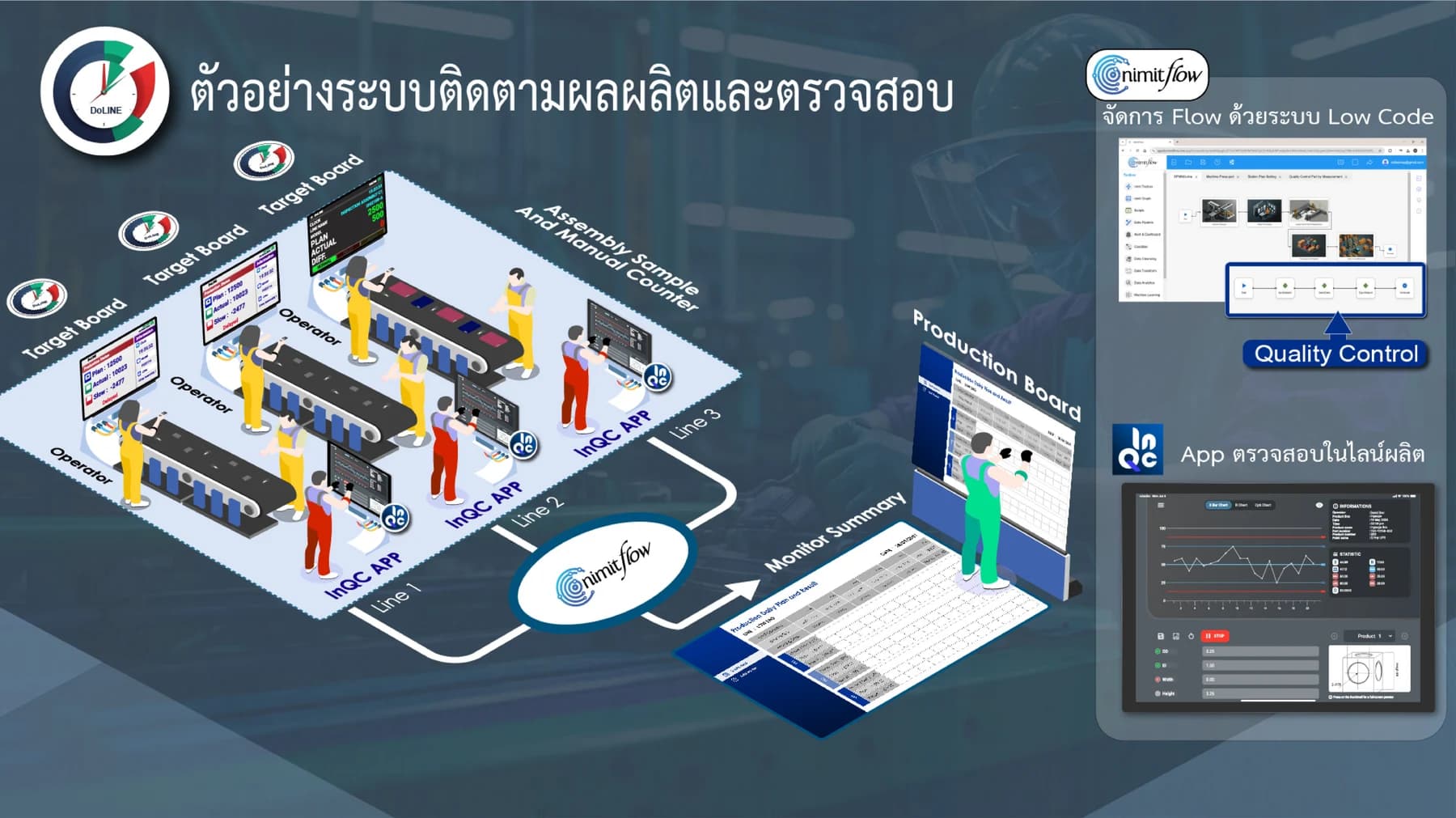
Presentation slide of InQC with examples of setting measurement points, quality analysis, and multi-line result summaries
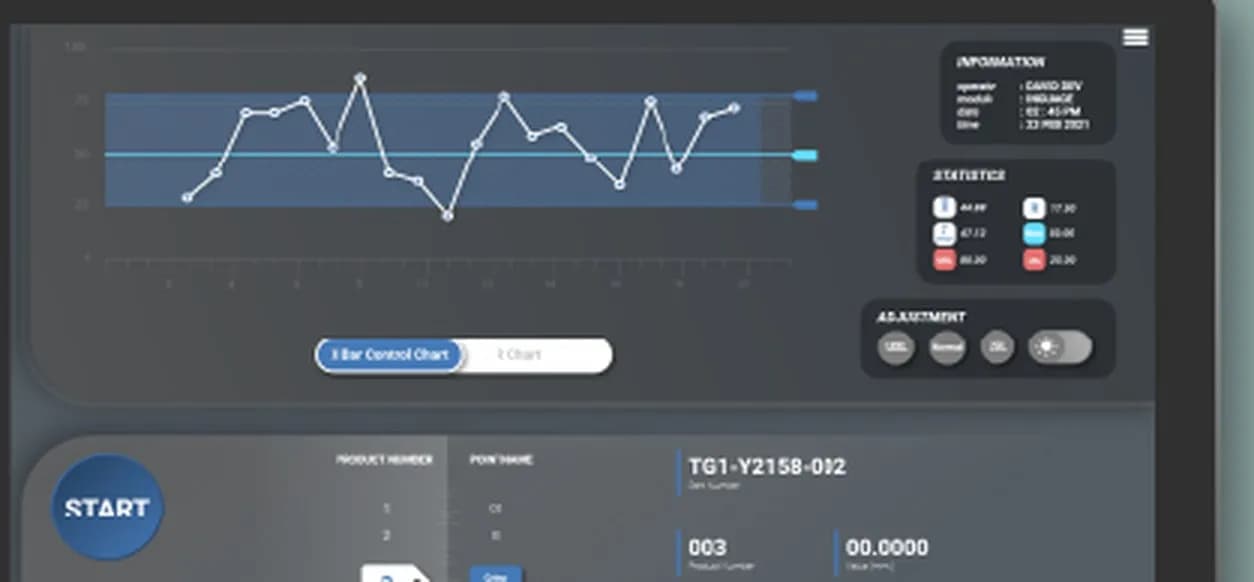
Define measurement position image, track X̄/R chart and Cpk according to job type and selected package
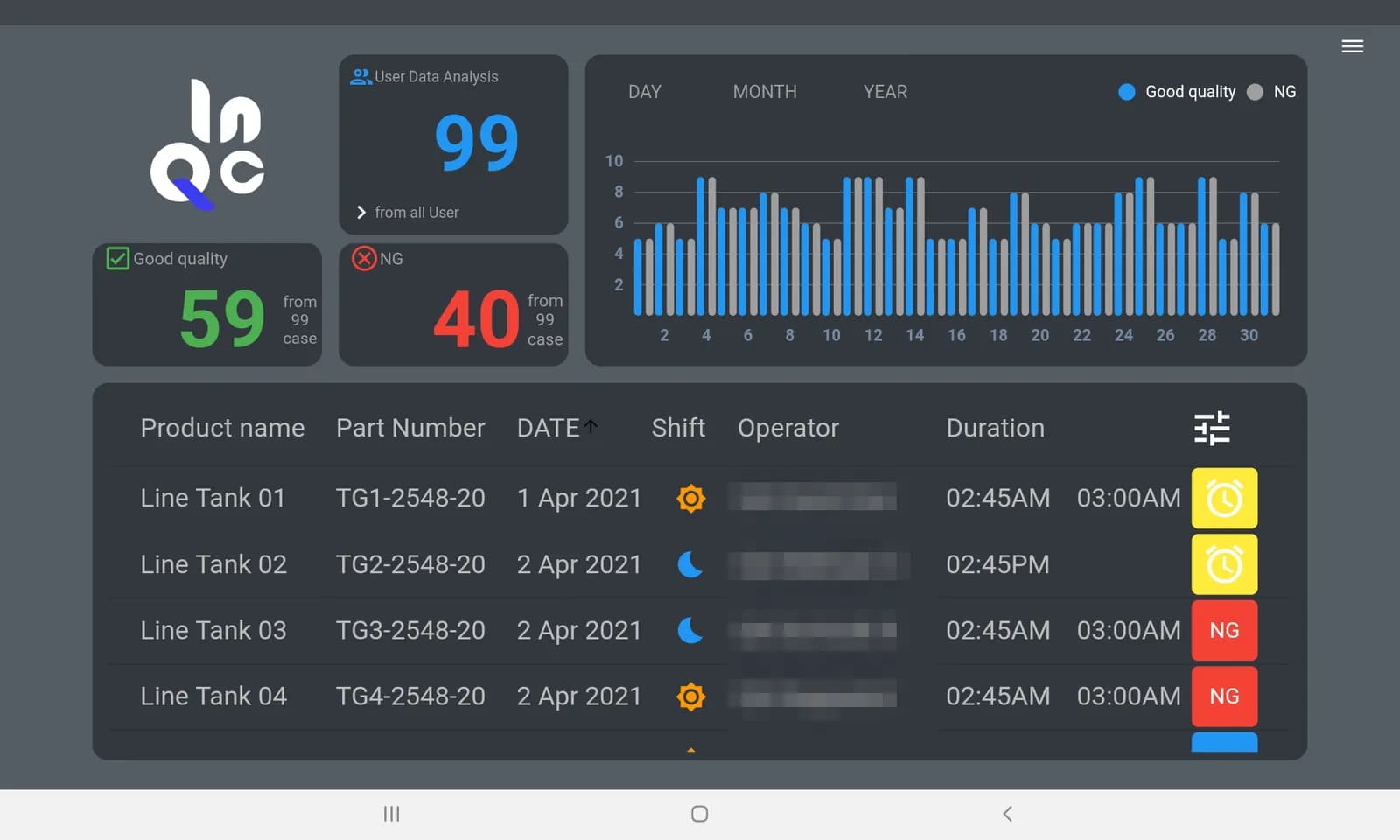
Manager Dashboard showing Good/NG and measurement items for review, separated by time periods and shifts according to packages
WATCH InQC IN ACTION
Videos from the Inspektion channel cover data reception from measuring instruments and software quality control usage
Overview of data reception from measuring instruments for recording, displaying, and analyzing quality
Open on YouTube ↗Introduction to recording measurement data and using control charts in QC work
Open on YouTube ↗MACHINERY TECHNOLOGY AWARDS / 2567
Category: Ready-made software for manufacturing and services from the InQC project
Watch the presentation video of InQC concept and operation
Quality control (QA/QC) teams that measure parts repeatedly per shift and must send SPC or Cpk (process capability index) data to customers
Examples of inspection forms, measured values, and current measuring instrument models
InQC is suitable for QC teams that measure workpieces repeatedly during each shift using measuring instruments and must provide Statistical Process Control (SPC) data to customers. The app collects data from digital measuring instruments, creates X̄ (mean) and R (range) control charts, and calculates Cp/Cpk while measuring. Supervisors can see when measurements start to fall outside control limits or specifications.
In many factories, measurement checks still involve reading values from measuring instruments, recording them on inspection sheets, and then keying them into Excel to create graphs later. This process is slow and prone to errors such as lost or incorrectly entered data. Problems in the process are often only seen at the end of the shift. InQC moves the recording onto tablets at the production line. Values enter the system upon measurement, and graphs update every time a record is made.
| Common Problems | How does InQC help? |
|---|---|
| Recording measured values on paper is slow and prone to loss | Record values directly into the system upon measurement, view all recorded values |
| Have to make SPC graphs in Excel after measurement | Draw X̄ / R chart app and calculate Cp/Cpk during measurement |
| Know when process changes at end of shift | See out-of-control points on control chart from recording |
| Supervisor cannot see overview of multiple lines | Manager Dashboard (Pro package) summarizes Good/NG by day, month, and year |
| Hands full, difficult to type values | Receive values from gauge via USB or speak readable values with voice (depending on package) |
InQC works in 4 steps: create measurement job, connect measuring instrument, view results during measurement, and close job with data export. You set up the measurement job once, then measure throughout the shift without having to reset for each piece
Create measurement job
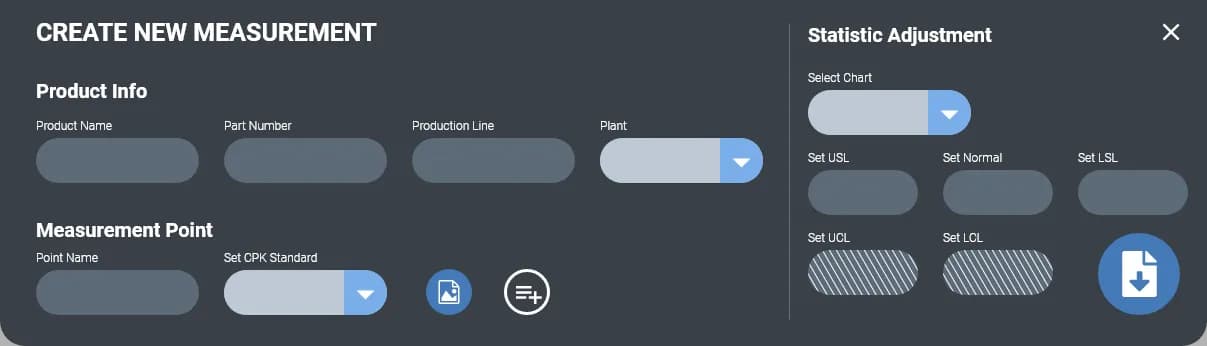
Enter product name, part number, production line, and quantity. Set measurement point name and define specification limits USL / Normal / LSL and control limits UCL / LCL
Connect measuring instrument
Connect gauge via USB or enter values using keyboard or voice according to package, then press START to begin data collection
View measurement results
Graphs and X̄, R and SD values update every time data is recorded. Cp/Cpk calculations are performed when the sample size is complete. Out-of-control points or out-of-spec limits are visible on the measurement graph
Close the job and export data
Record measurement jobs on InQC Server and review history. Download CSV or send to nimitFlow for quality report generation
InQC has 2 user roles: Operator (measurement operator) and Manager (supervisor). Operators create measurement jobs, measure workpieces, and view charts during measurement at the production line. Managers view a Good/NG summary dashboard for all Operators and can set the NG ratio threshold in the Pro package. Each measurement job specifies a shift (day or night), so supervisors can sort jobs by shift, Operator, or date
InQC integrates data acquisition, control charts, Cp/Cpk calculation, and data export into a single app. Some capabilities depend on the selected package
Select charts based on what you want to know, such as whether the central value shifts, whether the spread widens, and whether the production process meets specifications.
X̄ Bar Control Chart
Monitor the average of each sample group when the central value starts to shift away from the target.
R Chart · S Chart
View the range and standard deviation of each group, indicating whether the process is starting to widen.
Cp / Cpk
Compare the actual spread with the specification limits (USL/LSL) and summarize it into a single number sent to customers.
How do control lines differ from specification limits?
UCL/LCL are control lines that indicate the normal variation range of the process, while USL/LSL are specification limits according to customer requirements. Values within the specification may still fall outside the control lines. In InQC, you define both sets when creating measurement tasks.
InQC stores measurement tasks on the InQC Server, which can be either Cloud or on-premises (On-Premise) deployment. The On-Premise option is available in the Custom package. Each user has their own account and confirms their email address using OTP (one-time password).
If you need to connect to other systems in the factory, InQC sends data through nimitFlow or exports as CSV files. Connecting to ERP or MES (Enterprise Resource Planning and Manufacturing Execution System) is part of the Custom package, which we configure for you.
Used with InQC
InQC Presentation V5 shows an example of connecting data to nimitFlow for generating quality reports, setting conditions and time periods for alerts via LINE or email, and defining measurement cycles. This is additional connection work that needs to be designed and tested according to project scope.
InQC is suitable for work that measures numeric values using repeatable measuring instruments at fixed points and must send SPC or Cpk values to customers. InQC is not suitable for inspecting workpieces by image as it is software, not a camera. Values used for graphs come from measuring instruments or values entered by users.
| Job | Is it suitable for InQC? | Reasons or things to do |
|---|---|---|
| Measuring size or thickness with a digital gauge connected via USB | Suitable | Input data through USB HID or direct USB Serial |
| Measuring with a measuring instrument with a Digimatic/SPC port (data output port of the measuring instrument) | Suitable when used with InGauge | InGauge converts signal to USB before sending to app |
| Measure using a measuring instrument without data transmission capability | Compatible | User inputs values manually or speaks values via voice package |
| Workpiece requires measurement at more than 6 points | Consult us first | InQC sets up maximum 6 measurement points per workpiece |
| Inspect workpiece quality with images | Not suitable | InQC does not have a camera, visual inspection use LearningCam model Inspection Cam |
| Connect data to ERP or MES | Available in Custom package | We set up the connection for you |
| Data cannot be exported outside the organization | Available in Custom package | Install InQC Server on the factory network (On-Premise) |
| Title | Capable Of | Important Notes |
|---|---|---|
| Measurement Points Per Workpiece | Maximum 6 points, name measurement points yourself | Attach position measurement images according to package |
| Cp/Cpk Criteria | 1.33 or 1.67 | Select according to each customer's requirements |
| Charts | X̄ Bar, R, S and Cp/Cpk | Freemium has X̄ and R charts, Cp/Cpk chart in Pro package and above |
| Measurement value reception | USB HID, USB Serial, manual entry, and voice | Digimatic/SPC measuring instrument port through InGauge |
| Measurement task | Record preset model settings for reuse | Freemium creates a limited number of measurement tasks, higher packages create more according to quotation |
| Equipment | Android mobile or tablet and Android TV Box running Android 6.0 or later | Designed for 8-inch horizontal screen, recommended resolution 2000 × 1200 pixels |
| Data export | CSV separated by measurement task or measurement point | Forward to nimitFlow from within the app |
The details of each package's features are subject to the conditions in the quotation
Important notes before installation
InQC installation files are Android APKs for devices running Android 6.0 or higher, Cloud-based. The device must be connected to the internet to record measurement data on the InQC Server.
Visual inspection work
In B.E. 2569, we provided an InQC set to a private company in the general manufacturing sector as a single unit. This set includes a 10-inch tablet, an ultrasonic thickness gauge for metal, and 1-year InQC usage rights along with user manuals. The sale was closed in September 2569. This set allows the front-line team to record thickness values and view X̄ / R control charts from a single tablet.
An ultrasonic thickness gauge (Ultrasonic Thickness Gauge) measures the thickness of a workpiece using high-frequency sound waves from one side of the workpiece, so it does not need to access the other side of the workpiece.
Awards
Machinery Technology Awards 2567 — 1st Runner-Up Award in the packaged software category for manufacturing and services, for InQC
Control charts can be used to make decisions only when the measured values are reliable. Measuring instruments must be suitable for the material of the workpiece. Instruments in this job are for metal. Measurement points, sample size, and frequency of sampling must be clearly defined before starting recording.
Organizing the measuring instruments, tablets, and software into a single set helps procurement teams and engineers avoid having to check individually whether each piece of equipment can be used together.
Before starting to use InQC, we request your measuring instrument model, sample inspection sheets, and measurement points to check if the measuring instruments connect directly via USB or require InGauge. You can start from a single inspection point with the Freemium package and then expand to other points. If you purchase an annual license for this project, plan to renew before the expiration date to ensure continuous data recording.
| System configuration | Android app (tablet/mobile) + InQC Server |
|---|---|
| Supported devices | Android 8" tablet landscape / Android TV Box |
| Android version | Android 6.0 and above (installation from APK file) |
| Recommended screen resolution | 2000 x 1200 pixels landscape |
| SPC chart | X̄ Bar Control Chart, R Chart, S Chart, Cp/Cpk |
| Cp/Cpk Criteria | 1.33 or 1.67 |
| Measurement value input method | USB HID / USB Serial / Manual Input / Voice |
| Measurement Points Per Workpiece | Up to 6 points, name and attach position image |
| User role | Operator (measure work) / Manager (view dashboard summary Good/NG) |
| Data export | CSV and cloud history storage |
| System connection | nimitFlow and export CSV |
| Server installation | Cloud or On-Premise |
Latest app version and file size changes at any time, see current numbers on download page inqc.nimitflow.com
Start with the measuring instruments you use, send data to the InQC app on Android, then store it at the InQC Server. Choose to continue with nimitFlow when there are reports or workflows added.
DIGITAL MEASUREMENT
USB HID / Serial gauge directly connected to devices, while Digimatic port measuring instruments use InGauge to convert to USB
MEASUREMENT & SPC
Mobile phones, tablets, or TV Box according to the package, receive measurement values, view charts, and set measurement points on the app or enter values through the screen instead of connecting gauges
CLOUD / ON-PREMISE
Store measurement data on Cloud or choose on-premises installation within the factory in the Custom package
OPTIONAL / WORKFLOW
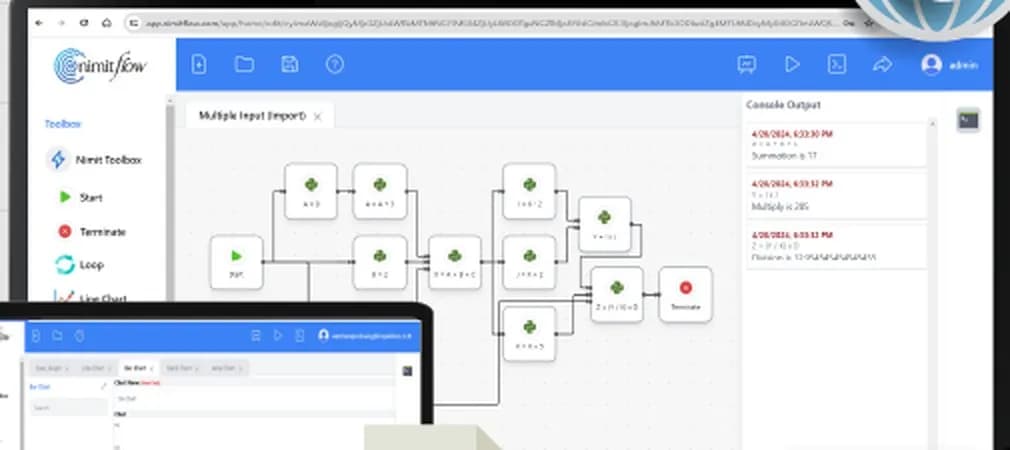
Connect measurement results to create reports, set alert conditions, or connect to other systems within project scope
nimitFlow is an optional component; if only using the app and exporting CSV, it is not necessary to connect nimitFlow. Alert conditions and connections to downstream systems must be set up with the team before installation
Licensing Models
Start with the free Freemium package, then upgrade to Pro or Custom when more features are needed. Prices for Pro and Custom packages are provided as quotations based on the scope of use.
Starts with a Freemium option, free initially, then upgrade to full functionality when ready. Pro and Custom pricing available upon request, with quotations based on usage scope. Direct inquiries to the team.
Free
Request a quotation
Request a quotation
Details of features and number of measurement jobs per package as specified in the quotation
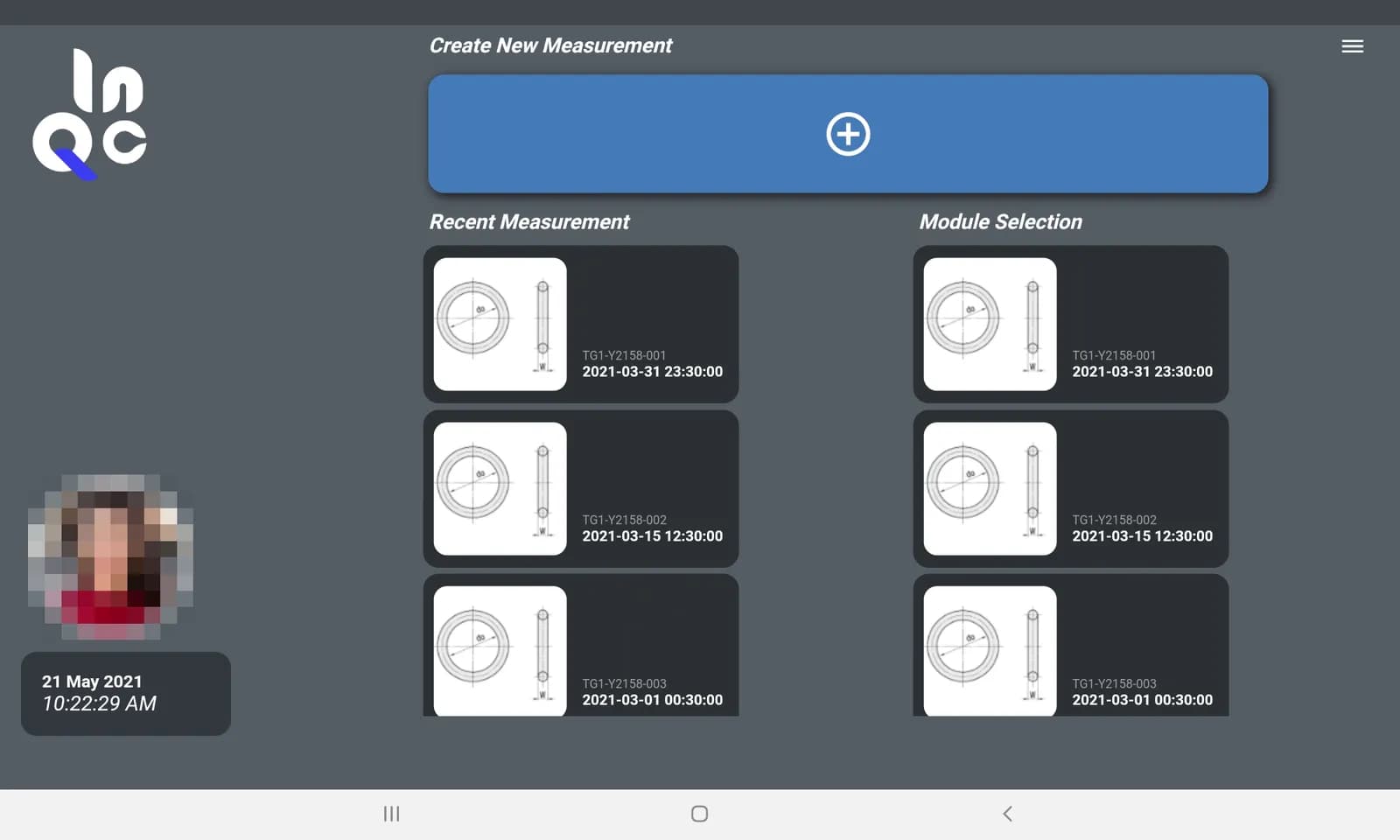
Download the InQC (APK) installation file from the web inqc.nimitflow.com and install it on an Android device running Android 6.0 or higher. If prompted, allow the installation of unknown apps for the browser used to download the file. Then open the app, sign up with an email address, verify the OTP, and start creating measurement jobs immediately with the Freemium package. For full factory installations through an MDM system or for requesting a quotation for the Pro/Custom package, contact the team.
InQC is an SPC (Statistical Process Control - statistical control of manufacturing processes) program on an Android tablet, not a camera. The app receives values from digital measuring instruments, draws control charts X̄ and R during measurement, and calculates Cp/Cpk compared to the 1.33 or 1.67 criteria you choose. In the Pro package, managers can view Good and NG job summaries on the Manager Dashboard.
Yes, if the measuring instrument sends data through USB HID or USB Serial, such as Vernier and digital micrometers. Measuring instruments with Digimatic ports connect via InGauge. For measuring instruments without data transmission ports, users manually enter the values or speak the values using the package. Please provide the brand and model of the measuring instrument for compatibility testing before starting.
Depending on the chosen format, the Cloud option sends measurement data from devices over the internet to be stored on the InQC Server. The On-Premise option (Custom Package) has the InQC Server located within the factory network, so the data does not leave the factory. Each user has their own account confirmed by email with OTP (one-time password). Measurement data can be exported as a CSV file.
The Cloud option does not require a server in the factory, while the On-Premise option (Custom Package) requires a server in the factory's network. Specifications of the server can be queried from us. Users can install the app and register an account with email and OTP themselves. We assist in setting up integration with ERP or MES in the Custom Package if required. If you need to deploy the app across the entire factory through MDM (Mobile Device Management System), please contact us.
The Freemium package is free to use and can be downloaded at inqc.nimitflow.com. For the Pro and Custom packages, quotations are provided based on the scope of use. We have previously sold InQC as a tablet set, measuring instruments, and 1-year usage rights in B.E. 2569. Conditions for the product set are according to each quotation.