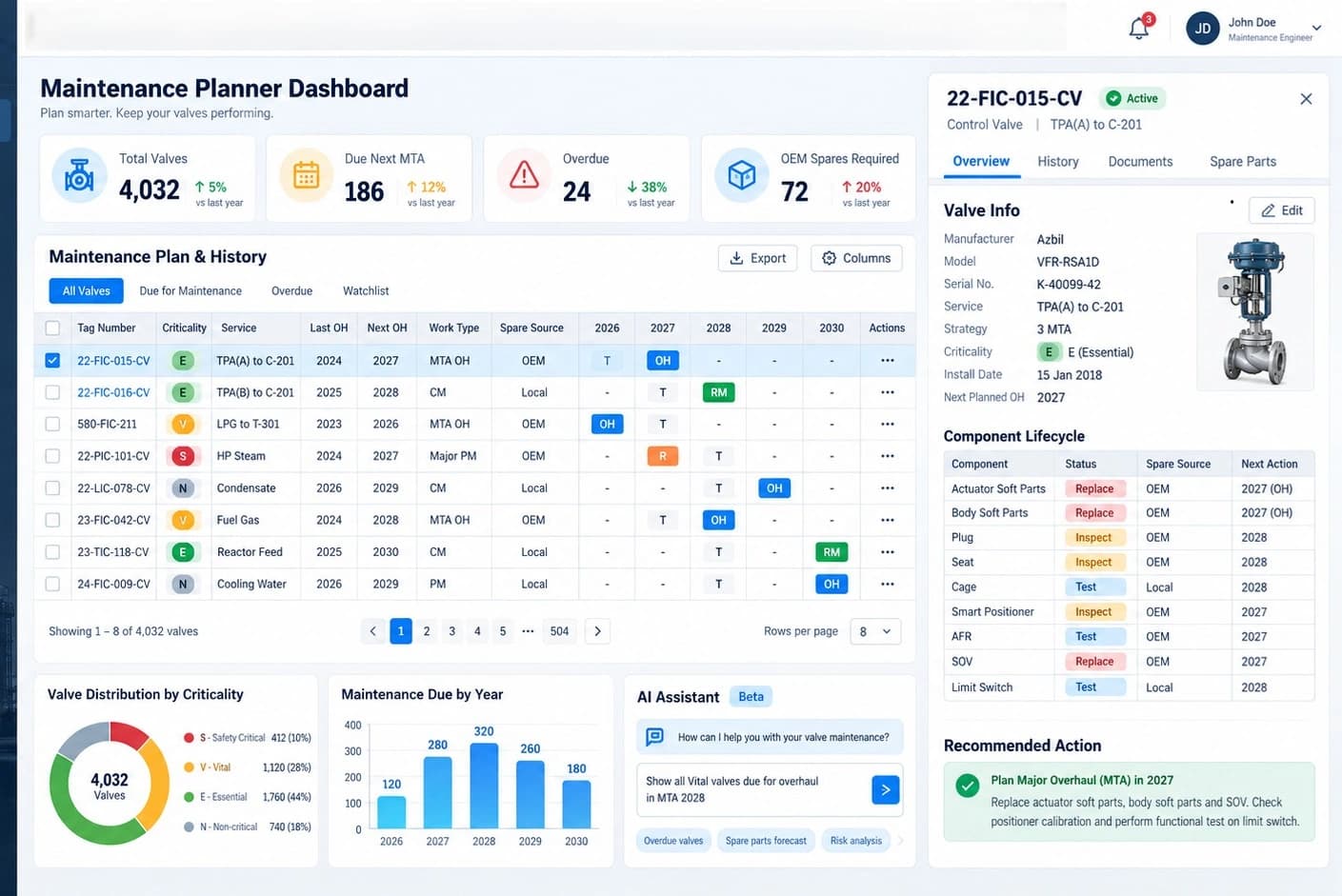





ENTERPRISE DATA / INDUSTRIAL AI
nimitFlowConnect data, machinery
and AI in a single system
nimitFlow is a Low-Code platform for connecting data and creating automated workflows. It starts from a single task within an organization and expands to a central data lake, data governance, and an integrated smart factory IoT and AI machine learning system.
Starting at THB 8,000/monthCloud pricing starts here · Enterprise projects and additional integration systems evaluated separately per project
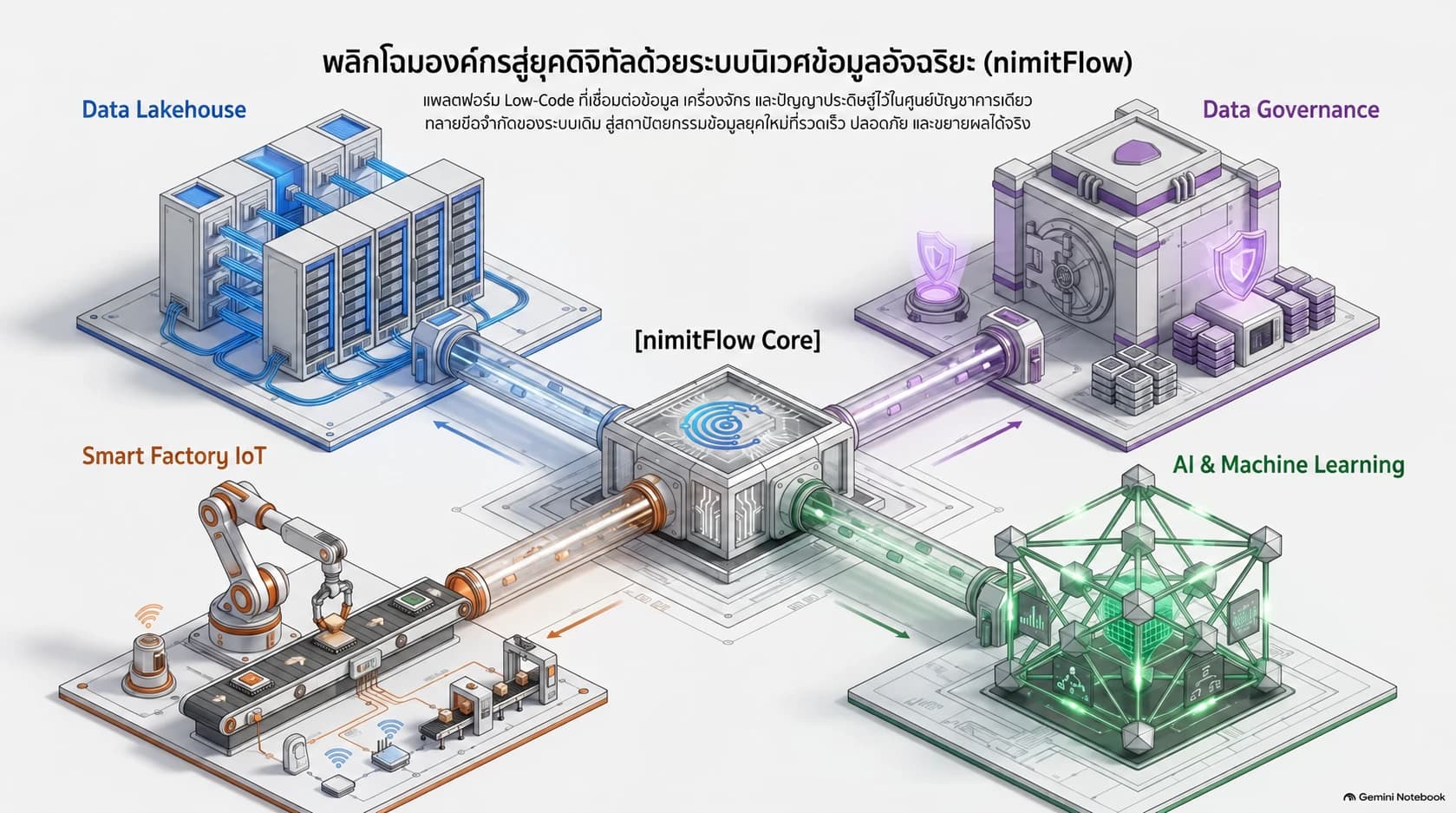
Start from the task you want to connect, then expand to a unified system
Use nimitFlow as the core for receiving and processing data. Choose the data lake, governance tools, and AI models that match your tasks
01 / DATA FOUNDATION
Unify data for immediate use
Receive data from existing systems, databases, APIs, and web pages into a traceable data path
02 / DATA GOVERNANCE
Know the origin and data custodian
Define data owner, description, quality, rights, and lifecycle together with connected systems
03 / INDUSTRIAL IoT
Connect data from the factory
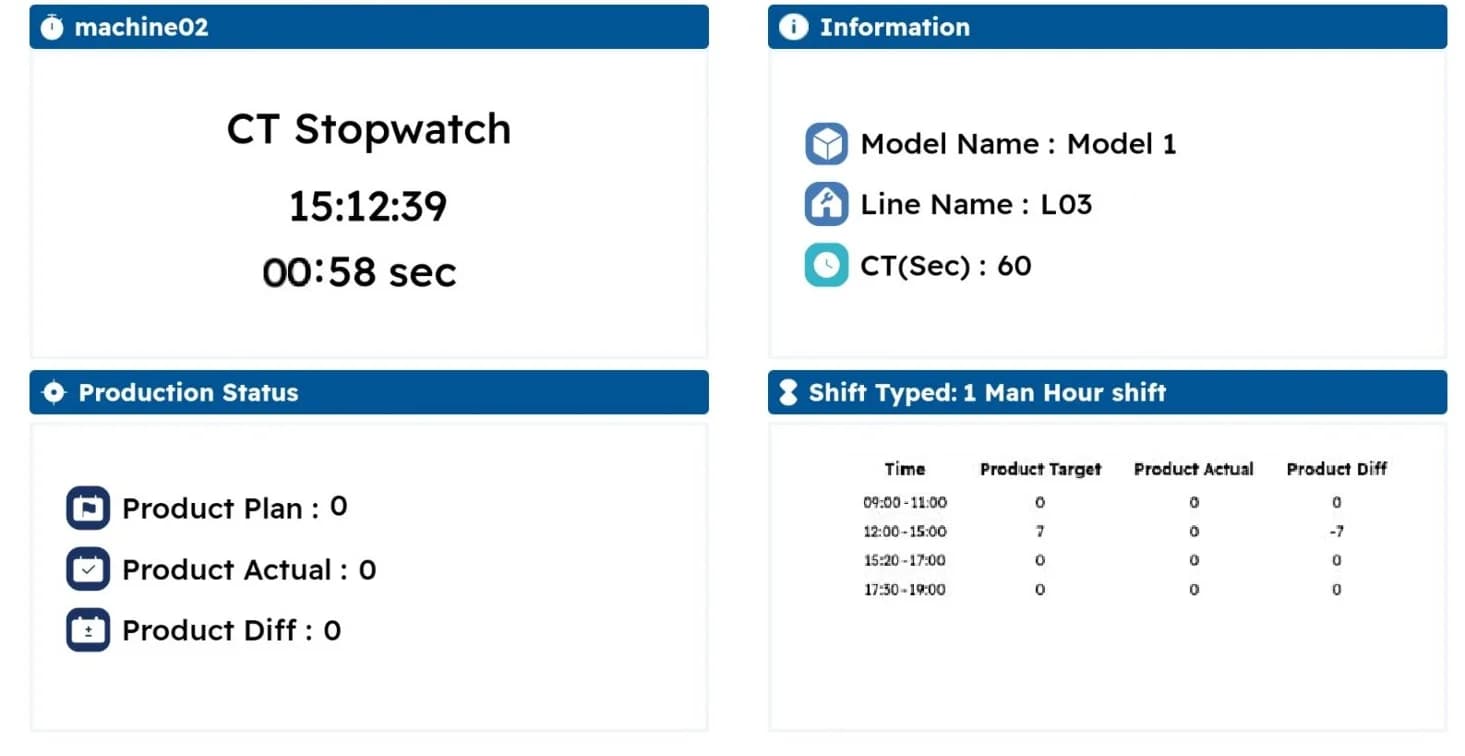
Aggregate production totals, quality measurements, machine status, and inspection results from cameras at workstations
04 / AI & ANALYTICS
Send data for further analysis
Prepare data for models, analyze trends, and send results to reports or workflow steps
Is it suitable for your work?
Who is it suitable for?
IT teams and engineers who need to connect data from multiple systems and add Python code to suit their tasks
Prepare information before talking
Data sources or existing systems, sample data, and tasks to automate.
Summary
- nimitFlow is a Low-Code platform by Inspektion for creating Data Pipelines (data intake, processing, and transfer) and automating workflows by dragging nodes onto a Canvas (flow layout area)
- nimitFlow can be installed on an organization's server using Docker Compose (container installation suite) and connect AI nodes with LLM running in the organization through Ollama, thus keeping data within the network
- In nimitFlow, general tasks are configured via forms without writing code, while complex tasks use Python nodes running in a sandboxed environment which limits resource usage
- Enterprise extension supports Data Lakehouse, Data Catalog, Data Governance, and AI analysis within project scope, evaluating connecting tools and separate installation systems
- nimitFlow Cloud Subscription starts at THB 8,000/month. On-premises deployment is priced according to the number of users and integration scope
How does nimitFlow connect the data team and the factory team?
When data is in different files, databases, and apps, reporting requires re-collecting and re-verifying accuracy. nimitFlow uses Flows as intermediary pathways to receive, transform, process, and transfer data, allowing teams to see steps and collaborate on work
| Team challenges | Initial approach |
|---|---|
| IT and data team | Connect the API database and files, create a Data Pipeline, and perform quality inspection before using it |
| Data Manager | Define meanings, data set owners, rights, and joint inspection rules together with the Data Catalog and governance system |
| Team Leader and Maintenance Team | Receive production volume, measurement values, and machine status from equipment or front-end apps, then generate reports together |
| Analysis Team and Management | Use prepared data to show trends, create reports, or connect AI models according to the given problem |
Start one job, then gradually expand
Select repetitive jobs with available data, such as daily production totals or abnormal value alerts, test the Flow with real data before expanding to multiple systems
Create automated jobs with Low-Code and Python
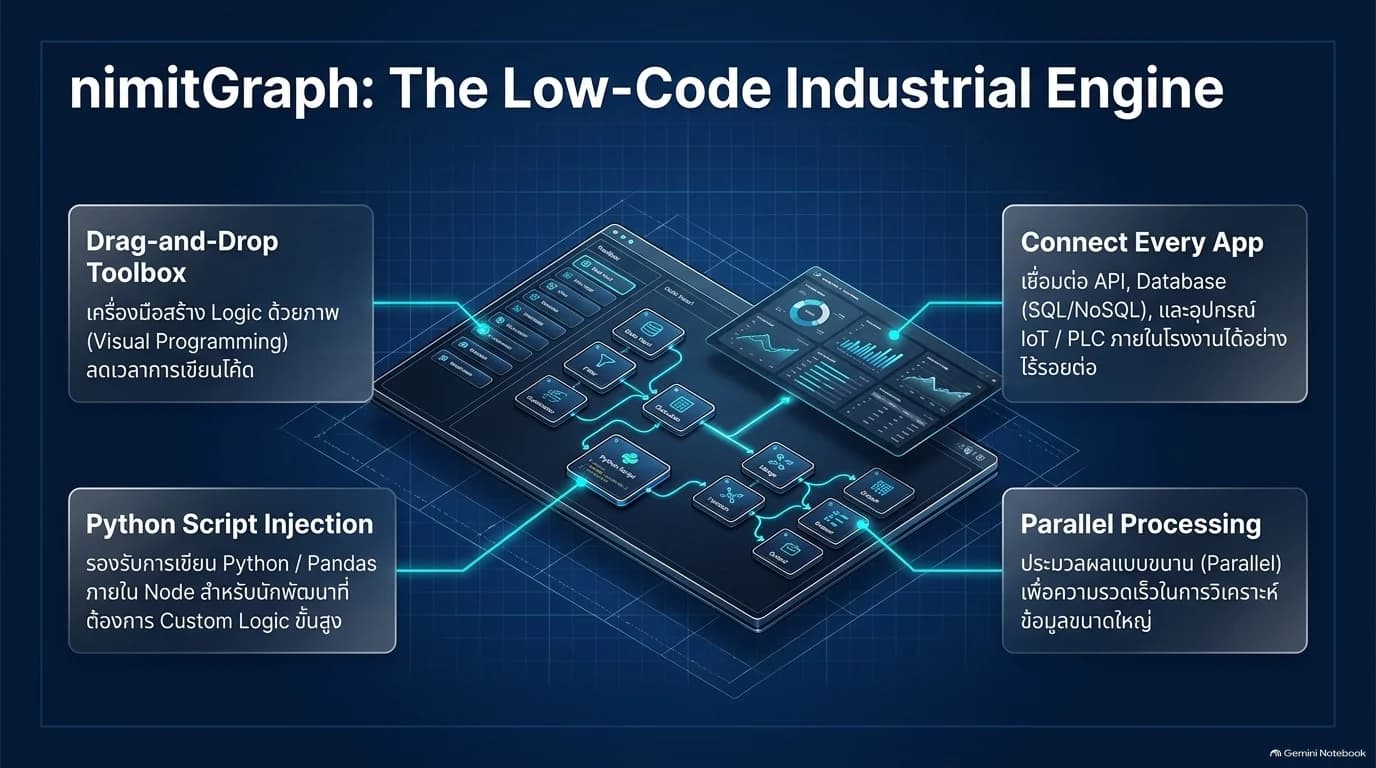
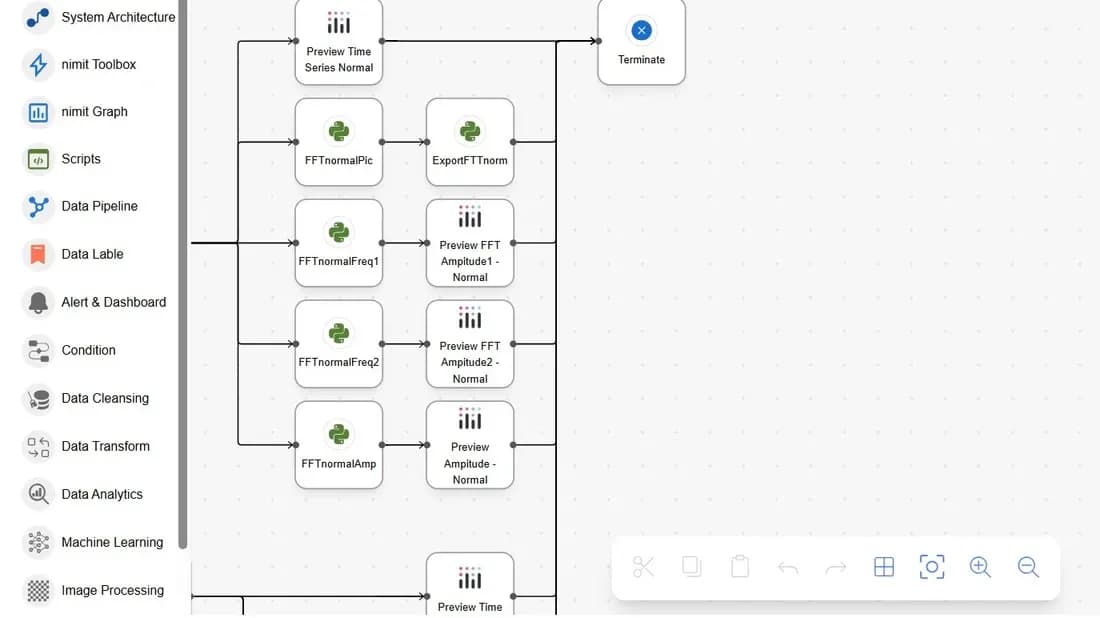
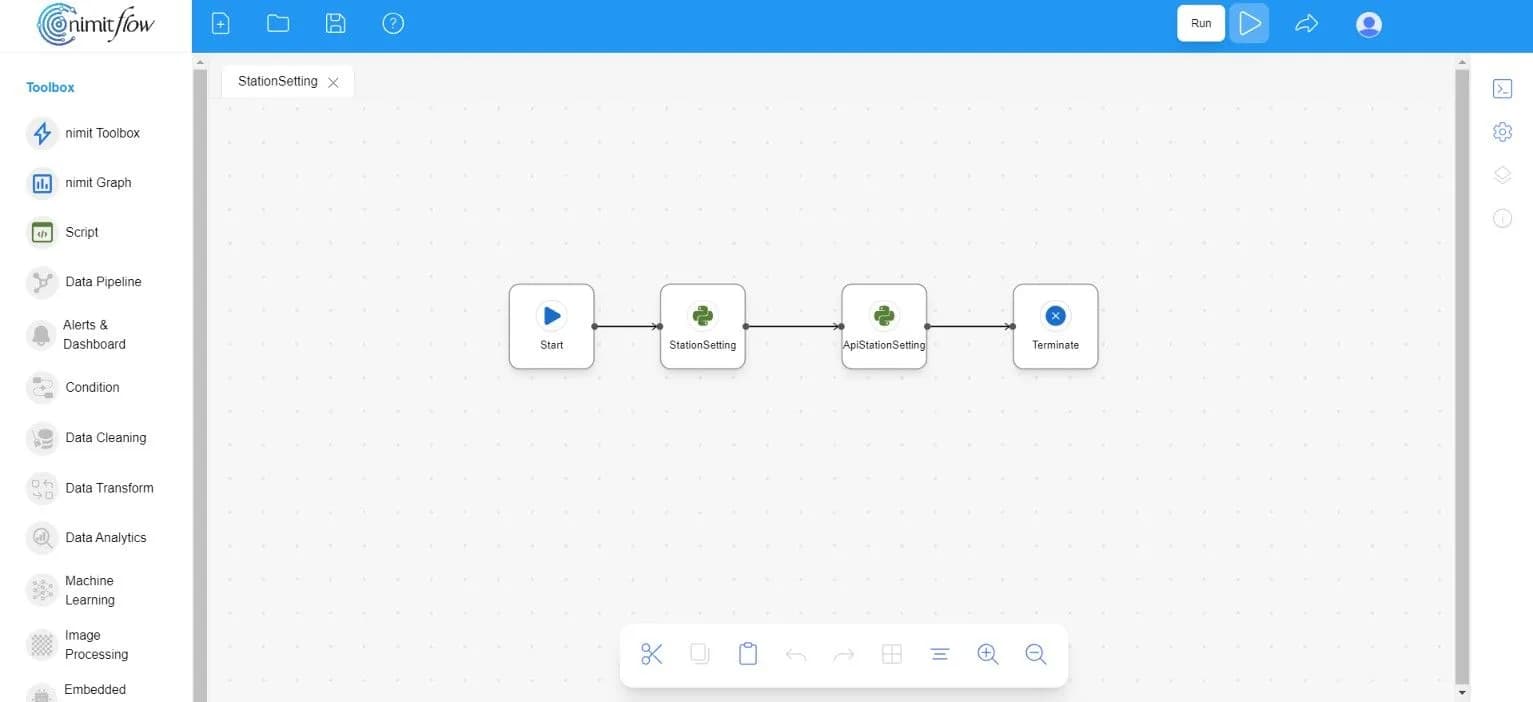
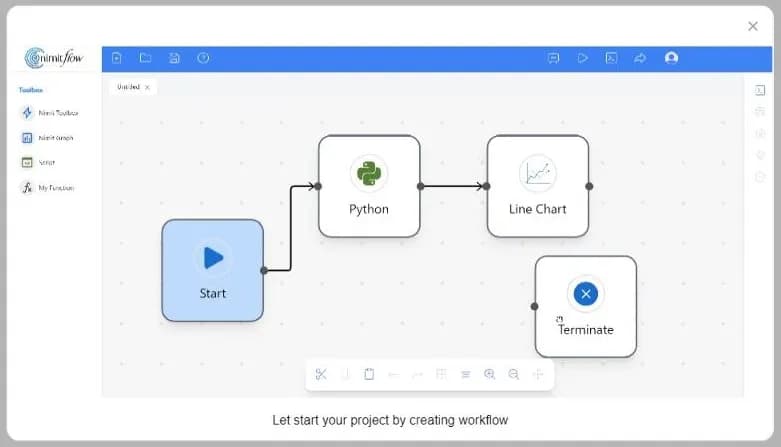
Design the Flow by dragging nodes from the Toolbox and connecting them, define the source, processing steps, and destination. The presentation document calls this approach to creating jobs nimitGraph, while specific jobs use Python within nodes to define additional conditions
- 1
Receive data
Select PostgreSQL, MySQL, HTTP/REST, Webhook, or files used in the work, and configure access settings
- 2
Set up operation
Connect data nodes, transform values, calculate, loop, or call Python and AI in sequence
- 3
Test and set Trigger
Run test, check results, then select to run yourself, set timing, or receive events from Webhook
- 4
Send results to the user team
Create graphs, Excel/CSV reports, or send data and alerts through connected channels
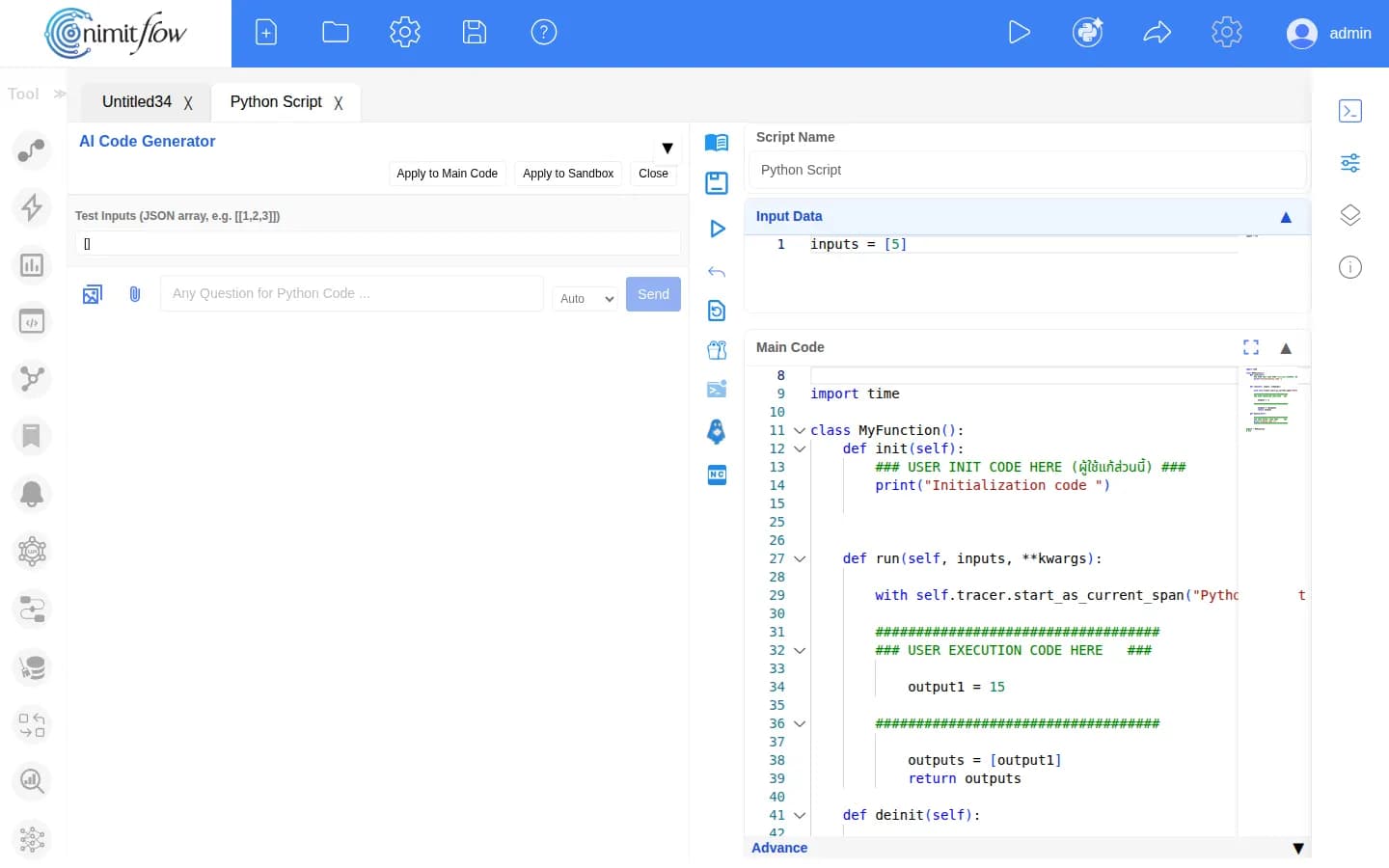
- Python for specific conditions and AI Code Generator helps draft code for developers to review before use
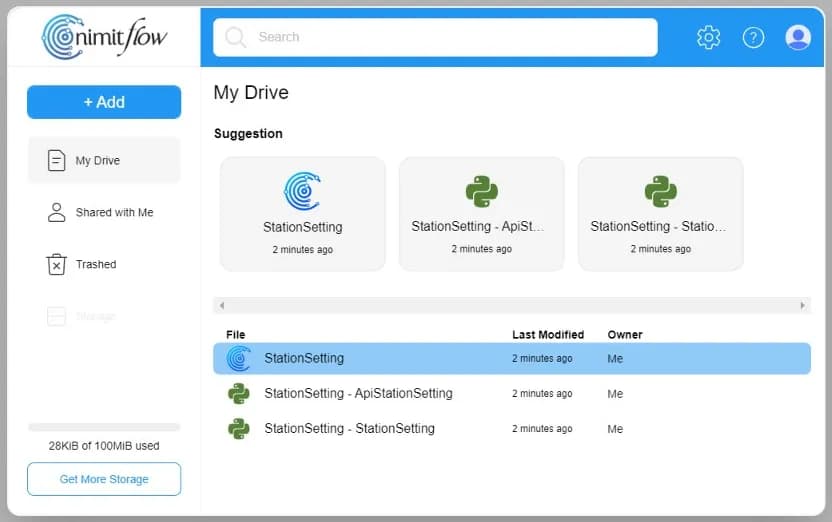
- nimitFlow Drive stores files and divides owner, editor, and viewer-only permissions
- Export and import Flow as a .nim file to bring back work or continue development
- Systems or databases without ready-made nodes, connect further through Python or API according to supported endpoints
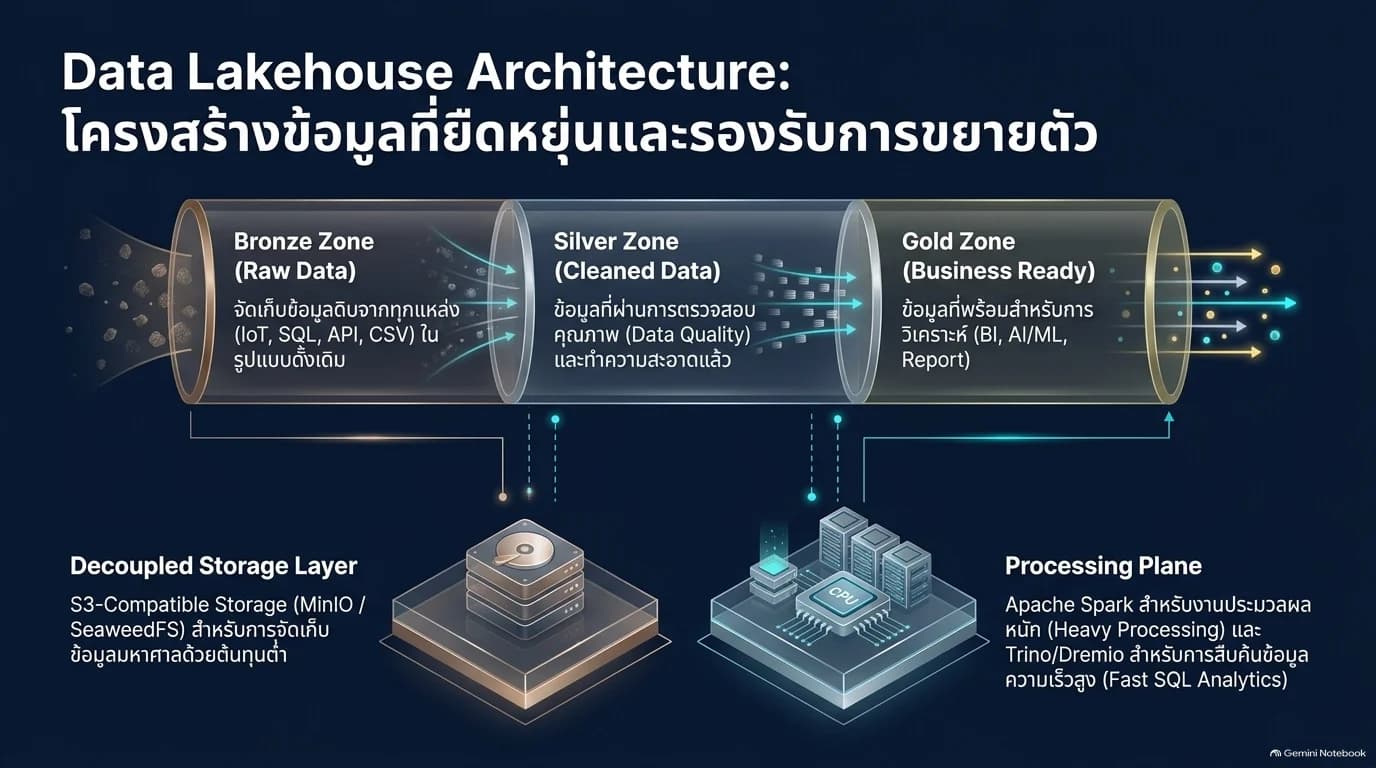
Data Pipeline and Data Lakehouse: From raw data to usable data
Use nimitFlow to route data from the existing SQL/NoSQL systems, APIs, files, and on-site devices into the central data lake. Separate the storage step from the processing step to select resources suitable for the volume of data and the frequency required.
| Data Layer | Responsibilities |
|---|---|
| Bronze / Raw Data | Store data according to the source format, along with the source and the time of receipt |
| Silver / Verified Data | Clean, check completeness, and standardize for interoperability |
| Gold / Ready-to-use Data | Prepare data according to the requirements of the dashboard, BI reports, or AI models |
- Select data intake jobs either in batch mode or streaming mode based on the readiness of the source
- Design S3-compatible file storage area and separate processing or search layers by project
- Define data retention periods for each layer, archiving, and recovery together with the system administrator
Select assembly tools based on job size
Apache Airflow, Kafka, Spark, Trino/Dremio and MinIO/SeaweedFS are options in the reference architecture. Separate installation and connection evaluations are required, not part of every package in nimitFlow.
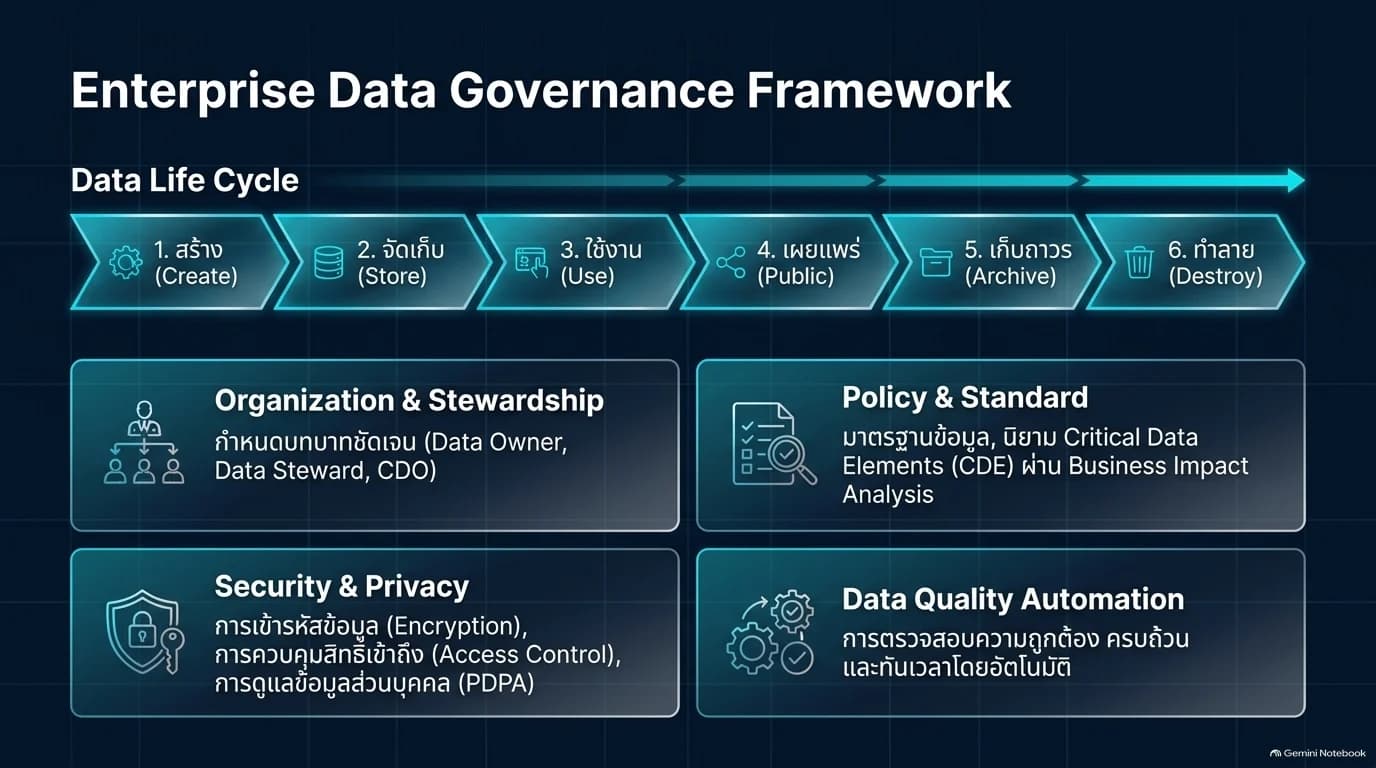
Data Governance: Know the source, check the quality, and define data rights
Implement governance alongside data flow by assigning Data Owners responsible for data and Data Stewards who manage meanings and quality. Apply organizational rules to Flows and integrated Catalog systems.
- Data Catalog / Metadata: Record descriptions, sources, stewards, and categories of datasets for discoverability
- Data Lineage: Show which steps data has passed through and where it was used in reports to analyze impact when changing the source
- Critical Data Elements: Identify key data and validation rules, such as blank values, data format, duplicates, and completeness
- Data Quality: Set validation rules and report anomalies to responsible parties according to the workflow
- Security: design access permissions, data masking, and key or secret management together with the systems selected for deployment
The data lifecycle covers creation, storage, use, publication, archiving, and destruction, with responsibilities and conditions defined for each stage in accordance with organizational policies
- 1
Handle data requests
Record access requests, modifications, or management of data entering the organization's process
- 2
Search and verify
Use Catalog data and connection channels to search for relevant items, along with verifying permissions and scope
- 3
Approve
Send responsible parties to review and approve requests before proceeding with actions
- 4
Execute and record history
Manage data according to approval results, record outcomes and evidence for retrospective review
Scope of governance work
Rules, permissions, approvers, and processing time must be defined together with the organization. Installing Workflow helps support the process, but does not automatically guarantee that the organization meets all requirements
Industrial IoT: Connect field data into the overall factory overview
Each device and app has specific duties. nimitFlow helps collect data for further use in reports or joint workflows by selecting signals, interfaces, and gateways appropriate to machinery
| Work point | Data for connection |
|---|---|
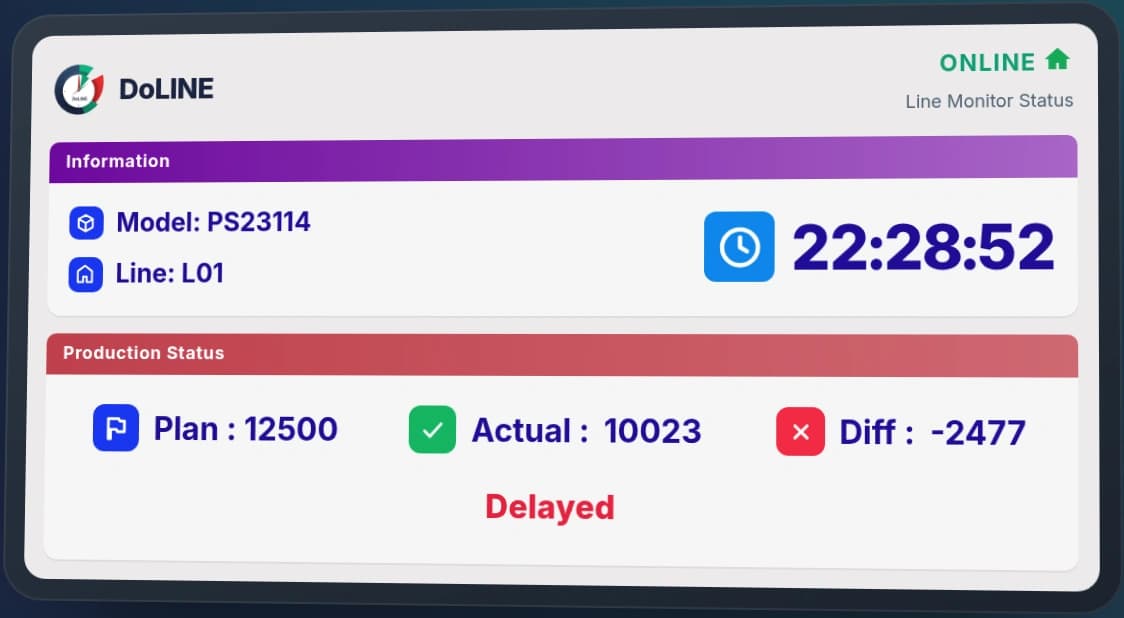
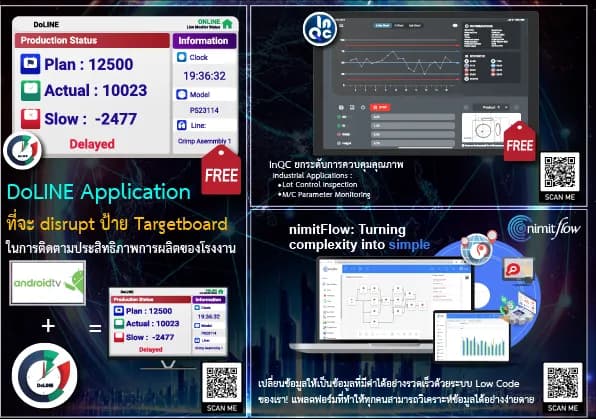
| DoLINE / Production Volume | Plan, actual production volume, and difference from production station |
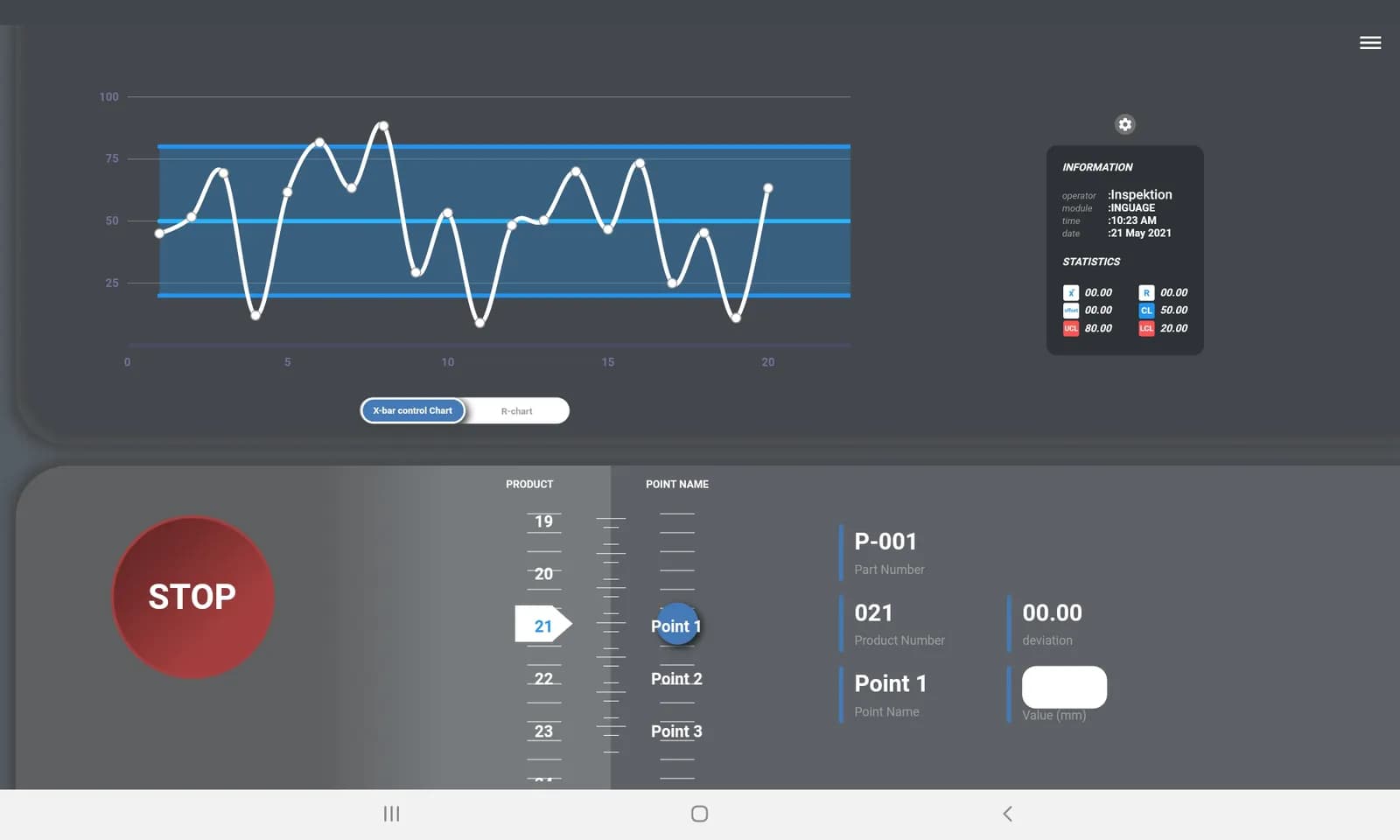
| InQC + InGauge / Quality | Measured values from instruments through data acquisition equipment and quality control results |
| InCBM + InSensor / Equipment Condition | Sensor values received through InSensor and equipment condition data from connected systems |
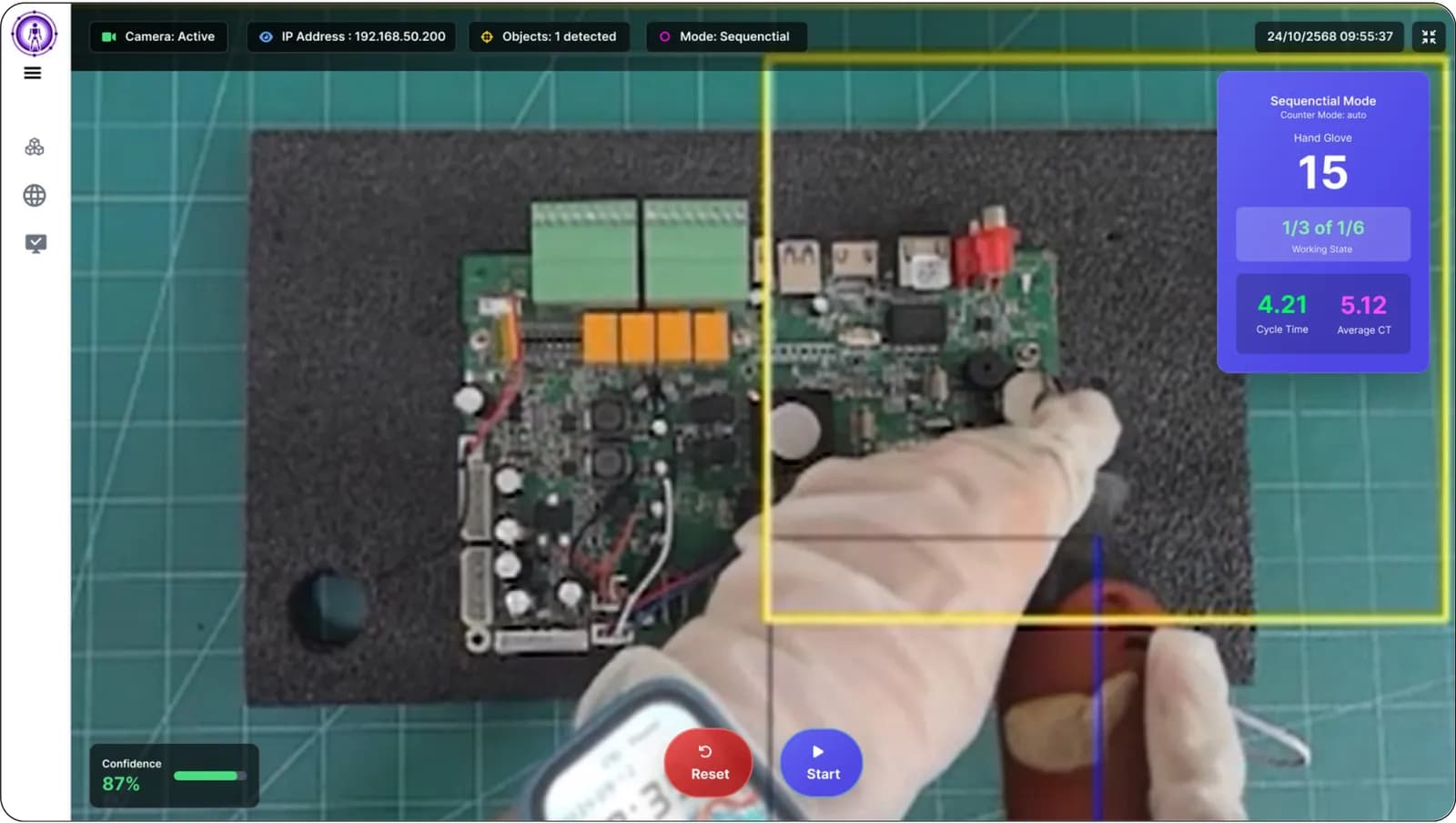
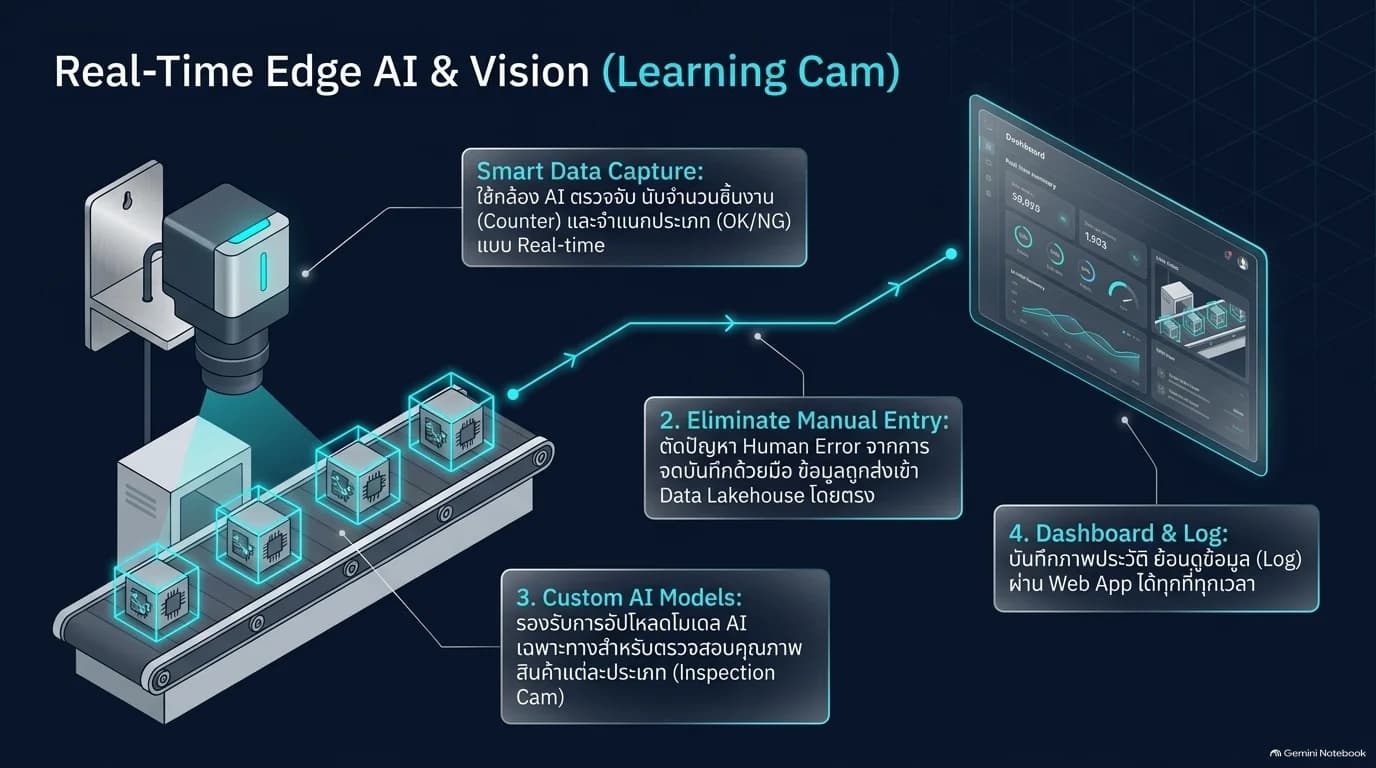
| LearningCam / Product Inspection | Inspection results, counting, or classifying products according to models and test conditions |
| Task Cam / Work Steps | Verification of work steps and time at the work station |
For vibration analysis work, it can be designed to receive data → process signal and FFT graph → analyze according to criteria or model → send results to the repair and maintenance team. Analysis using the model is additional work that must be prepared and tested separately from InCBM's threshold monitoring.
AI and Machine Learning integrated with work processes
Provide prepared and inspected data as the starting point for AI work. Use Flow to sequence data preparation, call models, and send analysis results to users or systems.
- Time Series and Anomaly Detection: Create variables from time-series data, compare baseline values, and test anomaly detection.
- AI Vision: Receive inspection results from cameras processing real-time data, link them to production quantities, quality, and station history.
- LLM: Connect models through AI nodes or use Ollama for models running in-house.
- Dashboard and reports: Display trends, model results, and job statuses alongside user-accessible data.
Test before making decisions
Accuracy and speed depend on data, models, equipment, and job conditions. Testing must be done with separate validation data sets and acceptance criteria defined before actual use.
Select an installation that aligns with policy and workload
Choose between Cloud Subscription or on-premises server installation (On-Premise) by evaluating the number of users, data sources, flow frequency, storage space, and responsible personnel
| Format | Preparation requirements |
|---|---|
| Cloud Subscription | Scope of data sent to the system, users, and connection channels allowed by the organization |
| On-Premise | Server network, storage space, backup system, and internal administrator |
| Enterprise / High Availability | Design separate processing sections, backup and service switching, along with recovery testing within the scope of work |
| Closed network / Air-gapped | Check all flows, models, and components to ensure they operate internally, including installation methods, updates, and data input/output |
Enterprise architecture in a separate document defines areas for Edge, App, Data, and Execution to design permissions and resources for each section. The choice of Container approach or Cluster system must match the environment and version being installed
Define scope before requesting a quotation
Data Lakehouse, Catalog, HA, AI models, and edge devices are additional components evaluated based on the project, number of services, data intake rate, and availability level must refer to the design and test results of the work
Start from the real problem, then define the acceptable outcome
- 1
Review existing data and work
Collect upstream data samples, report formats, users, and network limitations
- 2
Select pilot project
Define one flow task with results and acceptance criteria agreed by the inspection team
- 3
Connect and test
Test with real data, check errors, permissions, and operation when the upstream system stops
- 4
Handover and scale up
Prepare manuals, responsible parties, backup and follow-up work before adding new data sources or models
Evaluate cost-effectiveness from data collection time, reduced duplication work, detected data quality, and organizational system maintenance costs. Do not use savings figures or accuracy from demonstration images as proof for all projects.
Technical specifications
| Type | Low-Code / No-Code software platform for automation and Data Pipeline systems |
|---|---|
| Current version | nimitFlow 4.02a (information as of September B.E. 2569) |
| Usage | Accessible via web browser |
| Installation Format | Installed on corporate server using Docker Compose (container installation package) (on-premises) or Cloud Subscription |
| Backend technology | Python backend system · PostgreSQL database · Next.js / React web pages |
| Ready-to-use nodes | Python, AI LLM, PostgreSQL, MySQL, HTTP/REST, multiple graph types, Loop, Trigger (Manual / Schedule / Webhook), nimitFlow Drive |
| Connect via Python | MSSQL, MongoDB, InfluxDB, SharePoint, Power BI, Power Apps, Superset, Dremio, OpenMetadata, LINE, email |
| Flow files | .nim files (export/import entire flow) and CSV files for setting remote devices such as DoLINE board |
| File storage | nimitFlow Drive (My Drive, Shared with Me, Trashed) Share according to permissions Owner / Edit / View Only |
| Security | Login via JWT (authentication token) · Verify permissions for every command · Database node read-only · Encrypt database password · Python runs in Sandbox |
| Inspektion device sending data in | Task Cam, InQC, InGauge (via InQC), DoLINE, LearningCam, DoRare |
| Reports and alerts | Excel / CSV reports · Alerts through Python scripts according to the scope of work |
Minimum server specifications, users per package, and storage capacity have not been set as standard figures. The team assesses them according to project size
Architecture and Connectivity
FROM SOURCE TO ACTION
Establish data pathways from source to end user
Start from channels that the existing system opens up for connection, then order data reception, inspection, processing, and transfer in nimitFlow
- 01
Source data
Database · API · CSV · Machines through Gateway · Results from front-end applications
- 02
nimitFlow
Trigger → Receive data → Inspect and transform → Python / AI → Send result
- 03
Use data
Dashboard · Report · Factory App · Data Lake and Enterprise System
Expand structure according to workload and data policy
Sensors, cameras, and Gateway at the worksite, such as InSensor for receiving machine data
Web interface, user API accounts, and access rules
Database, file storage, and selected Lakehouse
Worker processes flow scripts, Python scripts, and analysis jobs
Cloud and On-Premise are installation options, while HA, closed network, and scaling of Workers require design and testing according to the actual system, including checking external service calls in each Flow
Connectable system
- PostgreSQL
- MySQL
- HTTP / REST API
- Webhook
- API for ERP / MES integration
- LLM: Gemini · Claude · ChatGPT · DeepSeek
- Ollama (Enterprise LLM)
- MSSQL · MongoDB · InfluxDB (via Python)
- SharePoint · Power BI · Power Apps (via Python)
- LINE · Email (via Python within scope of work)
- Task Cam
- InQC
- DoLINE
- LearningCam
- InCBM
System Requirements
- Users access the system through a web browser; no software installation is required on their computers
- On-premises deployment: an Ubuntu Server with the entire system installed using a single Docker Compose stack (container-based installation)
- Handle more work by adding task processors (Worker)
- Use AI in organization: Machines running LLM through Ollama, LM Studio or llama.cpp in the same network
- Cloud Subscription Model: No need to procure or maintain your own server
Usage packages
Licensing Models
Annual subscription
Cloud Subscription model charges monthly starting at 8,000 THB/month. For On-Premise deployment on organizational server, pricing is assessed based on the number of users and the scope of connectivity.
- Price does not include VAT
- Request a quotation for On-Premise deployment from the team
Select usage mode according to organizational data policy and budget
Cloud Subscription
Starting at THB 8,000/month
- Use via web, no need to manage server yourself
- Continuous feature updates system
On-Premise Deployment
Request a quotation
- Deploy on organization's server using Docker Compose (container installation package)
- Data and AI operate within the organization's network
- Pricing based on the number of users and the scope of connectivity
Price does not include VAT — details depend on the number of users and the scope of connectivity
Industries Used
- General manufacturing plant
- Energy (refinery maintenance work)
- Services
- Automotive parts (prototype work)
Screenshots
How to get started
nimitFlow is not available for self-installation because it requires designing Flows tailored to the data and processes of each organization. The initial steps are scheduling a demo, selecting a pilot project, and testing with real organizational data. Our engineering team will help assess readiness and design the Flows.
What to prepare
- List of data sources to be connected, such as existing Inspektion devices (InQC, DoLINE, Task Cam, InGauge), databases, sensors, or legacy ERP/MES systems
- Real data examples, such as Excel/CSV files or paper forms currently used on-site
- Automated tasks you want to perform, such as daily recurring reports or conditions that require LINE or email alerts, along with a list of recipients
- Desired installation type — Cloud or on-premises server installation (On-Premise) according to data policy, and whether AI usage in the organization is desired
- Approximate number of users and the scope of connectivity, which are used to calculate pricing
Frequently Asked Questions
What is nimitFlow? What can it be used for?
nimitFlow is a Low-Code platform for connecting data and creating automated workflows using Flows. It receives data from databases, APIs, and on-site locations, processes it with Python or AI, and outputs reports or notifications. It can also integrate with data warehouses and governance projects.
Do I need to know how to code?
General tasks are configured through forms and nodes can be connected. Specific tasks use Python and have an AI Code Generator to help draft code for developers to review. Low-code reduces redundant code writing, but still requires designing and testing Flows to match real data.
What is the price? Is the Data Lakehouse included in the starting price?
Cloud Subscription starts at 8,000 THB/month excluding VAT. For On-Premise and Enterprise projects, the scope of Data Lakehouse, Catalog, HA, AI models, and edge devices must be evaluated separately and are not included in the initial price.
Can it be installed in an organization or closed network?
nimitFlow can be installed on an organization's server and choose to use internal LLM via Ollama. Closed network jobs require checking every Flow model and component without relying on external services, and designing methods for updates and system maintenance together with the organization's responsible party.
How to connect machine data to nimitFlow?
Sensors or PLCs must have a supported data reading channel by choosing a suitable Gateway such as InSensor to match the signal, then sending the data into the Flow for inspection, transformation, and use in applications such as InCBM or factory reports. The team evaluates the interface and conditions of each device before installation.
Do all components need to be installed together?
No, start with the Flow and data sources you need first, then add the data warehouse, management tools, AI models, or backup systems when you have the right challenges and resources. The image in the document shows a solution approach, not a package that includes everything.