




InSensor
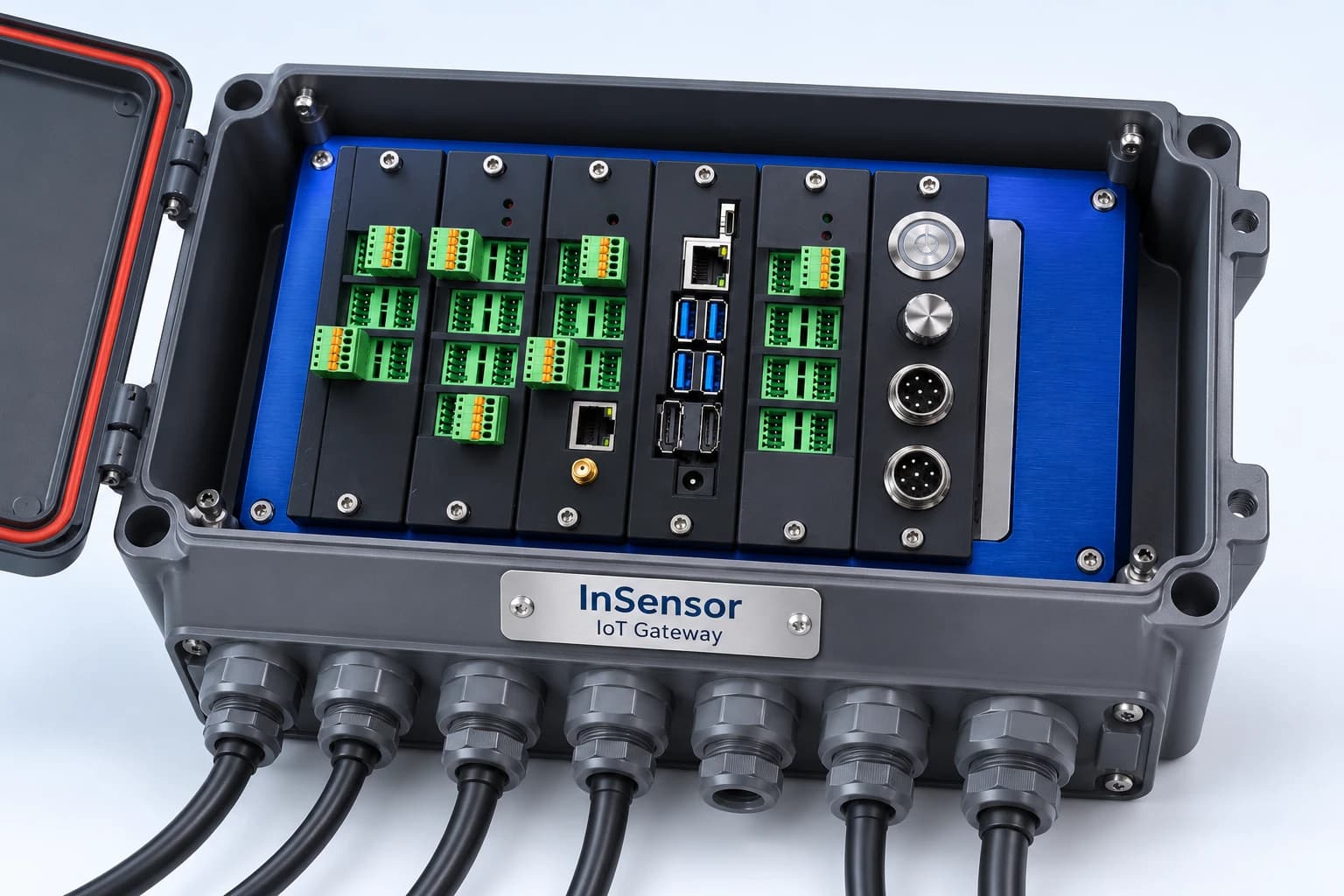
InSensor combines sensor acquisition, on-site processing and transmission to a central system via MQTT (an IoT messaging standard) in one kit. An X1 Board controls the system, with Analog, RS-485/Modbus or Digital I/O expansion boards selected for the connected equipment. Enclosure and installation packages can be tailored to the site.
Explore Usage and Details
- Built around an X1 Board (X1 MainBoard) with a 2-core RISC-V processor at 400 MHz and an AI accelerator (KPU)
- Task-specific expansion: 8 or 4 channels of 24-bit differential Analog input (measuring voltage difference between two pins), RS-485/Modbus (industrial device communications), isolated digital signals, I2C and CAN
- Used as the controller in 20 DoRare Station water-level cabinets across 4 Thai provinces in 2026
See Additional Features
- Transmits MQTT data through built-in Ethernet or an external 4G router
- A hardware watchdog detects a firmware hang and switches a relay to power-cycle the board automatically
- 12–24 VDC input; supports solar and battery power
Is it suitable for your work?
Who is it suitable for?
Researchers, system developers, and system contractors who need to collect field sensor data
Prepare information before talking
Sensor models, protocols, power supply and installation environment
Summary
- InSensor is a modular IoT Gateway with an X1 Board controller. Add expansion boards for the required signal channels and send field data to a central system.
- X1 Board includes a processor with a built-in AI accelerator (KPU). On-site FFT (signal-to-frequency conversion) or AI requires software development and testing with real data; these functions are not included in every kit.
- InSensor is designed to recover from firmware hangs: a hardware watchdog power-cycles the board when the firmware stops responding for approximately 1.6 seconds.
- In 2026, we installed InSensor as the controller in 20 DoRare Station cabinets at riverside water-level monitoring stations across 4 provinces in Thailand.
- InSensor is configured to suit the I/O channel count and application. No public price is available; request a quotation.
Who InSensor is for and the problems it addresses
InSensor suits remote, unattended sites that need to read multiple sensor types and send data automatically to a central system, such as water-level stations, weather stations or machine data collection points. InSensor reads Analog, RS-485 and digital signals through expansion boards, sends data via MQTT and power-cycles itself if the firmware hangs.
Field data collection often faces 3 constraints: multiple sensor types in one cabinet, unattended sites that may lack grid power, and the need to send someone to reset a hung device. Existing PLCs are often not designed for central data transmission or on-site processing. InSensor combines sensor acquisition, processing and transmission in one kit.
InSensor users
- System integrators and IoT installation contractors needing a field controller with application-specific board configurations
- Water, irrigation and environmental agencies setting up remote solar-powered stations
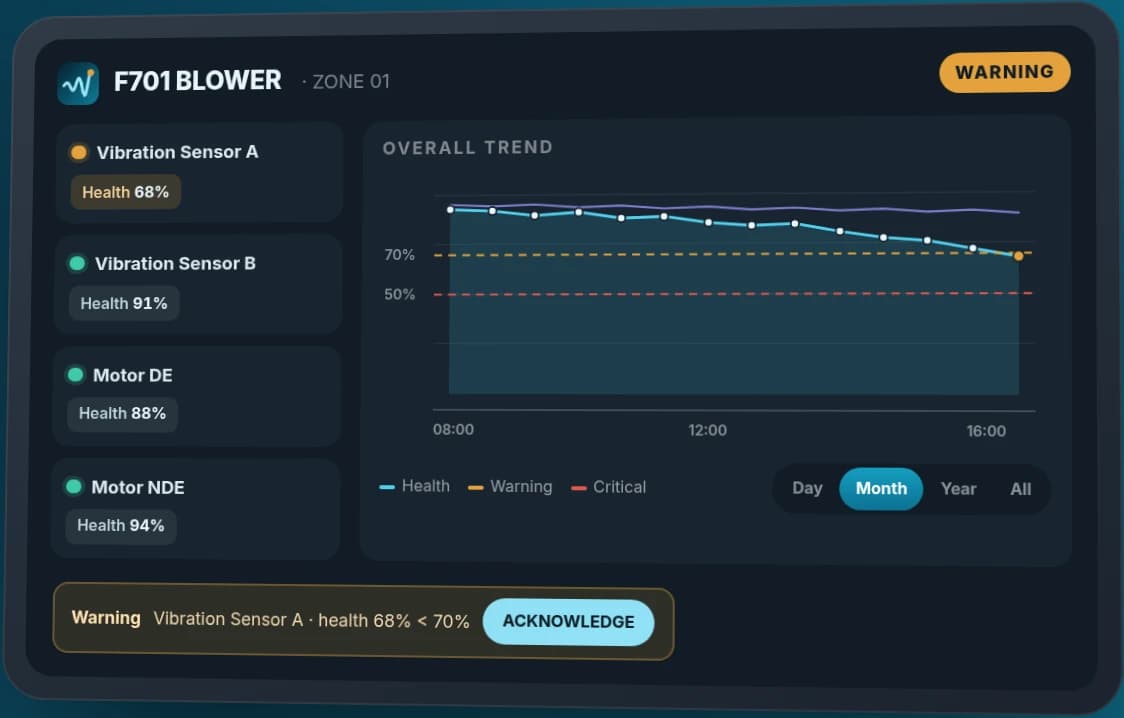
- OEMs and machine designers collecting high-frequency signals or developing on-machine Predictive Maintenance
- Factories collecting machine data on site (Edge Data Acquisition) for transmission to a central system
- Researchers and field data system developers needing a programmable board
| Common Problems | How InSensor helps |
|---|---|
| Multiple sensor types must connect within one cabinet | Choose Analog, RS-485 and digital expansion boards to match each signal type |
| A hung device requires an on-site reset | A hardware watchdog power-cycles the board automatically |
| The site has no grid power or LAN cable | Accepts 12–24 VDC from solar and batteries and sends data through a 4G router |
| Sending large volumes of raw data to the central system increases 4G costs | Develop processing software on X1 Board and transmit only the results (requires real-world testing first) |
| Multiple sites need to be managed centrally | X1 Station Manager displays all stations on one page and supports remote relay control |
How InSensor works
InSensor works in 3 layers: sensors connect to expansion boards, X1 Board reads and processes the values, then sends data to a central system via MQTT. In the reference firmware, the internal processor splits tasks between two cores (AMP — Asymmetric Multi-Processing): core 0 handles safety and networking, while core 1 supports application-specific processing.
- 1
Choose expansion boards for your sensors
Send us the sensor models, signal types and channel counts. We match Analog, RS-485 or digital expansion boards to X1 Board before preparing a quotation.
- 2
Connect sensors and power
Connect sensors to the expansion boards inside the cabinet and supply the board with 12–24 VDC. Solar and battery power can be used.
- 3
Configure networking and MQTT
Connect a LAN cable or external 4G router, then configure the board and central system to use the same MQTT Broker (the IoT messaging intermediary).
- 4
View readings and manage remotely
Open the board's web interface over LAN to view readings and settings, or monitor all stations in X1 Station Manager and control relays remotely.
The main board's 3 primary connection paths
| channels | Speed | Purpose |
|---|---|---|
| CN3 port (UART2) | 921,600 bps | Receives data from the Signal Expansion Board |
| CN2 port (UART1) | 115,200 bps | Connects a single-board computer such as Jetson Nano as a co-processor when more AI processing power is needed, for example for camera applications |
| Ethernet (W5500) | 10/100 Mbps | Sends data to the central system and serves the built-in web interface |
X1 Board and expansion boards inside InSensor
InSensor separates functions between a main board and expansion boards. Choose only the boards your application requires to avoid buying unnecessary channels. If requirements change, replace or add expansion boards without redesigning the main board.
| Board | Responsibilities |
|---|---|
| X1 Board (X1 MainBoard) | The main board inside InSensor: internal processor, Ethernet (W5500), temperature and humidity sensor (BME280), real-time clock (DS3231) and watchdog |
| X1 Power Isolation | Converts 24V to isolated 5V and 3.3V supplies |
| X1 RS485-CAN | Expansion board for RS-485 and CAN |
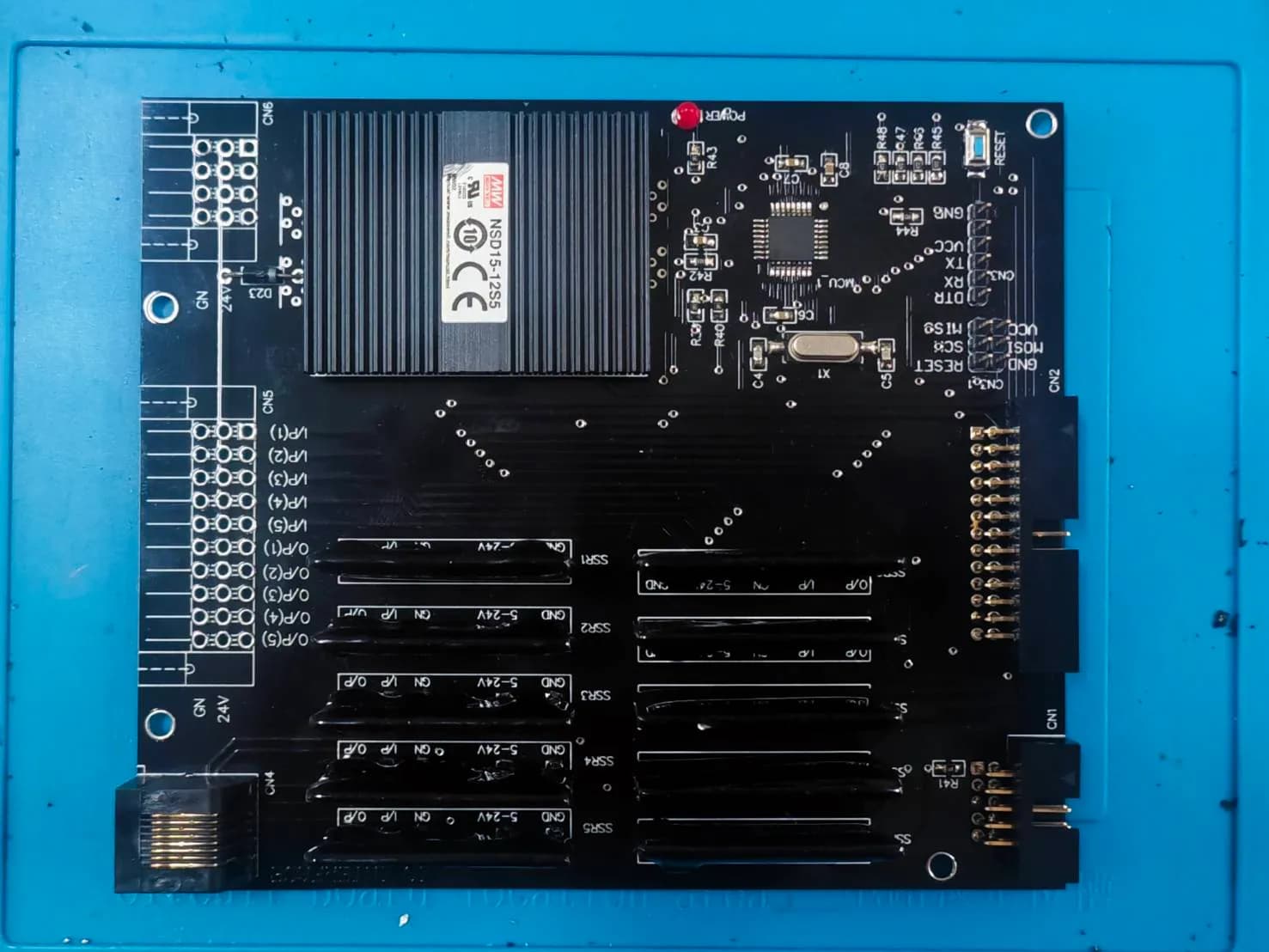
| X1 Output Isolate SSR | 10 SSR (solid-state relay) outputs controlled through an MCP23S17 port expander |
| X1 Output Hi Speed | High-speed outputs SO1–SO8 with optocoupler isolation |
| X1 Input Isolate SSR | Isolated 5–24V digital inputs |
| X1 Input Hi Speed | Isolated high-speed signal inputs |
| Analog Expansion 8CH / Analog Input 4CH | 8 or 4 differential analog inputs using a 24-bit ADC (MCP3912/3913) |
Supported signals and buses
- 24-bit differential Analog input through an Analog board
- RS-485 / Modbus, such as water-level radar, solar charge controllers and weather sensors
- Isolated 5–24V Digital I/O through an SSR board
- I2C, such as an ADXL345 vibration sensor
- SPI, UART and CAN
What the V6.9 reference firmware for DoRare stations does
The V6.9 reference firmware for DoRare stations runs on RT-Thread and lets X1 Board read water-level radar over RS-485, battery and solar status from the charge controller, and weather sensors according to the installed models. The following features come from the reference board's firmware manual; they do not confirm the firmware version of every station.
- Controls 4 relay channels: camera, 4G router, sensor power and cabinet fan (on at 45°C, off at 40°C)
- At each startup, the board tests the cabinet fan for 5 seconds and reports the result to the central system. It then keeps the camera, router and sensors powered for 5 minutes to establish connections before applying the energy policy based on battery and charging status.
- 3 energy policy levels (CONTINUOUS / DUTY-CYCLE / SURVIVAL) extend transmission intervals as the battery drops, for periods of little or no sunlight
- Battery thresholds and transmission intervals are stored on the SD card and can be edited without reflashing firmware
Unsure whether your sensors can connect?
Send the sensor models, signal types and channel counts. We will identify the required expansion boards before preparing a quotation.
Where InSensor fits and where it does not
InSensor suits sensor data collection at remote, unattended sites, solar-powered installations, or sites with multiple sensor types in one cabinet. Our deployed use case is water-level monitoring. Factory applications such as machine vibration analysis are design capabilities with no actual deployment case yet and require software development and testing with real data first.
| Job | Suitable for InSensor? | Reasons or things to do |
|---|---|---|
| Solar-powered water-level or weather stations transmitting over 4G | Suitable | Deployed in 20 DoRare Station cabinets in 2026 |
| Reading RS-485/Modbus sensors or multiple Analog channels at one site | Suitable | Select expansion boards by signal type and channel count |
| Unattended sites requiring automatic recovery from hangs | Suitable | A hardware watchdog power-cycles the board automatically, and the central system can control relays |
| On-board machine vibration analysis with FFT or AI | Supported by design; no actual deployment case yet | Develop software and test with real data first. For a motor vibration monitoring system, see InCBM. |
| Collecting high-frequency signals in place of a PLC to reduce PLC load | Supported by design; no actual deployment case yet | Uses 24-bit Analog input and the UART2 port at 921,600 bps |
| Data collection in electrical cabinets with high electromagnetic interference (EMI) | Supported by design; no actual deployment case yet | Uses isolated power supplies and digital inputs |
| Camera or AI applications requiring high processing power | X1 Board alone is not suitable | Connect a single-board computer such as Jetson Nano through CN2 (UART1) as a co-processor |
| Applications requiring documented dimensions, operating temperature range or IP rating | Information not yet available | Current documents do not specify these values. Send your requirements for review first. |
| Applications requiring equipment conformity certificates | Not suitable | We do not yet have conformity certification documents for InSensor. Send your requirements for review first. |
Built-in recovery mechanisms
- Hardware watchdog (STWD100): if the firmware stops responding for approximately 1.6 seconds, it triggers a Normally-Closed relay (contacts closed in the normal state) to power-cycle the device without an on-site reset.
- Reads cabinet temperature with BME280 for use by the configured program
- Heartbeat status light, alarm buzzer and Program/Run DIP switch
Information not yet specified in the documents
The current datasheet does not specify board dimensions, weight, mounting method, operating temperature range, ingress protection (IP), conformity certificates or warranty terms. It also does not state the Analog board's input range (such as 0–10V or 4–20mA) or a numerical isolation voltage. If your application requires these values, send the details for confirmation first.
How edge processing differs from sending raw data
Signals such as vibration generate large volumes of raw data. Sending all of it to the cloud consumes bandwidth and increases 4G costs. One approach is to develop on-site FFT or AI processing and send only the results, after testing the software and processing capacity against the actual application.
Where we have used InSensor and what we learned
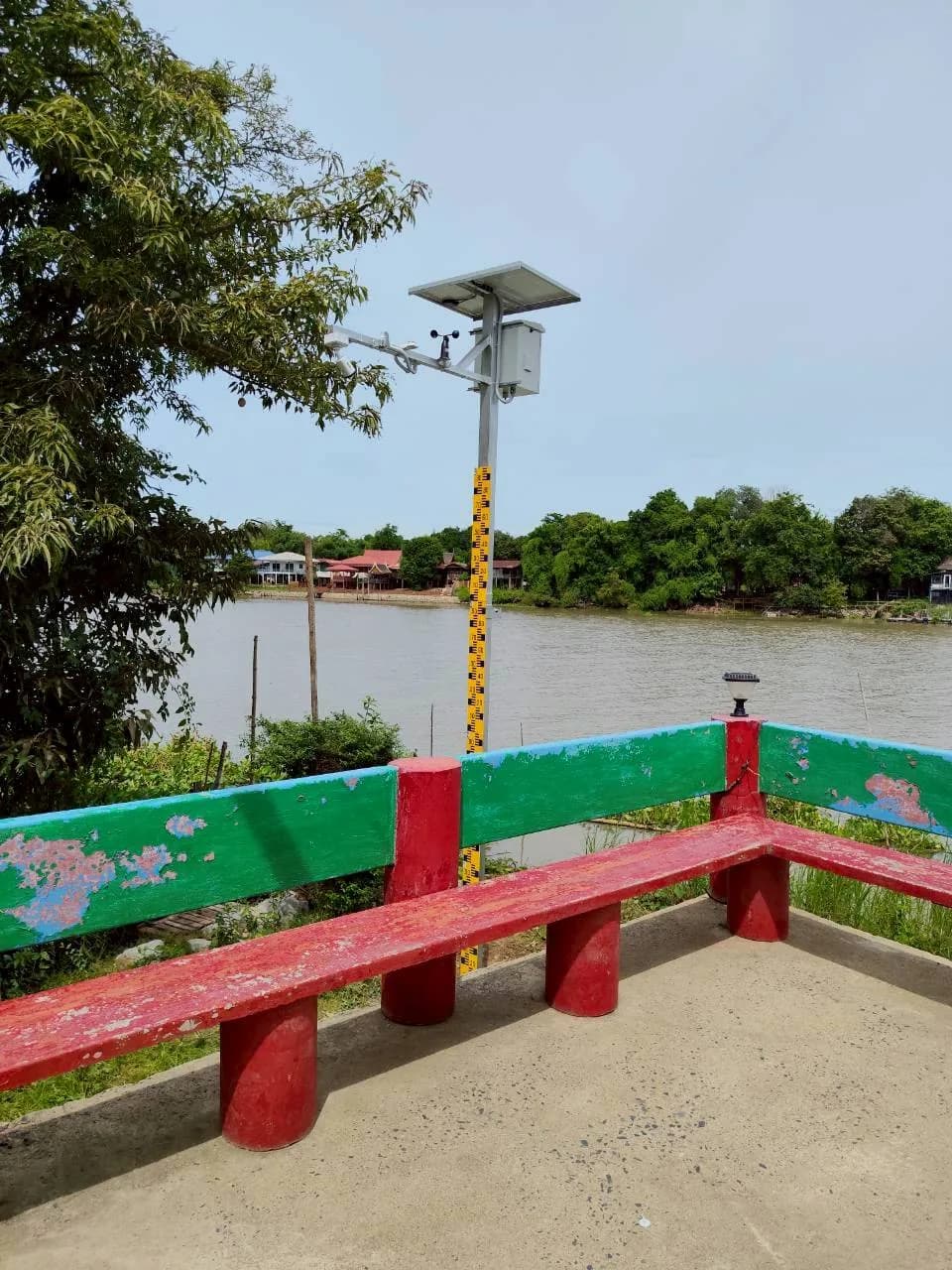
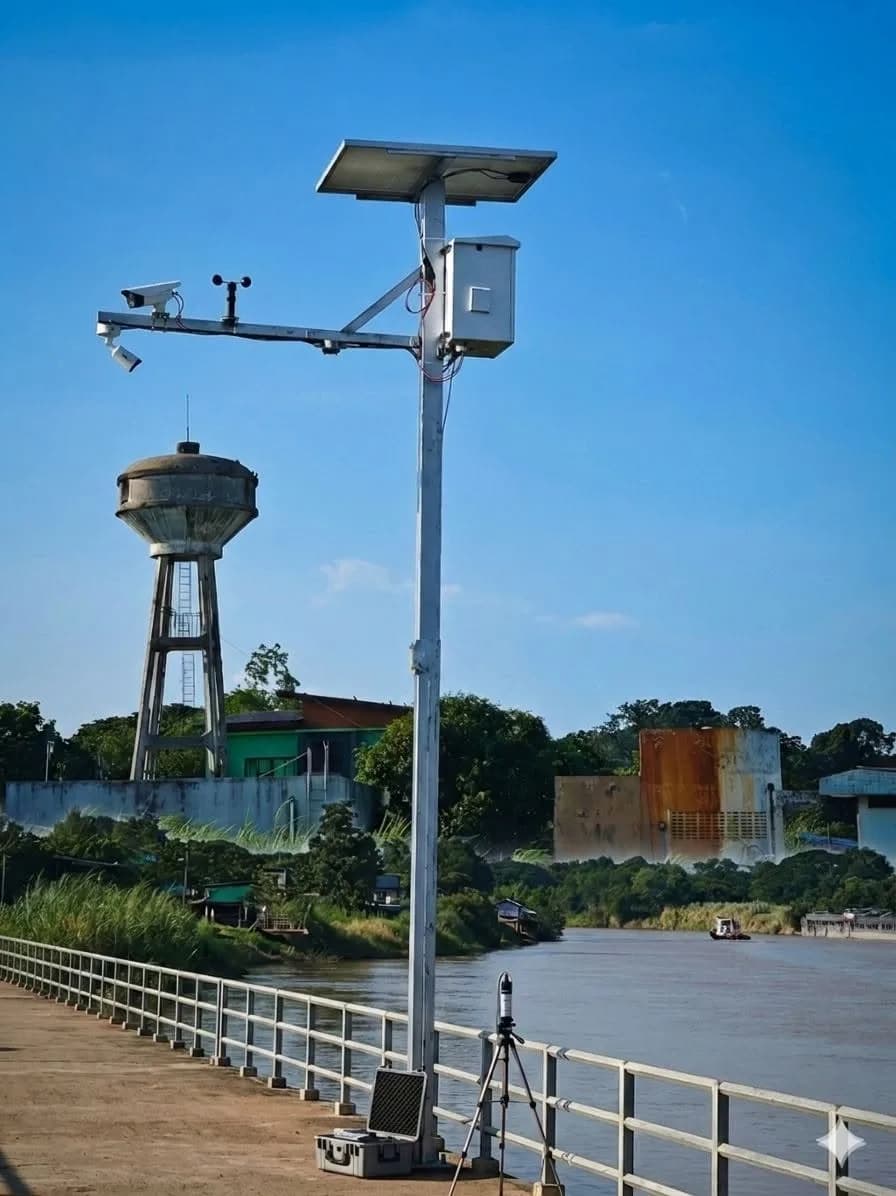
In 2026, we installed InSensor as the controller in 20 DoRare Station cabinets along rivers in 4 Thai provinces for a government water-level monitoring project commissioned by a private company. Every cabinet uses InSensor to read water-level radar, and 5 sites also read weather stations. Data is sent through 4G routers. All cabinets use solar panels and LiFePO4 (lithium iron phosphate) batteries.
Each cabinet uses an X1 MainBoard with power, RS-485 and output expansion boards. The IP camera photographing the staff gauge connects directly by LAN to the 4G router, bypassing InSensor. We provided a system operation manual and a 24-month hardware and software warranty for this project.
Read full case
What we learned
Field equipment needs to report its own condition as well as measured values. In this project, operators can view each cabinet's battery, fan, router and SIM information and receive alerts for offline cameras or low batteries. They can also select from 4 cabinet energy modes on the dashboard.
In this project, cameras connect directly to the router, bypassing InSensor, while InSensor reads radar and weather sensors. We therefore recommend separating camera-image traffic from sensor readings so the board does not carry the image-transfer load.
Prepare site information before field installation: coordinates of every location, mobile coverage and monthly SIM data allowance, because the cabinets regularly transmit data through SIM cards.
What does it mean to you?
Before quoting, we request your sensor list, power sources and site coordinates to select expansion boards and check network coverage before installation. If cameras are included, we recommend connecting them directly by LAN to the router, bypassing InSensor as in this project. For factory applications such as machine vibration measurement, you can begin with 1 pilot station using real data before deciding to expand.
Which systems InSensor can send data to
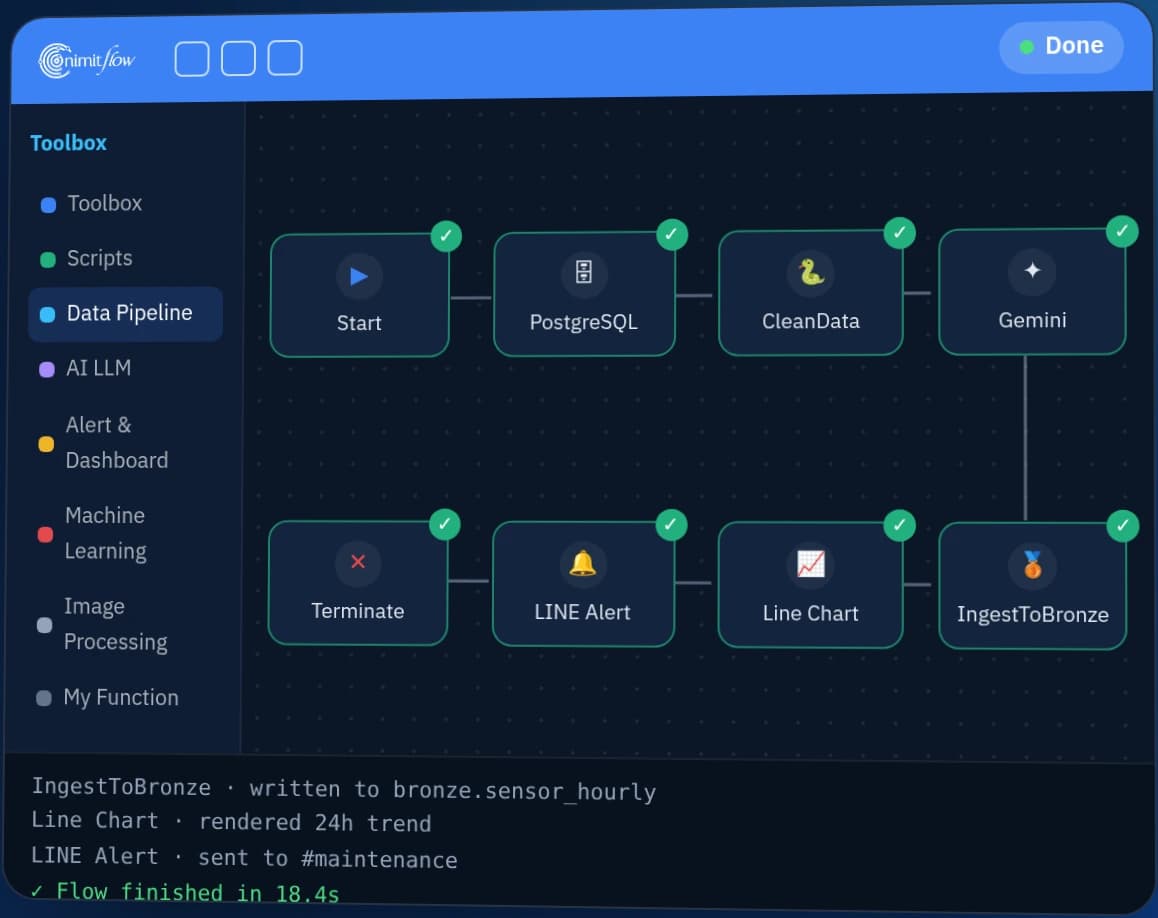
InSensor sends MQTT data on topic x1/{cabinet_id}/telemetry to X1 Station Manager, a central system for managing multiple stations, or to nimitFlow for combining data, building dashboards and alerts. If you only need to view readings, the board's web interface or X1 Station Manager can be used without nimitFlow.
Production deployments should use a private MQTT Broker and have our engineers assess network security before installation. We assess nimitFlow integration scope for each project.
Manage multiple stations centrally
- On-board web interface (over LAN): Dashboard, System, Network, Power Management, Expansion (relay control and scheduling), Controller Script and History
- Cloud-based X1 Station Manager: view all stations on one page, view 24-hour water-level graphs, control relays remotely and issue Force Read / Restart Router / Sync NTP / Flush Buffer commands
- Register new stations through the cloud Install Wizard
Develop your own programs
X1 Board runs RT-Thread; programs are written or flashed using firmware development tools. If an application needs more AI processing power than X1 Board provides, such as camera workloads, connect a single-board computer such as Jetson Nano through CN2 (UART1) as a co-processor.
Models and what's included in the box
What's inside the box
-- Inquire for details of the desired model and set from the team
Warranty
-- Inquire for details of the desired model and set from the team
Technical specifications
| Size | Ask about the confirmed values for your model and intended use |
|---|---|
| Weight | Ask about the confirmed values for your model and intended use |
| Operating temperature | Ask about the confirmed values for your model and intended use |
| Water and dust protection level (IP) | Ask about the confirmed values for your model and intended use |
| Power supply | 12–24 VDC input (Terminal Block) · 5 VDC output (output current confirmed by model) through a Normally-Closed relay used for power-cycle resets |
| Connection | Ethernet 10/100 (W5500) · 2 UART ports (CN2 115,200 bps · CN3 921,600 bps) · I2C · SPI · RS-485/Modbus, CAN, 24-bit Analog and Digital I/O through model-specific expansion boards · MQTT |
| Main board inside InSensor | X1 MainBoard — hardware and firmware versions confirmed per project |
| MCU | Dual-Core RISC-V 64-bit @ 400 MHz with KPU (AI Accelerator), approximately 0.8 TOPS for CNN 1D/2D |
| Architecture | Task allocation on X1 Board depends on firmware and project scope |
| Memory | 8 MB SRAM (6 MB general-purpose + 2 MB for AI) |
| Network | Ethernet 10/100 (W5500) · 4G through a relay-controlled router · MQTT · Built-in web interface over LAN |
| Serial ports | CN2: UART1 @115200 (SBC / Jetson Nano) · CN3: UART2 @921600 (Signal Expansion Board) |
| Analog Expansion | 8-channel differential model (2× MCP3912, 24-bit) or 4-channel model |
| On-board sensors | BME280 (temperature/humidity) · DS3231 (real-time clock) |
| Protection systems | STWD100 watchdog (hang monitor, timeout approximately 1.6 seconds) automatically power-cycles the board |
| Indicators and controls | Status LED (Heartbeat) · Buzzer (Alarm) · DIP Switch (Program/Run) |
| Operating system and development | RT-Thread RTOS · Programs written and flashed using firmware development tools |
| Purchase options | MainBoard · MainBoard with expansion boards · Enclosure and installation package (price by quotation) |
Values are based on the X1 MainBoard Product Datasheet (draft) and the DoRare V6.9 station firmware manual. Dimensions, weight, mounting, operating temperature range, IP rating, conformity certificates and warranty are not yet specified in the documents — contact our team.
Architecture and Connectivity
Connectable system
- MQTT (topic x1/{cabinet_id}/telemetry)
- X1 Station Manager (cloud-based multi-station management)
- nimitFlow
- DoRare Station
- Modbus over RS-485
- Jetson Nano as a co-processor (UART1)
System Requirements
- 12–24 VDC supply at the cabinet; solar and battery power can be used
- Ethernet cable or an external 4G router for sending data to the central system
- The board and central system must use the same MQTT Broker (IoT messaging intermediary). Production use should employ a private broker with network security assessed by the engineering team.
- On-board software: RT-Thread operating system; programs written and flashed using firmware development tools
- X1 Station Manager (central multi-station management) is deployed on a server using Docker, with FastAPI, React and SQLite
- Open the board's built-in web interface in a browser on the same LAN
Industries Used
- Government and water management — solar-powered water-level stations (DoRare Station)
How to order and choose a board configuration
InSensor is available in 3 configurations: MainBoard only, MainBoard with expansion boards, or an enclosure and installation package. Price depends on I/O channel count and application. Send your sensor list so we can match expansion boards before quoting, or start with 1 pilot station and a cloud system.
What to prepare
- Sensor list, signal types (Analog / RS-485 / digital) and channel counts
- Data destination, such as a cloud platform, SCADA or existing dashboard
- Installation location and power source — AC available or solar and battery required
- Coordinates and mobile coverage of every site if transmitting via 4G
- On-site processing requirements, such as FFT or AI motor vibration analysis
- Existing PLCs or data transmission devices to replace or integrate, and whether remote control or device resets are required
Related spare parts
Frequently Asked Questions
What is InSensor, and how does it differ from X1 Board?
InSensor is an IoT Gateway kit for receiving and sending sensor data. X1 Board (X1 MainBoard) is the controller board inside the kit. Expansion boards such as X1 Power Isolation, X1 RS485-CAN and Analog boards are added to suit the application. Enclosure and installation packages are available. Our earlier documents called the kit X1 Controller; the current product name is InSensor (X1 Board).
Which sensors can InSensor use?
InSensor accepts 24-bit differential Analog signals through 8-channel or 4-channel Analog Expansion boards, RS-485/Modbus, isolated 5–24V Digital I/O, I2C, SPI, UART and CAN. Deployed examples include water-level radar and weather stations in DoRare installations. Send your sensor models for compatibility confirmation before ordering.
Can InSensor run AI on site?
Yes, but development and testing are required for each application. X1 Board includes an AI accelerator (KPU) for custom programs. Each FFT or AI application needs data and model assessment and software testing first; it is not ready-made firmware included in every kit. If more processing power is needed, Jetson Nano can be connected as a co-processor.
If the system hangs on site, is a visit required?
A firmware hang does not require an on-site visit. The board's hardware watchdog (STWD100) triggers a relay to power-cycle it after approximately 1.6 seconds without a response. The central system also supports Restart Router and remote control of individual relay channels. Physical damage or a depleted power supply still requires an on-site inspection.
Can InSensor run on solar and battery power?
Yes. InSensor accepts 12–24 VDC. The DoRare V6.9 reference firmware has 3 energy policy levels (CONTINUOUS / DUTY-CYCLE / SURVIVAL) for low-sunlight periods. In the 20-cabinet DoRare project, operators can select 4 cabinet energy modes from the dashboard. Runtime without sunlight depends on each station's solar panel and battery specifications. Contact us for details.
How much does InSensor cost, and is there a warranty?
InSensor has no published price. We configure it by I/O channel count and application, with 3 options: MainBoard only, MainBoard with expansion boards, or an enclosure and installation package. Product documents do not yet specify standard warranty terms; ask when requesting a quotation. Multiple kits can be ordered for one project, as in the 2026 DoRare project that used 20 kits.