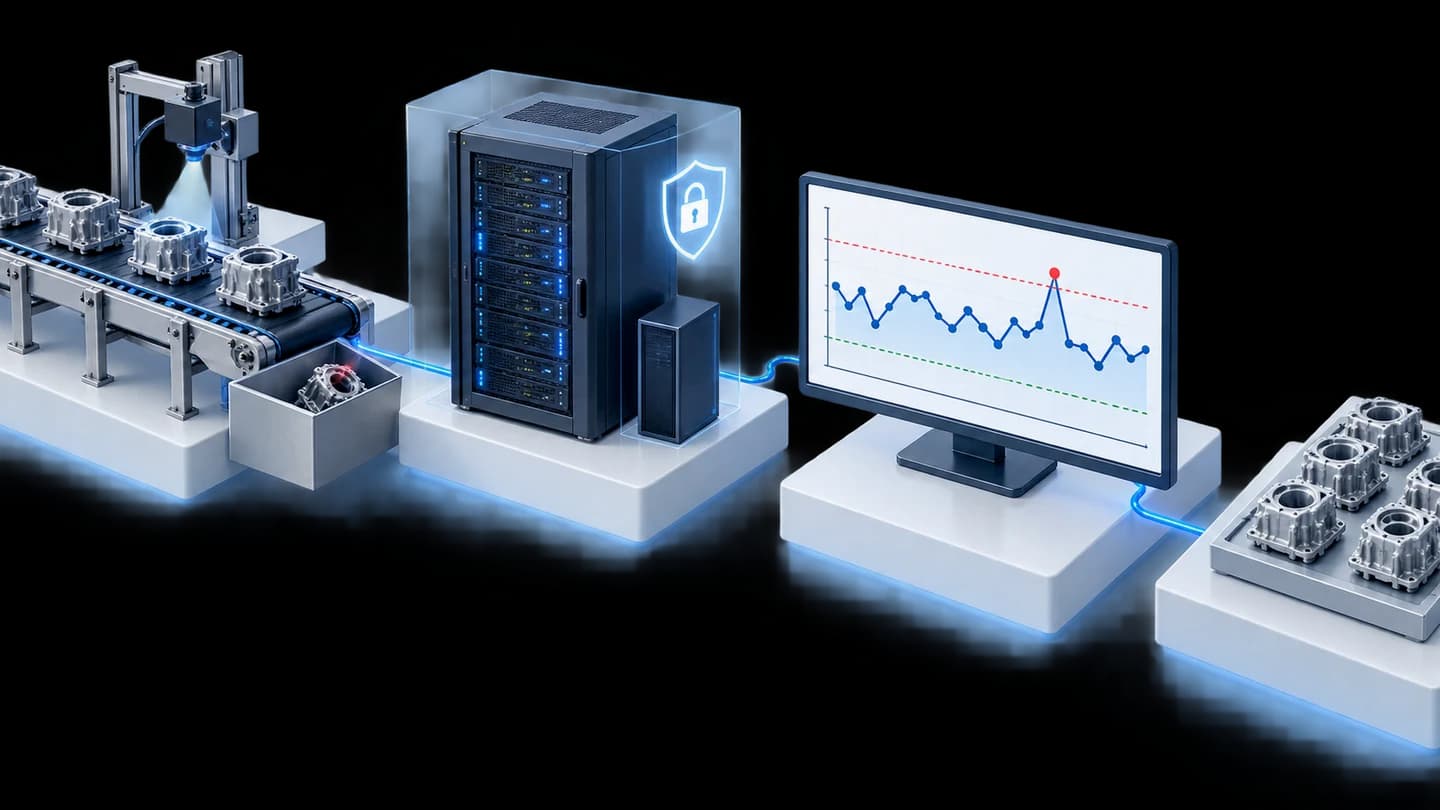
Shot counting per Part No. for Toshiba and JSW plastic injection machines, for an automotive parts manufacturer in Thailand
Customer: Automotive parts manufacturer (Japanese conglomerate)
We developed programs that read shot log files from Toshiba and JSW plastic injection machines and summarise shot counts per Part No. (part code) for an automotive parts manufacturer in Thailand. We closed Phase 1 in 2020, and in Phase 2 in 2021 we used this data as the basis of a web app that alerts on mould maintenance cycles.
- Industry
- Automotive
- Year
- 2020–2021
- Scope of work
- Phase 1: Toshiba Report and JSW Report programs (Python, Command Line) that read shot files from IPAQ3 and NET100 and produce reports of shot counts per Part No. as .txt files, installed on an IPC Server (Siemens, Windows 10) linked to the plastic injection line over a 4G network, with a user manual; Phase 2: Mold PM Monitoring web app using Part No. data from Phase 1
Summary
- We developed 2 Python programs, Toshiba Report and JSW Report, for an automotive parts manufacturer in Thailand. They read shot files from IPAQ3 and NET100 and count shots per Part No. (part code).
- The counting rules differ by brand: the Toshiba side counts rows with the same Part No., while the JSW side converts FDB files to CSV and counts only shots within the production status (Production) period.
- Test result at Phase 1 closure: the shot counts in the reports matched the number of rows in the source files for machines of the 2 brands.
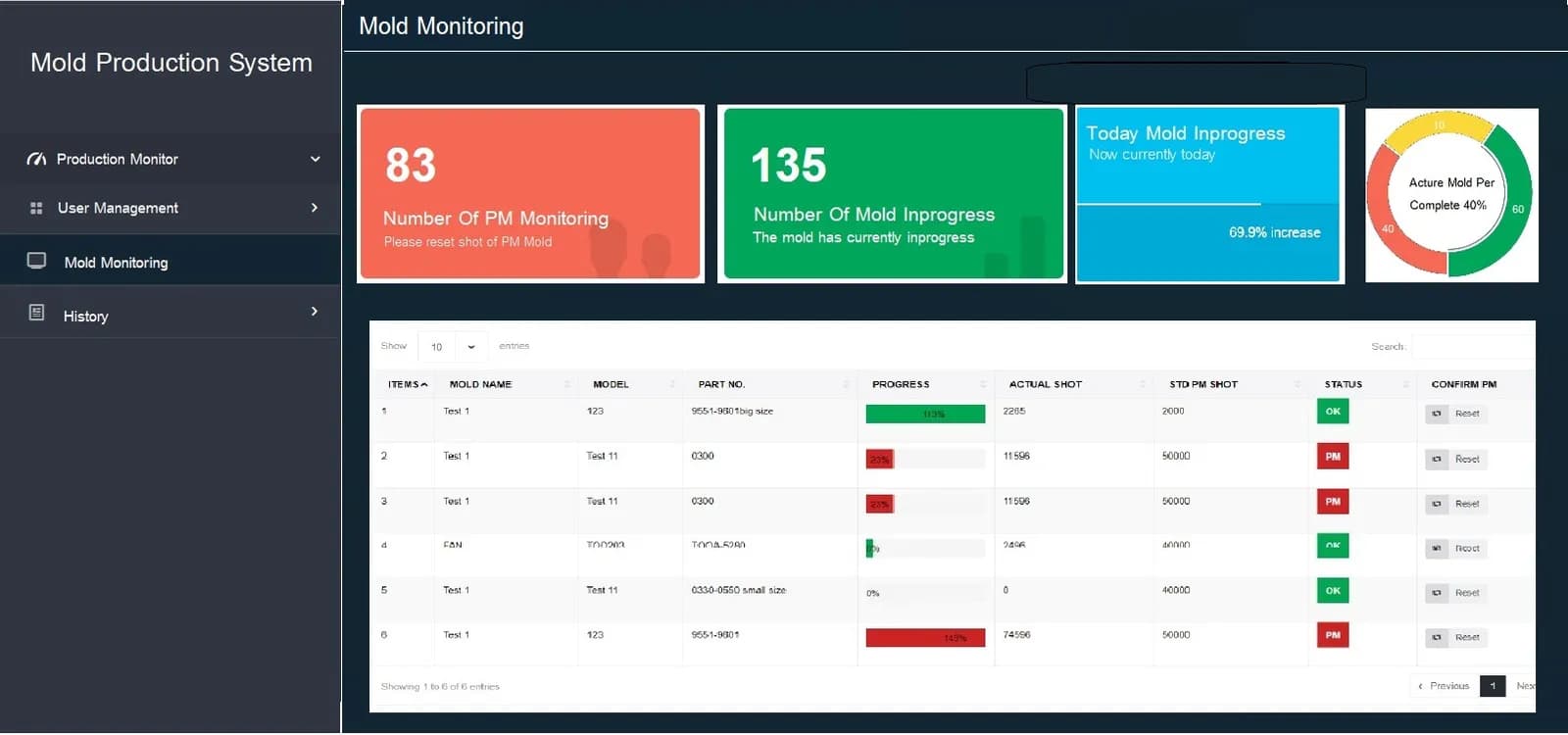
- Phase 2 used this Part No. data in the Mold PM Monitoring web app, which shows OK / Warning / PM status and sends email alerts for mould maintenance cycles.
- We closed Phase 1 in December 2020 with a user manual, and closed Phase 2 in February 2021.
The on-site brief
The Toshiba and JSW injection machines on the customer's plastic injection line kept shot data (a shot is one injection) in separate programs and file formats: CSV files from IPAQ3 and FDB files from NET100, which must be decoded before reading. The factory therefore could not see combined shot totals per Part No. across all machines, and wanted reports 2 times a day, at 07.30 and 19.30, as baseline data for mould care.
What we did
In Phase 1 we developed 2 Python programs, Toshiba Report and JSW Report, on the factory's IPC Server. The programs read the files from the 2 machine brands, count shots per Part No. and produce reports as text files (.txt). In Phase 2 we used this Part No. data in the Mold PM Monitoring web app, which shows OK / Warning / PM status and sends email alerts for mould maintenance cycles.
- Toshiba and JSW injection machinesFiles from IPAQ3 / NET100
- Factory IPC ServerLinked to the injection line over 4G
- Toshiba Report / JSW ReportPython counts shots per Part No.
- Shot report as a .txt filePhase 1
- Mold PM Monitoring web appPhase 2 + email alerts
Results
In the Phase 1 closing test in December 2020, the shot counts in the programs' reports matched the number of rows in the source files for both Toshiba and JSW machines. We closed Phase 2 in February 2021, and these shot totals per Part No. are the data foundation of the web pages for mould maintenance-cycle alerts.
How the brief came about
The challenge in this case was knowing the shot totals per Part No. across all injection machines combined, as baseline data for mould care. The customer's plastic injection line uses injection machines from 2 brands, Toshiba and JSW. Shot data already existed in the software supplied with the machines, but it was split across separate programs and file formats.
Toshiba machines record data through the IPAQ3 program as daily CSV files (tabular text files), while JSW machines record through the NET100 program as FDB files (data files created by the NET100 program), which must be decoded before they can be read. The factory therefore could not see the combined total per part in one place.
What are a shot and a Part No.?
A shot is one injection of plastic into a mould, and a Part No. is the code of the part being produced. Knowing the cumulative shots for each Part No. tells the team looking after the moulds how much that mould set has been used.
Requirements and constraints
The system had to read files from the software of the 2 injection machine brands the factory uses, and run on the factory's central computer. The main requirements and constraints are as follows.
- Read CSV files from IPAQ3 on Toshiba machines and FDB files from NET100 on JSW machines, which must be converted to CSV before counting
- Count together only rows with a matching Part No., and on the JSW side count only shots that occur while the machine is in production status (Production)
- Run on a Siemens IPC Server (an industrial computer used as the central computer) with the Windows 10 operating system, linked to the injection line over a 4G network
- The project requirements specified reports 2 times a day, at 07.30 and 19.30, and reading only the new day's files, without reprocessing files from previous days
- The program must show an error on screen when the source or destination file path is set wrongly
Why we chose to read files from the injection machine software
We chose to read files from the injection machine software because the shot data already existed in the IPAQ3 and NET100 files, so this work added no sensors to the machines. The main task was to count the 2 file formats under agreed rules and produce reports in a single format.
Phase 1 is a Command Line program (operated through a text screen). The project closing documents state that this program can be developed into a graphical screen in future, and Phase 2 built on it as web pages after the shot totals had passed testing. The Phase 1 workflow is as follows.
- 1
Injection machines record shots to daily files
The IPAQ3 and NET100 programs create each day's file automatically. The administrator sets the program's source and destination folders according to the manual.
- 2
The program reads the new day's files
The administrator runs the Toshiba Report and JSW Report programs from the Command Line screen according to the manual. The programs read only the new day's files.
- 3
Count shots by Part No.
The Toshiba side counts the number of rows with the same Part No. in the CSV file, while the JSW side first converts FDB files to CSV, then counts the shots that occurred in the production status period for each Part No.
- 4
Produce reports and flag wrong settings
The output is a text file (.txt) in the specified folder. If the source or destination file path is set wrongly, the program shows an error on the Command Line screen.
Deliverables
We delivered 2 programs for Phase 1, installed on the factory's IPC Server, with a user manual, and delivered a web app for Phase 2. The deliverables are as follows.
- Toshiba Report program: reads CSV files from IPAQ3 and produces reports of shot counts per Part No.
- JSW Report program: converts FDB files from NET100 to CSV and produces reports of shot counts per Part No.
- Result reports as .txt files in the folder set by the administrator
- User manual: folder settings, running from the Command Line screen and basic troubleshooting
- Phase 2: Mold PM Monitoring web app on the same machine, using Part No. data from Phase 1
How Phase 1 and Phase 2 connect
Phase 2 uses the Part No. data stored by Phase 1 and shows it on web pages for mould care. Phase 1 first put the shot totals from the 2 machine brands into one format, and Phase 2 then built the screens and alerts on that data. The sequence of work is as follows.
- December 2020: closed Phase 1, the Toshiba Report and JSW Report programs, with a user manual
- February 2021: closed Phase 2, the Mold PM Monitoring web app, which shows shot progress against the maintenance cycle as OK / Warning / PM status and sends email alerts
In the Phase 2 web app, resetting the shot count after mould maintenance requires confirmation from the 2 parties designated by the factory first. Details of the web app and later follow-on work are in the case study on mould shot counting and maintenance-cycle alerts (Mold PM).
Results confirmed by the project closure test
In the Phase 1 closing test in December 2020, the shot counts in the reports of the Toshiba Report and JSW Report programs matched the number of rows in the source files for machines of the 2 brands. This case has no measured business figures, so we report only results backed by documents.
Shot totals per Part No. from Phase 1 are the data foundation of the Mold PM Monitoring web app in Phase 2.
What we learned
This work offers the following principles for projects that combine data from machines of different brands.
- Agree the counting rules for each data source before writing the program. The word shot in each brand's files does not always mean the same thing. In this work the Toshiba side counts rows of the same Part No., while the JSW side must count only the production status period.
- Check totals against the source files before building further. Alert systems and screens built later are only as reliable as the data beneath them, so in this work we compared the reports with the source files at the close of Phase 1 before starting Phase 2.
- A program running on site must be able to report problems itself. In this work the program shows an error on screen when a file path is set wrongly, and we delivered a basic troubleshooting manual, so on-site administrators can correct the settings themselves without waiting for an outside team.
How this approach can apply to your factory
If your injection machines already record shot data to files, you can start by reading the files as in this case: combine shot totals per Part No. into one format, check them against the source files, and only then build on them with screens or alerts. What needs adapting is the file-reading method and the counting rules, when your machines are a different brand or store files in a different format.
Reusable parts and parts that need adapting
| Part of the work | Reusable | Needs adapting when |
|---|---|---|
| File reading | Reading CSV files from IPAQ3 (Toshiba) and converting FDB files from NET100 (JSW) | The machines are another brand, or the machine software stores files in another format: sample files must be checked first. |
| Counting rules | Counting per Part No. and counting only in the production status period | Your factory defines the shots it counts differently: new rules must be agreed first. |
| Reports | Reports of shot counts per Part No. as text files | You want to send data to another system or show it on a web page: this must be planned as next-phase work. |
| Installation | Installed on a central computer in the factory | There is not yet a network linking the injection line to the central computer: it must be prepared first. |
- Check where each injection machine brand's software records shot data, in what file format, and when it creates new files.
- Set the report times you need and the source and destination folders, because if the file paths are set wrongly, the program cannot produce reports.
- Assign an on-site administrator for the central computer who can read the manual and correct basic settings.
Read more
Technology used
Frequently Asked Questions
Do additional sensors have to be fitted to the injection machines?
Not in this case. The program reads data from files already created by IPAQ3 on the Toshiba machines and NET100 on the JSW machines. If your machines have a data collection program like this, you can start by reading its files, but the files from the actual machines must be checked before this can be confirmed.
Which injection machine brands can this system extract data from?
In this case, Toshiba machines through CSV files from the IPAQ3 program, and JSW machines through FDB files from the NET100 program, which must be converted to CSV before counting. For other brands, we must first check how the machine's program stores shot data.
How do you know the shot count is correct?
At Phase 1 project closure, we compared the program's reports with the number of rows in the source files from the Toshiba and JSW machines. The results matched for the 2 brands.
What happens if the program is configured incorrectly?
The program will not produce a report and will show an error message on the Command Line screen, for example when the source or destination folder path is set incorrectly. The delivered user manual includes setup steps and basic troubleshooting for these cases.
How much does a system like this cost?
There is no fixed price. It depends on the number of machines, the brands, the file formats and what you need displayed. Please contact us to request a quotation following a check of the site and sample files.