Injection mould shot counting and maintenance alerts (Mold PM) for an automotive parts manufacturer in Thailand and Cambodia
Customer: Automotive parts manufacturer (Japanese conglomerate)
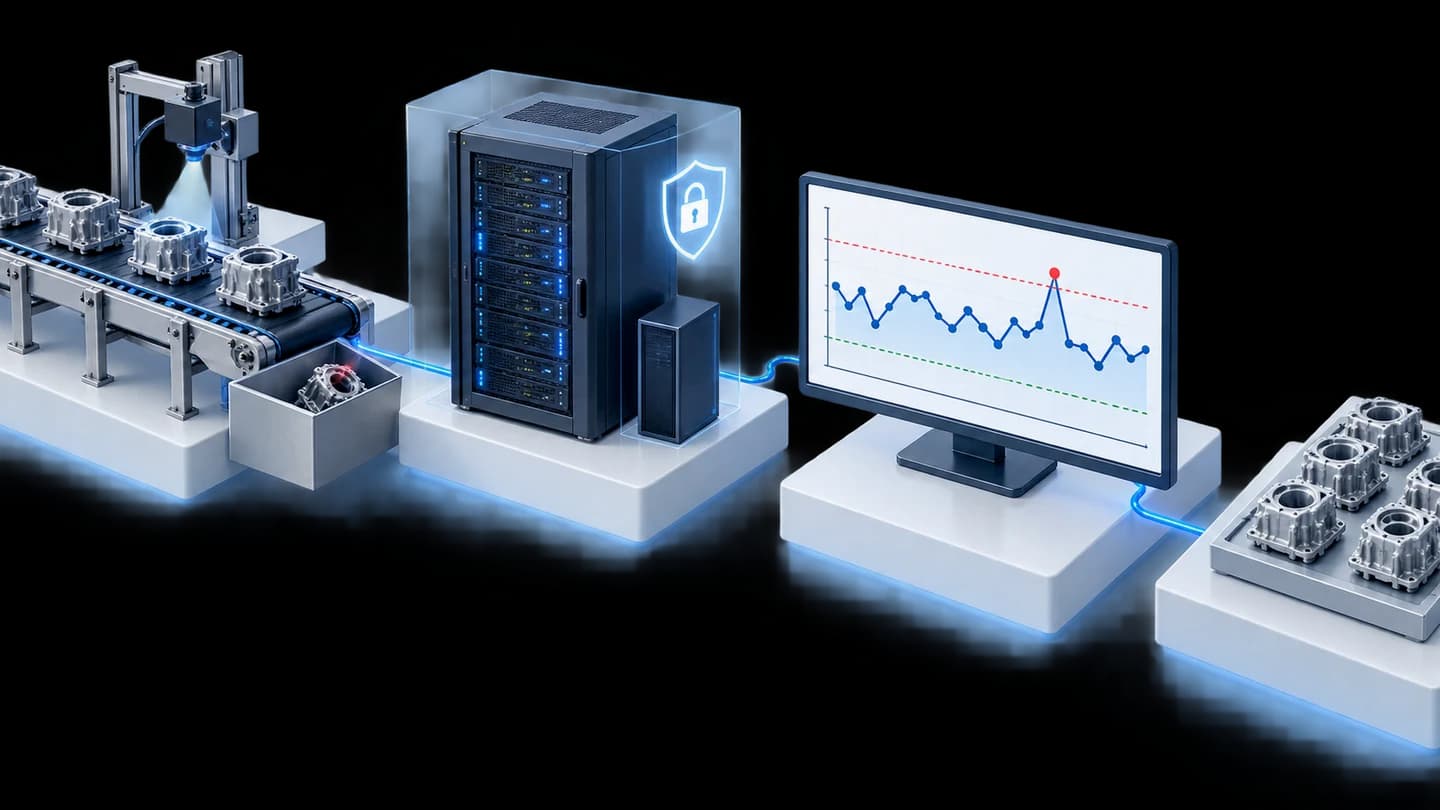
Mold Shot PM Monitoring is a web app for injection moulding plants. It combines shot counts from Toshiba and JSW machines for each mould on one screen, shows OK / Warning / PM (preventive maintenance due) status and emails alerts as maintenance approaches. We delivered the system to an automotive parts manufacturer in Thailand in 2021 and installed it at its Cambodian production site in 2022.
- Toshiba / JSW injection moulding machinesShot files from IPAQ3 and NET100
- IPC ServerConverts files and counts shots per Part No.
- Mold Shot PM Monitoring screenOK / Warning / PM status
- Email alertsSent to the configured recipients
- Confirm reset and record history2 parties designated by the factory
- Industry
- Automotive
- Year
- 2021–2022
- Scope of work
- A 5-part web app (shot tracking page, authorised users and email list, Mold PM settings, alert email template, history) on an IPC Server running Windows 10 for 2 factories in Thailand in 2021, and follow-on work in 2022: adjusting the screens and installing at the production base in Cambodia.
Summary
- Mold Shot PM Monitoring is a web app that counts mould shots from the files of Toshiba (IPAQ3) and JSW (NET100) injection machines per Part No. (workpiece code), then compares them with a maintenance cycle (STD PM Shot) set by the user.
- The screen shows the status of every mould as an OK / Warning / PM bar and sends email alerts to the selected recipients, with up to 5 conditions configurable per mould.
- Resetting the shot count after maintenance requires confirmation by 2 parties, and every reset is recorded on a history page that can be exported as an Excel file.
- The project closure test compared the shot totals for each machine brand with that machine's own report files. The totals for the 2 brands matched.
- The second factory in Thailand uses the same program as the first factory, and the customer's own team prepared the network that connects the injection machines to the IPC Server.
The on-site brief
The customer's Toshiba injection machines store shot data (a shot is one injection) in the IPAQ3 program, while its JSW machines store it in the NET100 program, and the two use different file formats. As a result, the customer could not see the shot count of every mould against its maintenance cycle on one page, and wanted email alerts when a mould was nearing its cycle.
What we did
We developed the Mold Shot PM Monitoring web app on an IPC Server (an industrial computer used as a server) at the factory. It reads files from IPAQ3, converts FDB files from NET100 to CSV and counts shots per Part No. (workpiece code). The system shows an OK / Warning / PM status against the cycle set by the user and can send email alerts for up to 5 conditions per mould. Resetting the shot count after maintenance requires confirmation by 2 parties and is recorded on the history page.
Results
In the project closure test, the shot counts read by the system matched the report files of the Toshiba and JSW machines, and the customer confirmed that the system met all 5 requirement items. We closed the project at 2 factories in Thailand in 2021, and in 2022 received follow-on work to adjust the screens and install the system at the production base in Cambodia.
How the brief came about
The challenge in this case was to see the actual shot count of every mould on one page, in order to plan preventive maintenance cycles (Preventive Maintenance, or PM, means servicing on a schedule before a mould fails) according to actual use. A plastic injection mould must undergo maintenance once it has completed a set number of shots. The shot data already existed in the injection machines' programs, but it was split across separate programs and different file formats: Toshiba machines store it in IPAQ3 and JSW machines store it in NET100.
Before this case, we developed the first-phase shot counting system for Toshiba and JSW injection machines for the same customer. That system could already count shots per Part No., so the work in this case took that data, displayed it against the maintenance cycles and added email alerts.
What are Shot and STD PM Shot?
A Shot is one injection of plastic into a mould. STD PM Shot is the number of shots set by the factory at which a mould must undergo preventive maintenance.
Requirements and constraints
The system had to work with the factory's existing Toshiba and JSW injection machines, which store shot data in different file formats. The main requirements and constraints were as follows.
- Read the 2 file formats: files from IPAQ3 on Toshiba machines, and FDB files from NET100 on JSW machines, which must first be converted to CSV files.
- Run on an IPC Server at the factory, on the Windows 10 operating system.
- Users set the STD PM Shot value and alert conditions for each mould themselves.
- Send email alerts to designated recipients when a mould is nearing its maintenance cycle.
- Resetting the shot count after maintenance requires confirmation by 2 parties, and a history must be available for later review.
- At the second factory in Thailand, the customer's own team installed the VLAN (a sub-network set aside for a specific purpose) that connects the injection machines to the IPC Server.
How does this system count shots from injection machines of different brands?
The system counts shots from files that each brand's injection machine program has already created, without adding sensors to the machines. The program on the IPC Server reads files from IPAQ3 on Toshiba machines and converts FDB files from NET100 on JSW machines to CSV, then combines the shots per Part No. into a single format.
We chose this approach because the shot data already existed in the machines' files, and the first-phase shot counting system had previously used the same set of files. The main work was therefore combining the 2 file formats so they could be compared, not collecting new data from the machines.
- 1
Retrieve files from the injection machines
The program on the IPC Server reads report files from IPAQ3 on Toshiba machines and files from NET100 on JSW machines, first converting the FDB files to CSV files.
- 2
Count shots per Part No.
The system totals the actual shots (Actual Shot) for each Part No. and compares them with the STD PM Shot value set by the user. The list of Part Nos. used for counting is based on the first-phase shot counting system.
- 3
Show status on the web page
The Mold Shot PM Monitoring page shows a colour-coded OK / Warning / PM status bar, lists moulds that have reached their cycle at the top, and can be searched by mould name, Part No. or status.
- 4
Send email alerts
When the shot count enters a configured range, the system sends an email to the recipients selected for each condition. Users can choose to send once, or every time a set number of shots is reached.
- 5
Confirm the reset and keep the history
After mould maintenance, confirmation from 2 parties is required: the production department and one other party designated by the factory must each log in and confirm. Only then is the shot count reset and that cycle recorded on the history page.
During the project, the FDB file conversion produced incomplete data, so we set the program to delay the file conversion by 1 day.
Deliverables
We delivered the 5-part Mold Shot PM Monitoring web app, installed on the factory's IPC Server, together with a program that converts FDB files to CSV, and email alerts.
- Shot tracking page: OK / Warning / PM status bars for every mould on one page.
- Authorised users and email list: the list of users with access rights in the system, and the email addresses of alert recipients.
- Mold PM settings: STD PM Shot values and up to 5 alert conditions per mould.
- Alert email template: the message format of the email sent to recipients.
- History: a record of every shot count reset with the names of those who confirmed it, exportable as an Excel file.
How was this system expanded from the first factory to others?
We expanded the system by delivering the same program to the next factory. At the second factory in Thailand, the customer's team prepared the network itself. Follow-on work after that included adjusting the system's screens and installing it at the production base in Cambodia. The sequence of work was as follows.
- 2021, first factory in Thailand: delivery, testing and project closure
- 2021, second factory in Thailand: delivery of the same program as the first factory, and project closure
- 2022, follow-on work: adjusting the system's screens and installing at the production base in Cambodia
Results confirmed by the project closure test
The project closure test checked 2 things: the shot totals counted by the system, and the 5 requirement items specified in the project closure document. This case has no business performance figures, so we report only the results backed by documents.
- Shot totals: the test compared the number of shots counted by Mold Shot PM Monitoring with the report file of that machine brand itself. The totals for the Toshiba and JSW machines matched the report files.
- Requirements: the customer confirmed that the system met all 5 requirement items in the project closure document.
What we learned
This work offers 3 principles for shot counting and maintenance cycle alert projects.
- Start with the data the machine already has. If the machine's program stores shot data, the first task is to bring files from several brands into one format so they can be compared, before considering adding sensors.
- A system that reads files from machines must know when a file is complete, and must check its totals against the machine's reports before delivery, as with the FDB file conversion timing we adjusted in this work.
- Alerts and resets must be tied to identifiable responsible people. When every condition has clear recipients and every new cycle count has someone to confirm it, the maintenance team can check afterwards who decided what.
How this approach can apply to your factory
If your factory sets mould maintenance cycles by shot count, you can use the same approach as this case: read shot data from the machines, total it per mould, compare it with STD PM Shot, then send email alerts. What has to be adapted is the way the data is read, when your machines are a different brand or store files in a different format.
Reusable parts and parts that need adapting
| System part | Reusable | Needs adapting when |
|---|---|---|
| Reading shot data | Reading files from IPAQ3 (Toshiba) and NET100 (JSW) | If the machines are another brand, or their program stores files in another format, how shot data can be exported must be checked first. |
| Shot counting and status | Counting per Part No. and the OK / Warning / PM status bars | If your factory matches moulds to shot data by something other than Part No., the matching method must be agreed first. |
| Alerts | Alert conditions per mould and selection of email recipients | If your moulds have different maintenance cycles from this case, the STD PM Shot values and the shot range for each status must be set anew. |
| Reset and history | Confirmation by 2 parties and the history page | If the parties who must confirm differ from this case, the list of names must be defined anew. |
| Installation | Installation on a server at the factory | If there is no network yet connecting the injection machines to the server, it must be prepared first. |
Before starting work, prepare these 3 things.
- Check whether each brand's injection machine program can export shot data files, and at what times the files are created.
- Prepare the STD PM Shot value for each mould, and define the shot range for each status so that the ranges do not overlap.
- Agree clearly who receives email for each condition, and which parties must confirm before the shot count is reset.
Read more
Technology used
Frequently Asked Questions
Do additional sensors have to be fitted to the injection machines?
Not in this case. The system reads data from files already created by the IPAQ3 program for Toshiba and the NET100 program for JSW. If your machines have a data collection program like this, you can start by reading files, but the actual machines must be checked before this can be confirmed.
Can it be used with other brands of injection machine?
This must be checked first. The system delivered in this case supports only Toshiba and JSW. For other brands, we must check what format the machines can export shot data in, and only then assess the additional integration work.
How are mistaken shot count resets prevented?
The shot count is reset only after both of the 2 parties, the production department and one other party designated by the factory, have logged in and confirmed. The screen shows which party has already confirmed, and every cycle is recorded on the history page with the names of those who confirmed.
Can this be extended to other factories in the group?
Yes. In this case, the system was extended to 2 more sites: a second factory in Thailand and a production base in Cambodia. The destination factory must first have a network connecting the injection moulding machines to the server.
What are the price and installation time?
Neither the price nor the installation time is fixed. Both depend on the number and brands of injection moulding machines, as well as the network conditions on site. Please contact us to request a quotation and work plan after an on-site survey.