The AI camera checks if the parts in the tray set are complete, for automotive parts manufacturers in Thailand.
Customer: Automotive parts manufacturer (Japanese conglomerate)
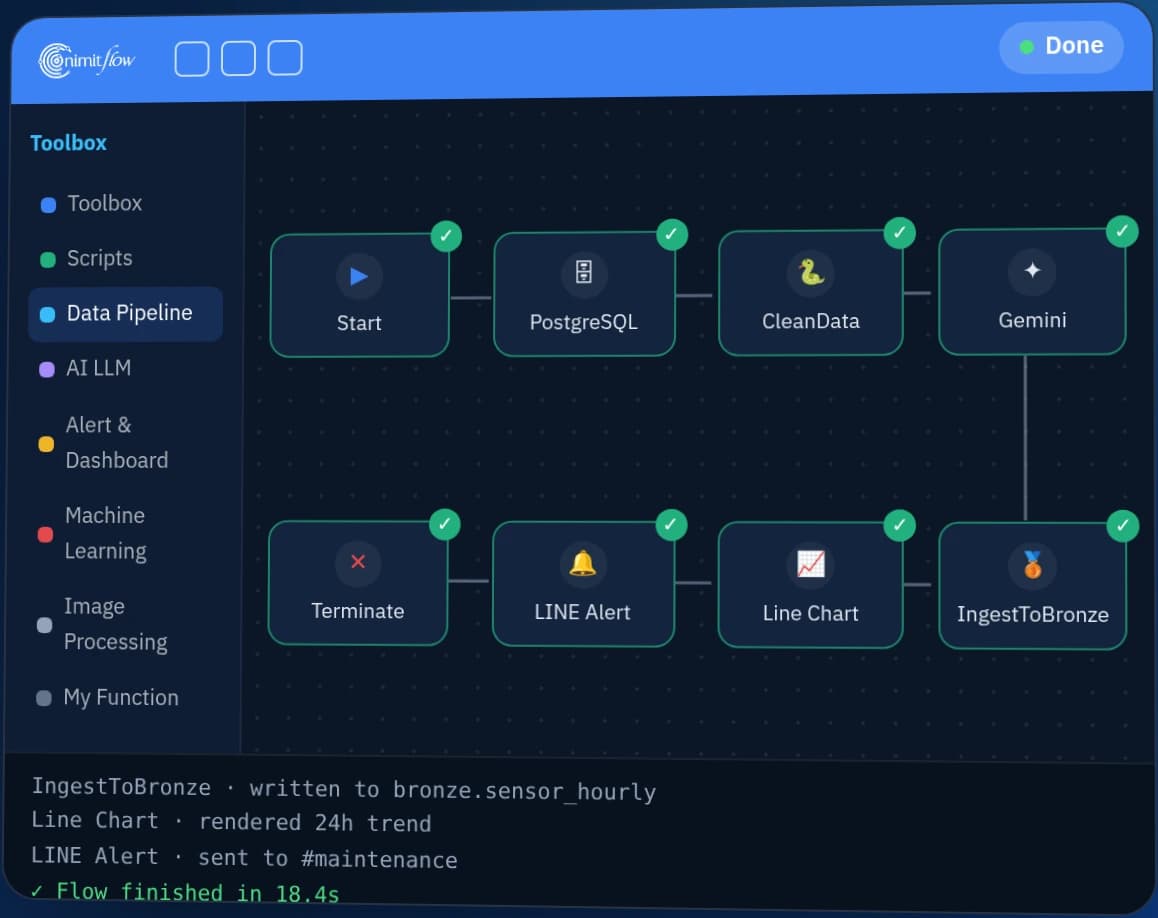
The AI camera checks whether each component-kit tray (Bento) contains all subcomponents required for the production model and shows missing parts on a tablet. We developed this prototype for a proof of concept (PoC) in B.E. 2568 for an automotive parts manufacturer in Thailand, training the AI model through a workflow on nimitFlow
- Tablet displays tray list of workpiece model
- Turn on light and take picture of tray
- Jetson Xavier runs YOLO model
- Displays missing parts in tray
- Teach and test model on nimitFlow
- Industry
- Automotive
- Year
- 2025
- Scope of work
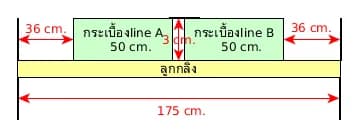
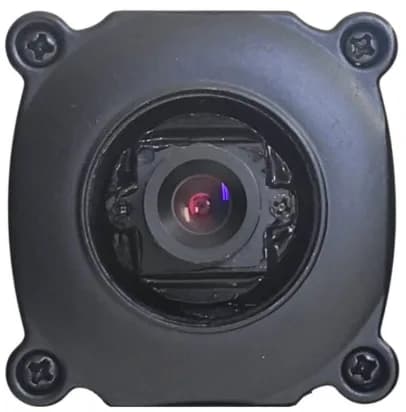
- Input: images of one tray at a time from a camera with a 12 mm lens on the tray transfer cart, and the sub-parts list for each part model (P/No.) · Processing: a YOLO model on an NVIDIA Jetson Xavier board finds the parts in the image, then compares them with that part model's list · Display: the Camera Inspection program on a tablet shows the parts missing from the tray · Equipment: area and bar lights controlled via relay · Software: the model training and testing process on nimitFlow together with Label Studio · What we built: 1 prototype set on the tray transfer cart, designed to support data for 3 part models (P/No.)
- Duration
- Apr–Aug 2025
Summary
- An AI camera on a tray transfer cart checks whether each tray holds all the sub-parts for the part model being produced and shows the missing parts on a tablet. We built this system as a prototype (PoC) in 2025.
- The prototype set uses a camera with a 12 mm lens, an NVIDIA Jetson Xavier board, its own lighting and a tablet. The prototype scope specifies data for 3 part models.
- We train the YOLO model (an object detection model for images) using a process on nimitFlow, from converting video into images and labelling images through to testing the results and sending a report by email.
- The program's main screens and the model training process on nimitFlow were completed in development according to the team's checklist. The next step after the prototype is to measure accuracy on real trays against pass/fail criteria.
- Principles from this work: agree the lighting and background before capturing images, plan from the outset to pull data on the part model in production from the existing system, and set pass/fail criteria before measuring results on real trays.
The on-site brief
The production team wanted a camera to check, tray by tray, whether each kitting tray (Bento) holds all the sub-parts on the list for the part model (P/No.), or which part is missing, before the tray is sent to the assembly line.
What we did
A camera on the tray transfer cart photographs one tray at a time under the prototype set's own lighting. A YOLO model (an object detection model for images) then finds the parts in the image, the program compares the result with the parts list for that part model, and the tablet shows the missing parts. We train the model using a process on nimitFlow.
Test results with real workpieces
We assembled a demonstration prototype set on the customer's tray transfer cart in May 2025. The program's main screens and the model training and testing process on nimitFlow were completed in development according to the team's checklist. The next step after this prototype is to measure accuracy on real trays against mutually agreed pass/fail criteria.
How the brief came about
The challenge in this case was checking that a parts kitting tray (Bento) holds all its sub-parts before it is sent to the assembly line. Staff pick sub-parts into the tray according to the list for each part model (P/No. is the part model code). A single tray holds several types of sub-part, such as levers and plates of several models.
Each part model has its own sub-parts list, so the camera has to know which part model the tray belongs to, then compare the parts found in the image with that part model's list. The goal is to catch trays with missing parts at the kitting point, before they reach the assembly line.
What is a kitting tray (Bento / Kitting)?
A kitting tray holds, prepared in advance, every sub-part needed to assemble one set of work. Assembly line staff can pick from the tray straight away without having to walk around looking for parts. If a tray is missing a part, that set of assembly work cannot continue.
Requirements and constraints
The prototype has to work on the tray transfer cart and has to know which parts each tray should contain. The main requirements and constraints are as follows.
- Mounted on the tray transfer cart and able to check one tray at a time
- Checks several types of sub-part in a single tray, comparing them with the parts list for that part model
- Every image must receive the same lighting, so the prototype set has its own area light and bar light, controlled via a relay (an electrical switch turned on and off by a signal)
- The prototype scope specifies data for 3 part models (P/No.), with the list of part models set in advance in the program
- The program is designed so that users can capture more images and upload new model files from the program screen, to support new parts or part models
How does the AI camera for checking parts in kitting trays work?
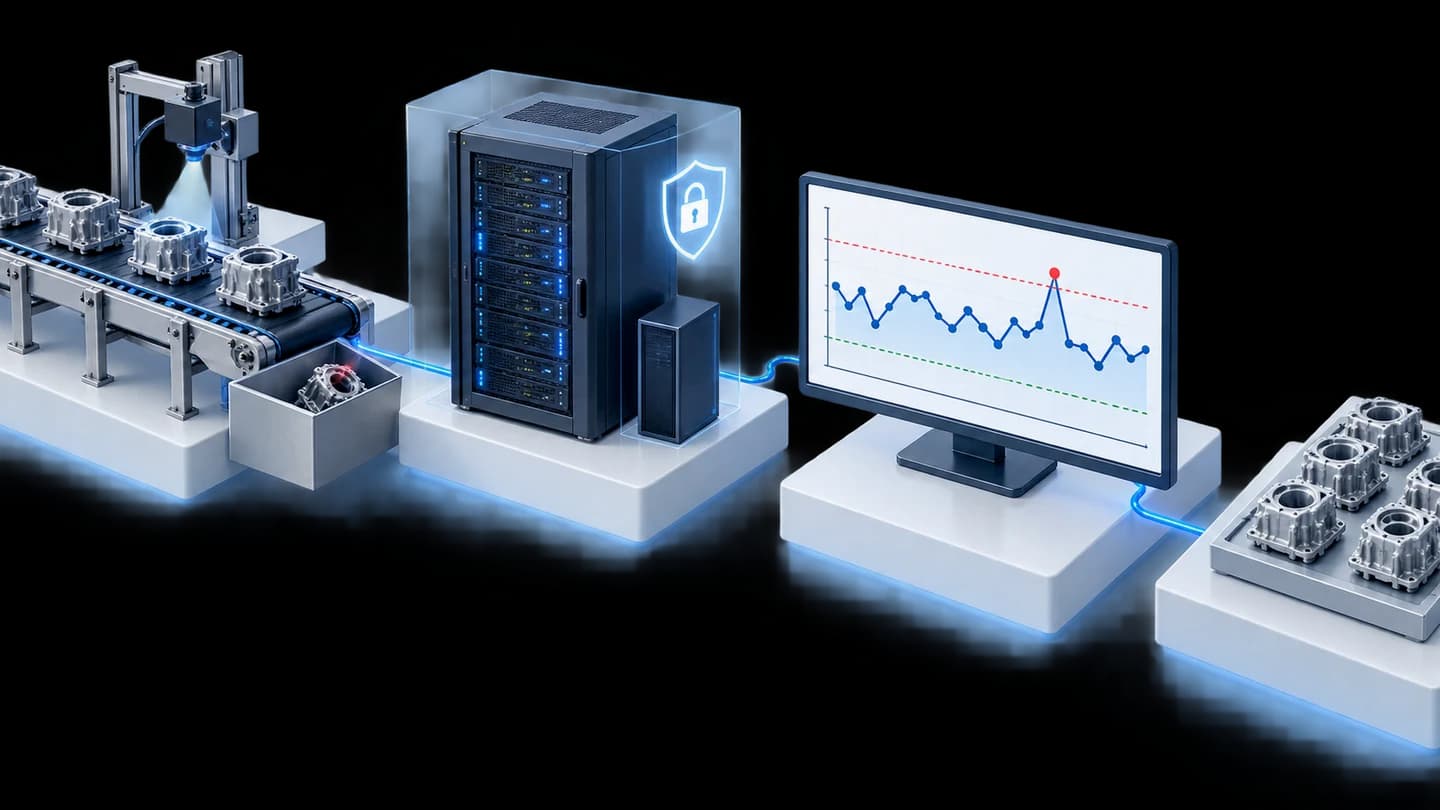
A camera on the tray transfer cart photographs one tray at a time, then a YOLO model (an object detection model for images) on an NVIDIA Jetson Xavier board finds which sub-parts are in the image. The program compares the result with the parts list for that part model, then shows the missing parts on a tablet.
An object detection model suits this challenge because the question for each tray is which parts are in the image. Once it has the list of parts found, the program can compare it directly with the part model's list. We designed the system to switch the lights on before taking an image and off afterwards, so that every image receives the same lighting.
- 1
Prepare the parts list for each part model
This prototype has the list of part models (P/No.) set in advance, together with the sub-parts list for each tray and spec sheets that can be opened on the tablet.
- 2
Capture images one tray at a time
The user presses a button when the tray is under the camera. We designed the system to switch on the lights, take the image, then switch off the lights.
- 3
The AI model checks the image
The NVIDIA Jetson Xavier board runs the YOLO model to find which parts are in the image.
- 4
Show the missing parts
The tablet lists the sub-parts not detected in that tray. The user can press to go to the next tray or go back to the previous one.
- 5
Train and adjust the model
The user records images or video from the program screen. We then use the process on nimitFlow to convert video into images, label the images, train the model and upload the new model file back into the program.
System components
The prototype set has 3 parts: hardware on the tray transfer cart, the Camera Inspection program on a tablet, and the model training and testing process on nimitFlow. The items according to the design documents and the team's checklist are as follows.
- Hardware: a camera with a 12 mm lens, an NVIDIA Jetson Xavier board, area and bar lights connected through a light controller (relay), and a display tablet
- Camera Inspection program: view the spec sheet for the part model, view the camera image, check one tray at a time, show the missing parts, record images or video for model training, and upload model files
- nimitFlow process: convert video into images, label images with Label Studio (an open-source image labelling program), convert the dataset, train the YOLO model, export the model file, and test the results and send a report by email
In this prototype, we train the model ourselves, while the tablet program is designed so that on-site users can check trays and capture more images. In addition, we produced the first edition of an internal manual for the model testing process on nimitFlow in August 2025.
What we built, and the next step after the prototype
We built 1 prototype set between April and August 2025, assembling the hardware on the tray transfer cart, developing the program's main screens and creating the model training and testing process on nimitFlow. According to the latest records, the model has been trained on some types of sub-part.
The next step after the prototype is to train the model on all sub-parts, measure results on real trays against pass/fail criteria, and develop the following items according to the team's checklist.
- Automatically pull the part model in production from the existing system (the prototype uses a list of part models set in advance)
- Switch the lights on and off from the program, and show the light status
- Network settings screen
- Button to confirm inspection results
- Storage of inspection result history
What we learned
This work offers 3 principles for AI camera projects that check whether parts are complete.
- Lighting and background must be stable before capturing training images. Training images should be taken under the same lighting and background as actual inspection. In this work we noted that the background for some types of part should change from black to white, so lighting and background should be agreed before capturing large numbers of images.
- The parts list for the part model in production is part of the inspection, not an extra. The inspection result can only be correct when the program knows which part model is being produced. This prototype uses a list of part models set in advance, and pulling data from the existing system is still outstanding work, so integration with the existing system should be in the plan from the outset.
- Finished development does not equal a passed test. The team's checklist shows which parts have been built, but not how accurately the system inspects. Before real use, pass/fail criteria must be set, such as the rate of catching trays with missing parts and the false alarm rate, then measured on real trays.
How can you apply this approach to your kitting line?
If your factory kits parts into trays before sending them to the assembly line, you can use the same approach as this case: photograph one tray at a time, have a model detect the parts, then compare them with the list for the part model in production. What needs adapting is the model, the lighting and the integration with the existing system, which depend on your parts and your site.
Reusable parts and parts that need adapting
| System part | Reusable | Needs adapting when |
|---|---|---|
| Hardware on the tray transfer cart | The approach of a camera, a processing board, dedicated lighting and a tablet | Your trays differ in size from this case, or your parts have reflective surfaces. The camera position, lens and lighting must be retested with real trays. |
| Tray-by-tray inspection program | Screens for viewing spec sheets, checking one tray at a time and showing missing parts | You need a result confirmation button or an inspection history, which are still outstanding work in this prototype |
| Parts list for each part model | Storing each tray's sub-parts list separately by part model | Data on the part model in production is in the factory's existing system, so the way to pull it must be agreed first |
| AI model | The process for capturing images, labelling images, training and testing the model on nimitFlow | Your parts differ from this case, so images must be captured and the model retrained with your parts |
Before starting the project, prepare the following
- Start with a small number of part models whose trays often have missing parts, then add more part models once you are confident in the inspection results (this prototype set its scope at 3 part models)
- Prepare the sub-parts list for each tray of each part model, and identify which system holds the data on the part model in production
- Agree the lighting and background at the image capture point before capturing training images
- Jointly define pass/fail criteria and the set of trays for testing before starting
Read more
- nimitFlow: a platform for building workflows and model training processes
- LearningCam: an Edge AI camera for part counting and image inspection
- Case: AI camera inspecting and counting bottle caps on a conveyor, with an approach for rejecting defective caps using air
- Case: Task Cam checking assembly work sequence
- Machine Vision consulting and system design services
Technology used
Frequently Asked Questions
What does the factory need to prepare before starting?
Prepare the sub-parts list for each tray of each part model, identify which system holds the data on the part model in production, agree the lighting and background at the image capture point, and prepare a set of trays for measuring results along with pass/fail criteria.
How does the system know which parts each tray must contain?
In this prototype, the program stores each tray's sub-parts list by part model in advance, then compares that part model's list with what the AI model finds in the image. Automatically pulling the part model in production from the existing system is still planned work.
What needs to be done for a new part model?
The new part model's parts list must be added to the program, images or video of the parts captured from the program screen, and then the process on nimitFlow used to label images, train the YOLO model and upload the new model file back into the program. In this prototype, we train the model.
Can the system reject trays or stop the line by itself?
No. This prototype only shows the list of missing parts on the tablet. Staff decide and handle that tray. The inspection result confirmation button is still outstanding work in this prototype.
How much does a prototype cost and how long does it take?
There is no standard price. The price depends on the number of workpiece models, the number of parts to be inspected and the integration with your existing systems. The prototype in this case was developed between Apr and Aug 2025. You can request a quotation after we have looked at the actual workpieces and the site.