Trial use of AI camera Task Cam for sequential assembly verification and step timing for automotive parts manufacturers in Thailand
Customer: Automotive parts manufacturer (Japanese conglomerate)
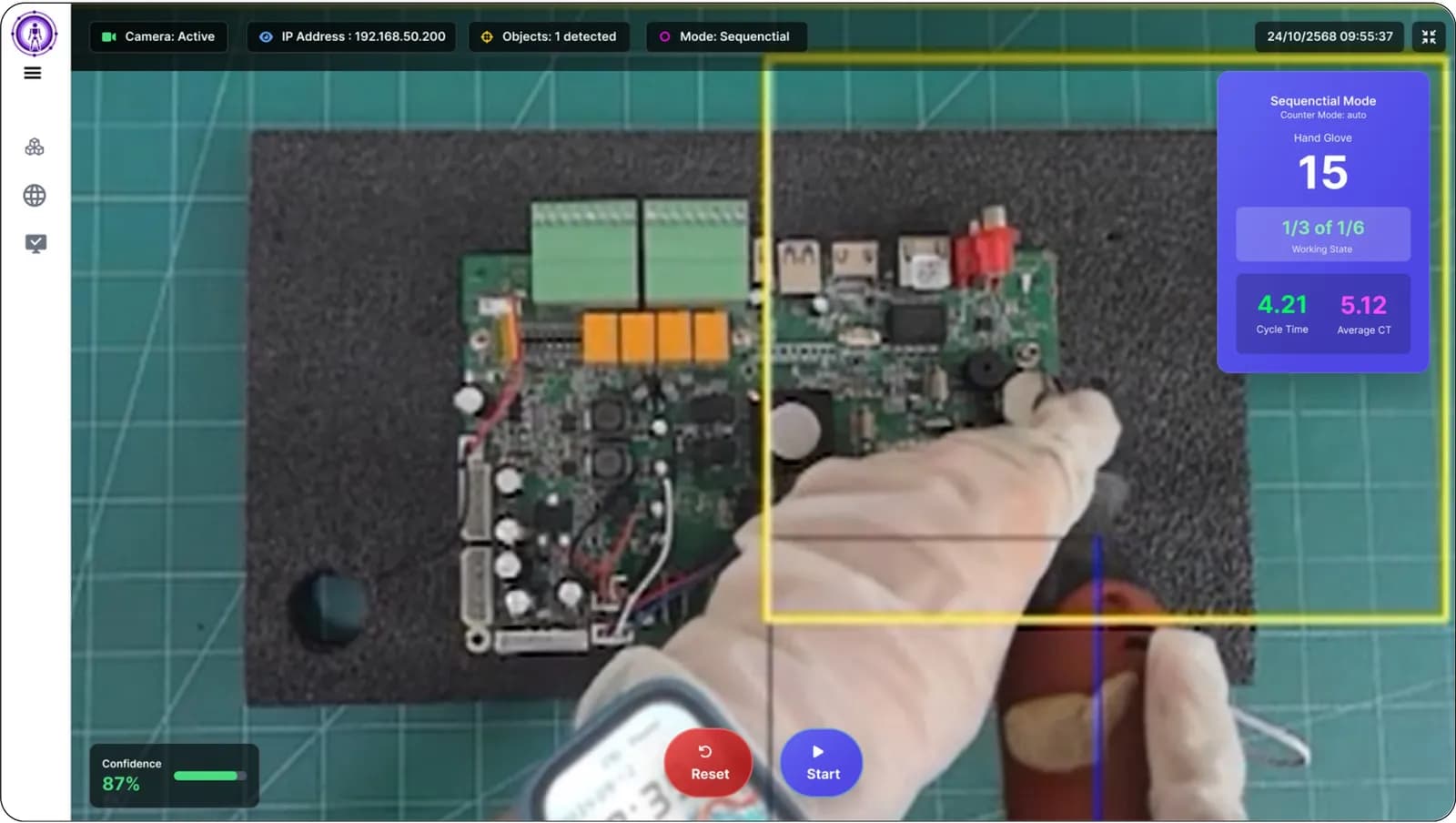
Task Cam Sequential mode is an AI camera that verifies the assembly process by hand movements to ensure all steps are completed in order, and counts finished workpieces. In B.E. 2569, we installed this camera alongside another Task Cam in Skeleton mode on a real assembly line of an automotive parts manufacturer in Thailand. The system records video clips and step times for review. This project is in progress during the POC (Proof of Concept — trials before full operation) phase.
- Industry
- Automotive
- Year
- 2026
- Scope of work
- Install Task Cam in Sequential mode and a second Task Cam camera in Skeleton mode at a live workstation; train a hand detection model for white fabric gloves; set up storage of video clips and CSV files of every step on the NAS; set up a Duo view web page that shows images from both cameras side by side in a web browser (side-by-side viewing on a single tablet is still an ongoing trial); and prepare a user manual (POC trial round).
Summary
- Task Cam in Sequential mode checks that an employee's hands enter the detection frames of all steps in the correct order, and counts a piece when all steps are completed.
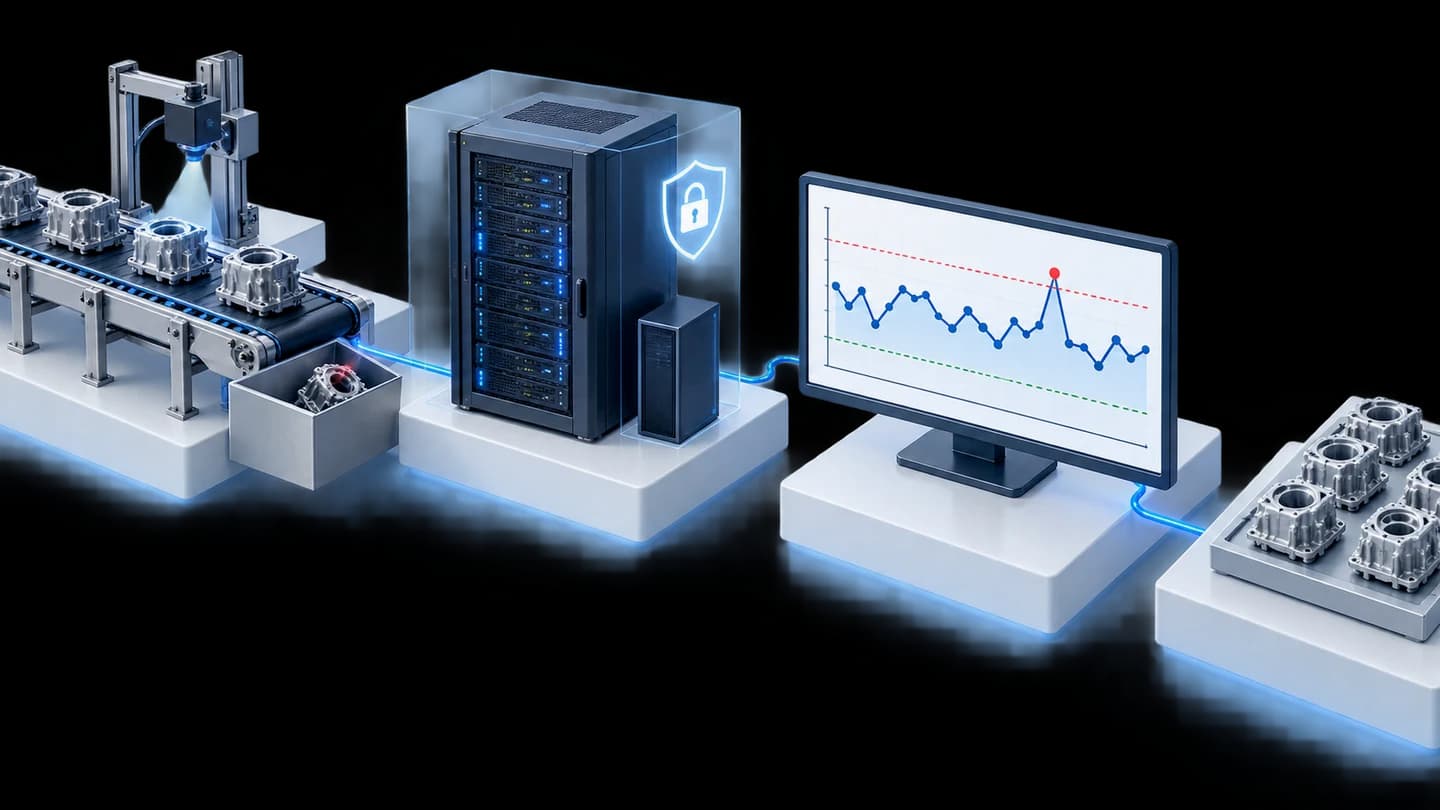
- A second Task Cam camera in Skeleton mode reads full-body posture and times each work cycle. The system stores video clips and CSV files of every step on the NAS.
- Employees wear white fabric gloves, so we retrained the hand detection model with real gloves from the site.
- This work is ongoing as a trial on a live production line in a POC round in 2026. There are no measured figures yet. The next step is a production version with cameras of a higher processing specification.
The on-site brief
The assembly line needed to know whether employees complete every step in sequence, and wanted a chart of the time employees spend on each step. Employees wear white fabric gloves and work quickly, so it is harder than usual for the camera to locate their hands.
What we did
We installed Task Cam in Sequential mode at the workstation to check the sequence by detecting hands and count a piece when all steps are completed, paired with a second Task Cam camera in Skeleton mode that times each work cycle. We retrained the hand detection model using fabric gloves from the site and set the system to store video clips and CSV files of every step on the NAS.
- Task Cam at the workstationSequential + Skeleton (separate cameras)
- AI detects hands in detection framesModel for fabric gloves
- Sequence check and piece counting
- Video clips + CSV on the NAS
- View results through web browserDuo view
Current status
A trial on a live production line is in progress as part of the POC round. We have delivered the user manual to the on-site team and applied interim fixes on site by replacing the camera that had a problem and requiring the NAS to be switched on before the cameras. The next step is a production version of the software with cameras of a higher processing specification, so that detection can keep up with hand speed.
How the brief came about
The challenge in this case is to know whether employees assemble parts through every step in sequence, and how many seconds each step takes. The customer is an automotive parts manufacturer in Thailand. Assembly at the station involves several steps. The customer wants a time chart for each step, and video clips to review afterwards.
In 2026, we installed Task Cam in Sequential mode alongside a second Task Cam camera in Skeleton mode on a live assembly line at this automotive parts manufacturer.
Requirements and constraints
The system must check the work sequence by detecting employees' hands under real site conditions. The main requirements and constraints are as follows.
- Employees wear white fabric gloves, and the existing hand detection model did not detect hands in this type of glove accurately.
- Employees work quickly, so the camera must detect hands in time at every step.
- Video clips and data files of every step must be stored on a NAS (network-attached storage device).
- The customer wants to use a single tablet on site. Showing images from both cameras side by side on this tablet is still an ongoing trial in the POC round.
How does Task Cam check that employees complete steps in sequence?
Task Cam checks the sequence from the employee's hands entering the detection frame (an area of the image that the camera is set to watch) of each step. These frames are drawn at the points where hands must reach in to pick up or assemble, arranged in the actual work sequence, and the camera then compares what the employee does with that sequence in every work cycle.
How do Sequential and Skeleton differ?
Sequential mode checks whether hands enter the frames of all steps in the correct order. Skeleton mode reads the body skeleton, such as shoulders, elbows and wrists, to observe movement and the time of each work cycle. This case uses a separate camera for each mode, at the same station.
We chose to check by detecting hands because the challenge is the order in which parts are picked up and handled, and we use a second camera in Skeleton mode because the customer also wants the time of each work cycle. The Duo view web page shows images from both cameras side by side in a web browser.
- 1
Define steps on screen
Draw the detection frame for each step in a web browser, arranged in the actual assembly sequence.
- 2
Show the next step with frame colours
A yellow frame shows the step to do next. A green frame means the hand has entered the correct frame. A red frame is a step whose turn has not yet come.
- 3
Count pieces when the sequence is complete
The system increases the piece count only when the employee has completed all steps in sequence.
- 4
Time with Skeleton mode
A second Task Cam camera in Skeleton mode reads the body skeleton and times each work cycle.
- 5
Store clips and files for review
The system records video clips and CSV files (table data files that can be opened in Excel) separately by step, then stores them on the NAS.
To solve the glove issue, we used real fabric gloves from the site to retrain the hand detection model, then applied this model to the cameras on the production line.
What was delivered in the POC round
In the POC round, we delivered a work sequence checking system at a live workstation, together with a data storage system and a user manual. The items are as follows.
- Task Cam in Sequential mode, which checks the sequence by detecting hands and counts pieces
- A second Task Cam camera in Skeleton mode, which times each work cycle
- A hand detection model trained for white fabric gloves
- Storage of video clips and CSV files of every step on the NAS
- A Duo view web page that shows images from both cameras side by side in a web browser (side-by-side viewing on a single tablet is still an ongoing trial)
- User manual for the on-site team
What stage is this work at, and what comes next?
This work is ongoing as a trial on a live production line in the POC round. The next step is a production version of the software with cameras of a higher processing specification. The sequence of work in 2026 is as follows.
- Meeting with the customer to set the approach. The conclusions included a hardware upgrade and retraining the model for white fabric gloves.
- Project start, purchase order (PO) received, and system installed at the workstation
- User manual delivered to the on-site team
- Trial on the production line, with periodic progress reports to the customer
- Next step: a production version of the software with cameras of a higher processing specification, and a code change so that the cameras can find the NAS on their own
Confirmed results during the trial
So far, the confirmed results are that the system has been installed and is being trialled on a live production line, and that we have delivered the user manual to the on-site team. There are no measured figures yet because the POC round is ongoing, so we report only what is confirmed by documents.
Problems found during the trial are documented. Employees' hands moved faster than the camera model used in the POC round could detect in time, which is the reason for using cameras of a higher specification in the production version. For the problems on site, we applied interim fixes by replacing the camera that had a problem and requiring the NAS to be ready before the cameras are switched on.
What we learned
The key principles from this work are to test the model with real gloves, to set the camera specification from real hand speed, and to define the NAS power-on sequence from the start. Details of each are as follows.
- Test the model with what employees actually wear. White fabric gloves meant the existing hand detection model did not detect accurately, so we collected images of the gloves on site to retrain the model before use.
- Set the camera's processing specification from actual hand speed on site. The POC round is the period for measuring whether the camera can detect in time with the work pace, before selecting hardware for production use.
- A system that records to network storage must have its power-on sequence defined from the start. If the cameras start before the NAS is ready, recording will have problems.
How can this approach be applied to your assembly line?
If your assembly line has a fixed sequence of steps, and skipping a step causes defects, you can use the same approach as this case: draw detection frames according to the work sequence, check by detecting hands, and store clips and the time of each step. What needs adjusting is the hand detection model, the camera specification and the installation position, according to the conditions at your station.
Reusable parts and parts that need adapting
| System part | Reusable | Needs adapting when |
|---|---|---|
| Sequence checking | Step-by-step detection frames and counting pieces when the sequence is complete | Your station has handling points that the camera cannot see from one position, so a new installation position must be found. |
| Hand detection | The approach of training the model with images from the real site | Employees use a different type or colour of glove, so images must be collected and the model trained on your actual gloves. |
| Camera specification | Using the POC round to measure whether the camera detects in time with the work pace | Employees' hands move quickly, so a camera with a higher processing specification may be needed. |
| Timing | A second camera in Skeleton mode for the time of each work cycle | You need only the work sequence and not the time, so the second camera may not be needed. |
| Data storage | Video clips and CSV files separated by step on the NAS | The on-site network is not ready yet, so the NAS must be given a fixed IP and the power-on sequence defined first. |
- Data from Skeleton mode should be used to adjust workstations and work sequences, not to assess individual employees, and employees must be informed before the cameras are installed.
- Detection frames in the same image should not overlap.
- Start with the station that has the clearest work sequence problem. Record observations on hand speed, lighting and gloves, and only then set the specification for other stations.
Read more
- Task Cam — AI camera for checking work sequence and Cycle Time at workstations
- Case study: Task Cam set for workstations, with an InTrigger push button and NAS
- Select AI Inspection Camera: Pre-assembled Task Cam or Custom Machine Vision
- What are RULA/REBA, and how can posture be assessed with AI Vision?
- AI and IoT system installation service for factories
Technology used
Frequently Asked Questions
How does Task Cam know that an employee has skipped a step?
The camera checks whether hands enter the detection frame of each step in sequence. A step whose turn has not yet come is shown as a red frame, and the system increases the piece count only when all steps are completed in sequence.
If employees wear gloves, can the camera still detect hands?
It depends on the type of glove. In this case, employees wear white fabric gloves, so we retrained the hand detection model with real gloves from the site. If your site uses a different type of glove, you should test with the real item first.
Is the system in this case in full use yet?
Not yet. This work is ongoing as a trial on a live production line in the POC round. The next step is a production version of the software with cameras of a higher processing specification.
Can Skeleton mode cameras be used to assess individual employees?
We recommend using data from Skeleton mode to adjust workstations and work sequences, not to assess individual employees, and employees must be informed before the cameras are installed.
What are the price and installation time?
Pricing and installation time are not fixed. Both depend on the number of stations, the type of work and any additional model training. We provide a quotation and installation timeline after a site survey.